General Info line · question 04 of 33All 33 questions
FAQ · General Info
How to link my CopVPN account through Google or Apple?
AnswerThe full answer
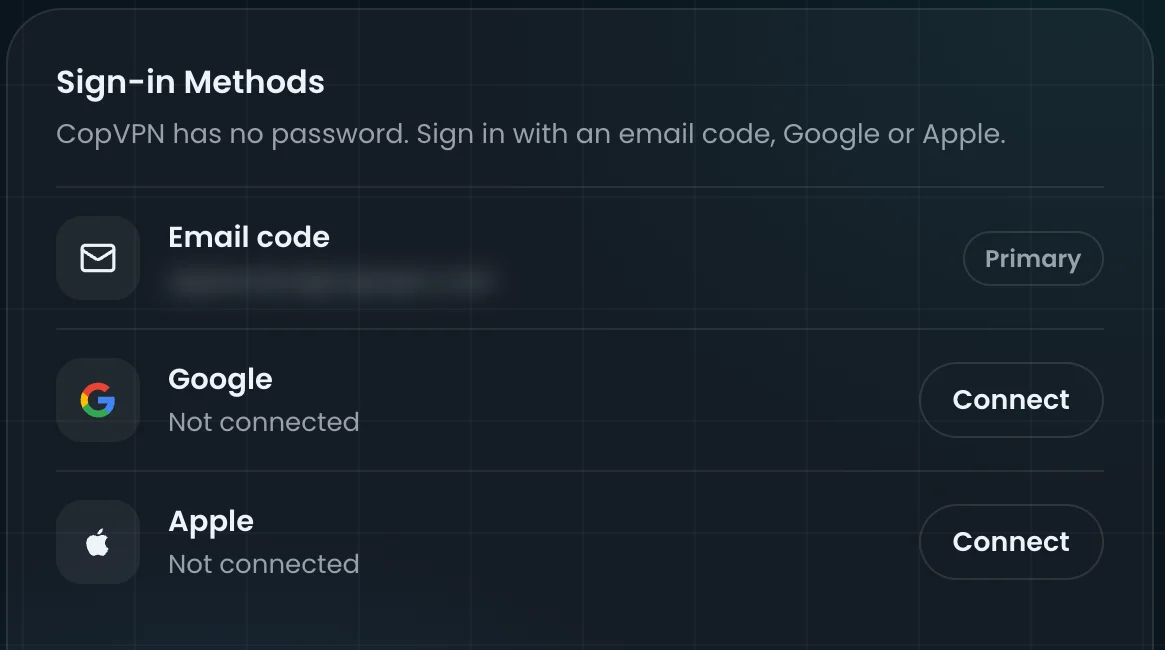
Sign in at my.copaccount.com, open My Account and, under Sign-in Methods, choose Connect next to Google or Apple. Then follow the steps to confirm it.
General Info line · 33 questions
Other questions on the General Info line
You’re reading question 4 of 33 on the General Info line. Pick another question, or switch to another line.
General Info line33 questions
- 01How many devices can I use with CopVPN?
- 02What operating system versions does CopVPN support?
- 03How to create a CopVPN account with Google or Apple?
- 04How to link my CopVPN account through Google or Apple?You’re reading this one
- 05Do I need a password for CopVPN?
- 06How to download CopVPN software?
- 07How to update CopVPN apps?
- 08How to uninstall CopVPN software?
- 09What are CopVPN’s high-speed servers?
- 10Where can I find the CopVPN server list?
- 11How can I disconnect from CopVPN servers?
- 12Does CopVPN have servers in India, Japan, and South Korea?
- 13How do I choose a CopVPN server in the USA, Canada or the UK?
- 14What does my ISP see when I’m using CopVPN?
- 15What is Split Tunneling, and how can I use it?
- 16How does the Kill Switch feature work?
- 17I forgot my CopVPN password. What should I do?
- 18What should I do if I lose access to my CopVPN?
- 19Does CopVPN offer a lifetime subscription?
- 20How do I connect to CopVPN from a country with internet restrictions?
- 21How do I reach CopVPN customer support?
- 22How do I disable CopVPN marketing notifications?
- 23What is a Cop Account, and how do I use it?
- 24How to manage CopVPN Account settings?
- 25How to delete the CopVPN account?
- 26How many locations does CopVPN have?
- 27Is DNS leak protection on by default?
- 28Does CopVPN block ads?
- 29What encryption does CopVPN use?
- 30Do I need an account before I install?
- 31What does the browser extension protect?
- 32My sign-in code hasn’t arrived. What can I do?
- 33Where are the Streaming and Gaming servers?
Still stuck? Email contact@copvpn.com
It’s our only support address. Tell us the device and app you’re using, and what you’ve already tried.