Public Wi-Fi
On café, airport and hotel networks, a dropped connection is exactly when unprotected traffic matters most.
VPN kill switch
A VPN kill switch blocks your internet traffic if the VPN connection drops, so nothing carries on over your normal connection. CopVPN has one in the Windows, Mac, Linux, iPhone, iPad and Android apps, and a browser-only version in the extension for Chrome, Edge and Firefox. It’s off until you turn it on.
In every app except Android TV. In the browser extension it covers that browser only.
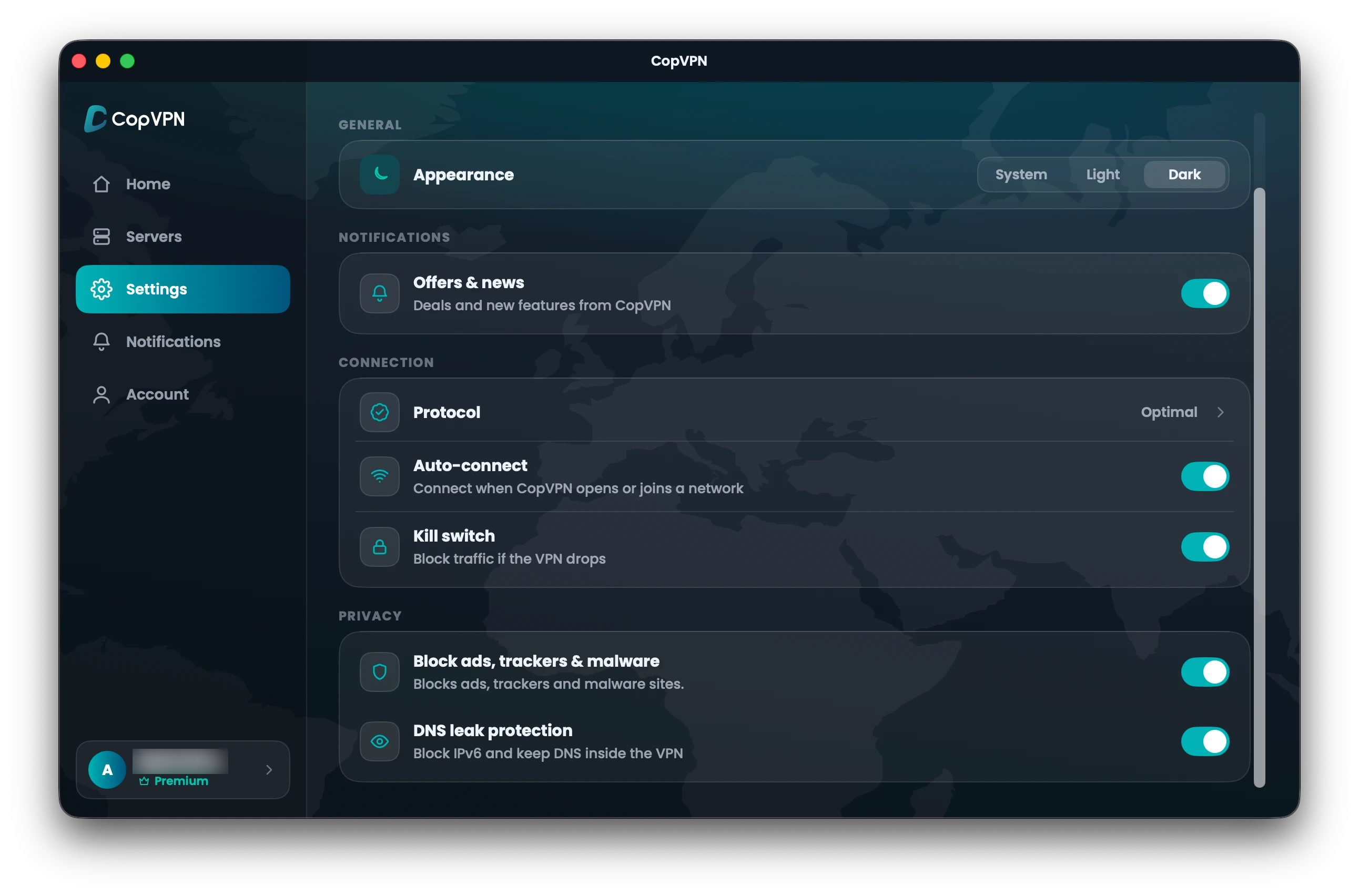
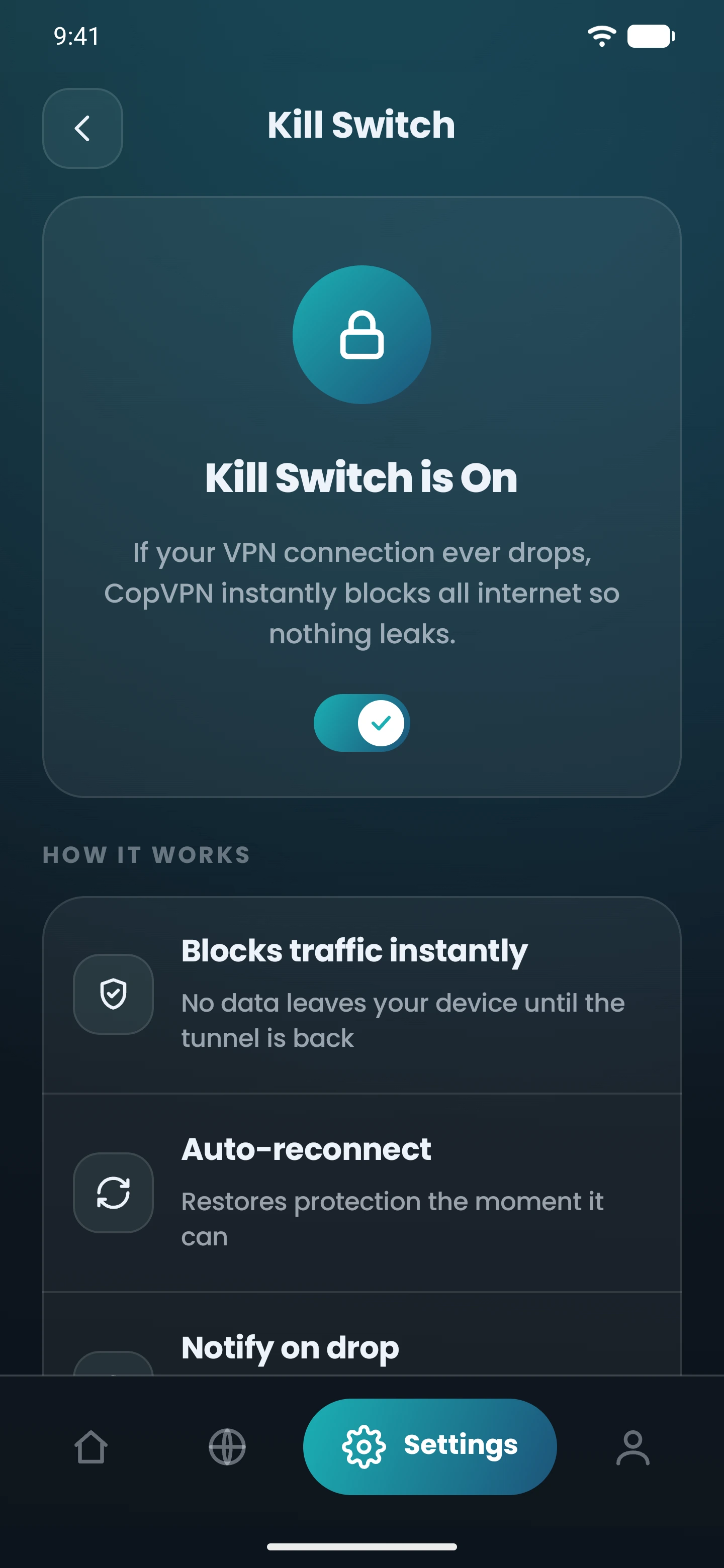
Real Settings screens · Mac and Android
Kill switch“Block traffic if the VPN drops”
How it works
Open Settings and switch on the kill switch. It stays on until you turn it off.
If the connection to CopVPN breaks, the app blocks traffic instead of letting it carry on over your normal connection.
Traffic flows again once the VPN is connected. A pause with no internet is the kill switch doing its job.
Connected. Your traffic goes through the VPN.
By platform
The same idea in each app, with small differences in name and scope.
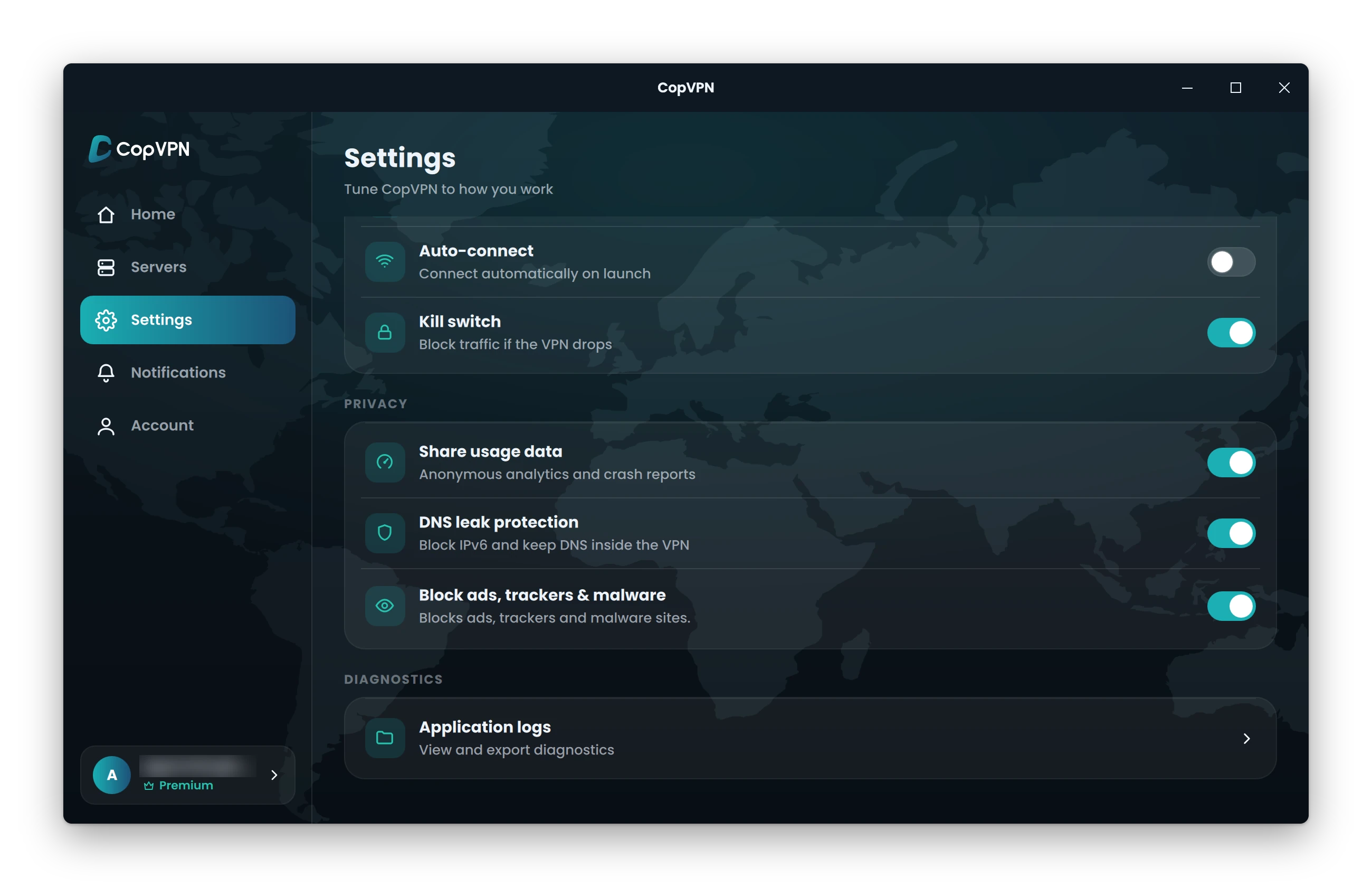
Kill switch“Block traffic if the VPN drops”
It works as a system firewall rule.
Kill switch“Block traffic if the VPN drops”
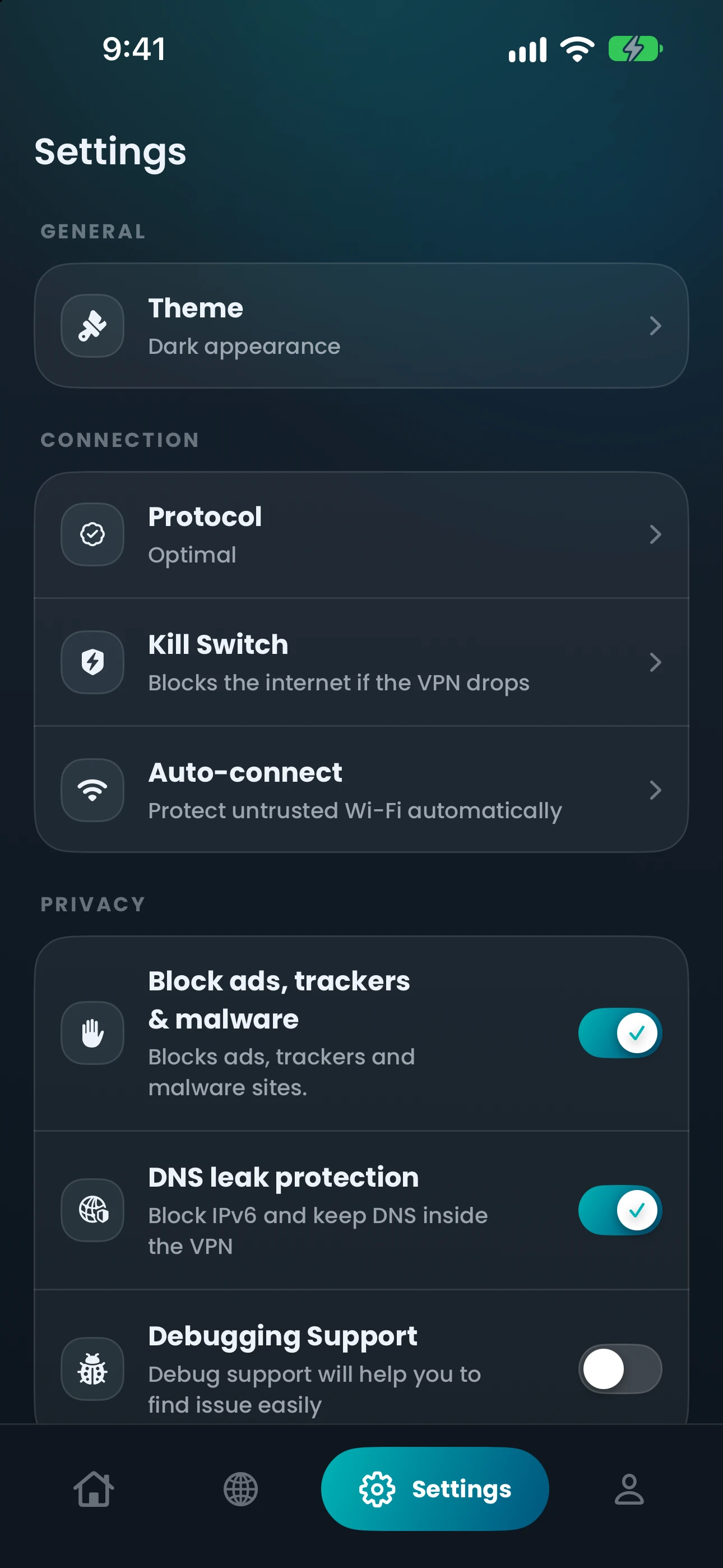
Kill Switch“Blocks the internet if the VPN drops”
That’s the iPhone wording; on iPad it’s “Kill switch”: “Block traffic if the VPN drops”.
Kill Switch“Blocks the internet if the VPN drops”
The screen also points to Android’s own “Block connections without VPN”, which works with Always-on VPN in Android settings.
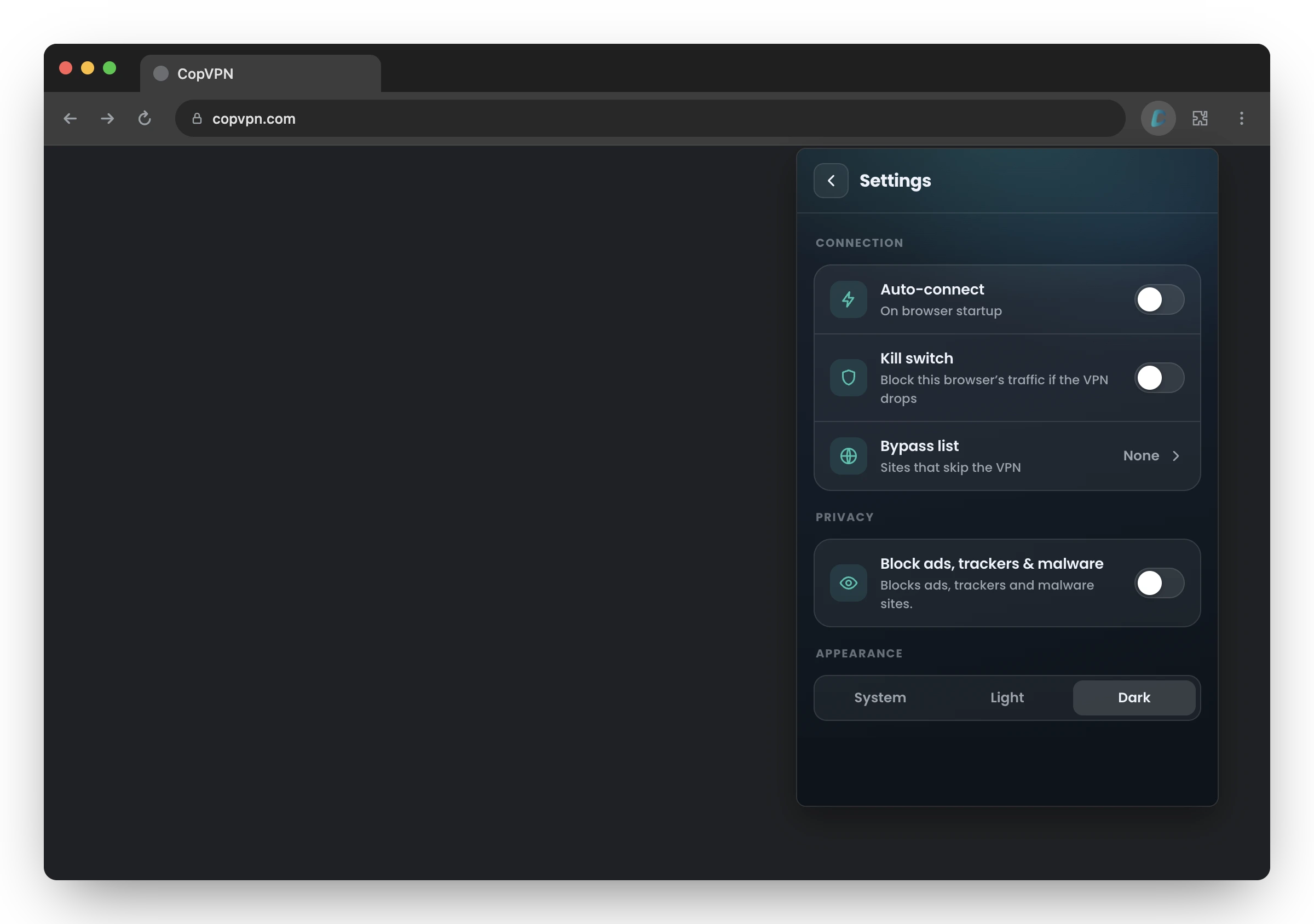
Kill switch“Block this browser’s traffic if the VPN drops”
It covers this browser only, not other apps.
| App | In the app | How it works there | Availability |
|---|---|---|---|
| Windows and Linux | Kill switchBlock traffic if the VPN drops | It works as a system firewall rule. | Available |
| Mac | Kill switchBlock traffic if the VPN drops | Available | |
| iPhone and iPad | Kill SwitchBlocks the internet if the VPN drops | That’s the iPhone wording; on iPad it’s “Kill switch”: “Block traffic if the VPN drops”. | Available |
| Android | Kill SwitchBlocks the internet if the VPN drops | The screen also points to Android’s own “Block connections without VPN”, which works with Always-on VPN in Android settings. | Available |
| Browser extension | Kill switchBlock this browser’s traffic if the VPN drops | It covers this browser only, not other apps. | Available |
| Android TV | Not in this app | The TV app has no kill switch. | Not available |
When to use it
On café, airport and hotel networks, a dropped connection is exactly when unprotected traffic matters most.
Switching from Wi-Fi to mobile data, or between access points, is when a VPN has to reconnect. The kill switch covers the gap.
If a download or a long call is running, you may not notice a drop. The kill switch notices for you.
Questions
Our support team answers by email.
contact@copvpn.comIt’s a setting that blocks your internet traffic if the VPN connection drops. That way nothing carries on over your normal connection without protection.
Yes. In the Windows app, turn on “Kill switch”: “Block traffic if the VPN drops”. It works as a system firewall rule.
Open Settings in the CopVPN app and turn on “Kill Switch”. For a system-level option as well, turn on Always-on VPN and “Block connections without VPN” in Android’s own settings.
That’s the kill switch doing its job: it blocks traffic until the VPN is connected again. If you need to get online without the VPN, turn the kill switch off first.
No. It’s off until you turn it on, in every CopVPN app except Android TV, which has none.
Keep reading
Your connection right now
Any site you open can read your IP address and roughly where you are. Connect CopVPN and they see one of our servers instead.
Cookies on copvpn.com
We use essential cookies to run the site. With your OK, we also use Google Analytics and Hotjar to see how pages are used. We never use cookies for advertising. Privacy Policy