Use case · Gaming
A VPN for gaming, with its own server group
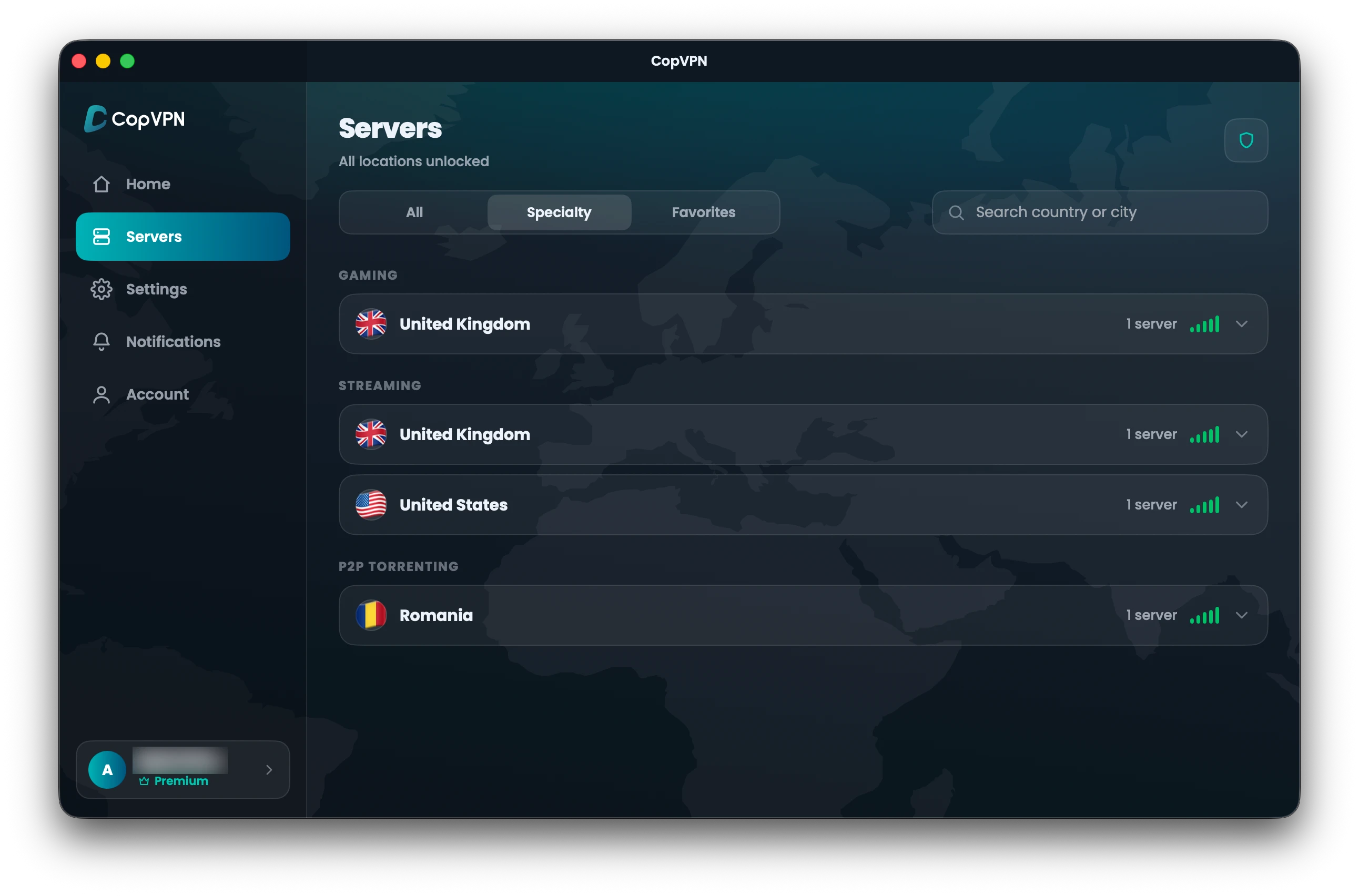
Looking for a VPN for gaming? CopVPN is a gaming VPN with Gaming servers in the Specialty tab of its apps for Windows, Mac, Linux, iPhone, iPad, Android and Android TV. They come with every CopVPN plan.
- In the Specialty tab, from the live server list.
- Comes with every CopVPN plan.
- GroupGaming
- WhereSpecialty tab
- PlanEvery CopVPN plan
Specialty servers
What the VPN gaming servers are
CopVPN’s Gaming servers sit in the Specialty tab of the CopVPN apps for Windows, Linux, Mac, iPhone, iPad, Android and Android TV, set aside for gaming, alongside the Streaming and P2P Torrenting groups.
The Specialty tab lists them straight from our live server list, so the app shows what’s available now. For everything else, a plan opens all 85+ locations in 65+ countries; browse them by country in the VPN server list.
- P1 · PC
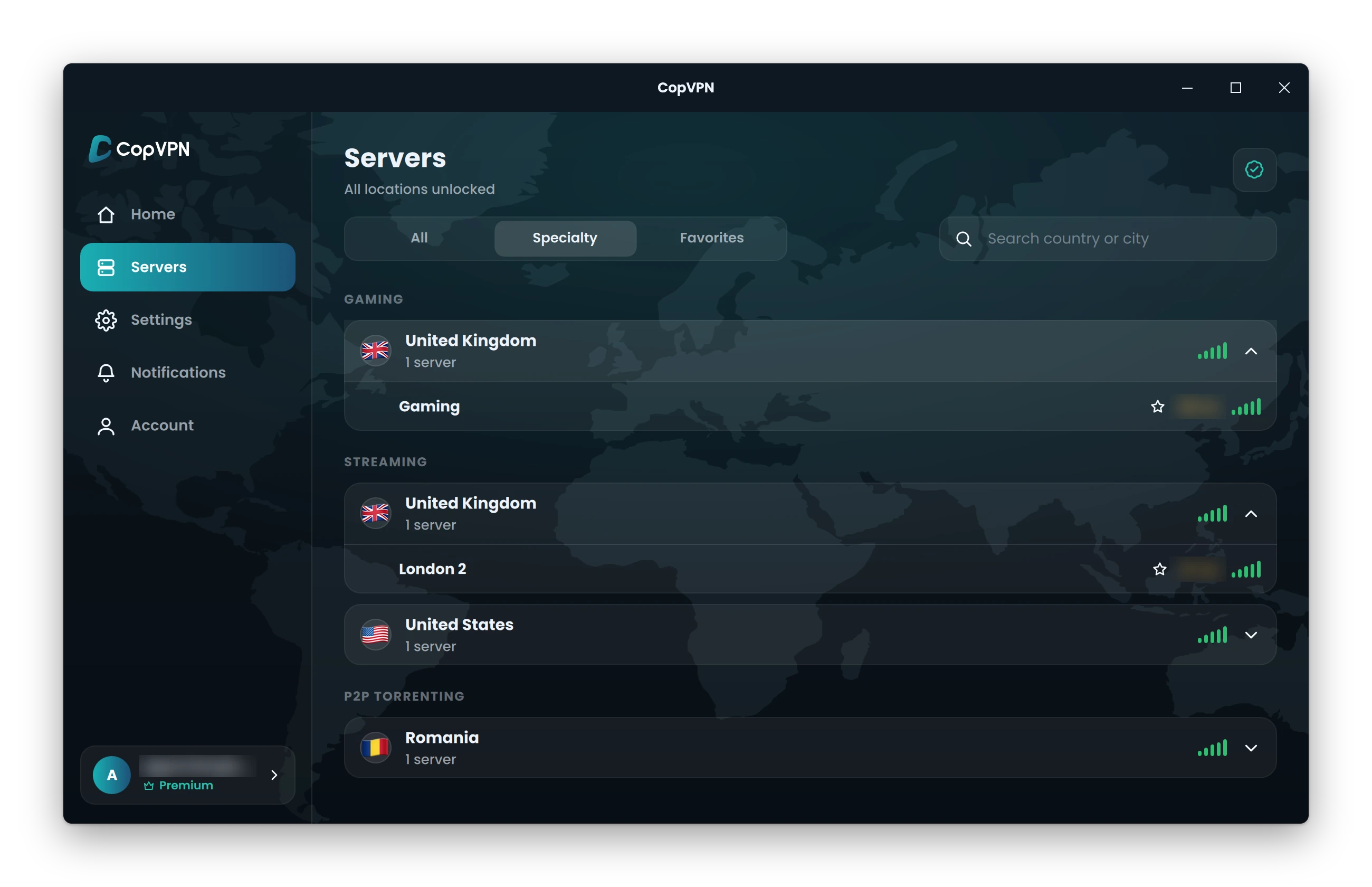
CopVPN for Windows
Windows 10 (version 1809 or later) and 11, 64-bit. Want a VPN for PC gaming? Get the VPN for Windows.
- P2 · Mac
CopVPN for Mac
macOS 14 Sonoma or later, from the Mac App Store, on Apple silicon and Intel.
- P3 · Mobile
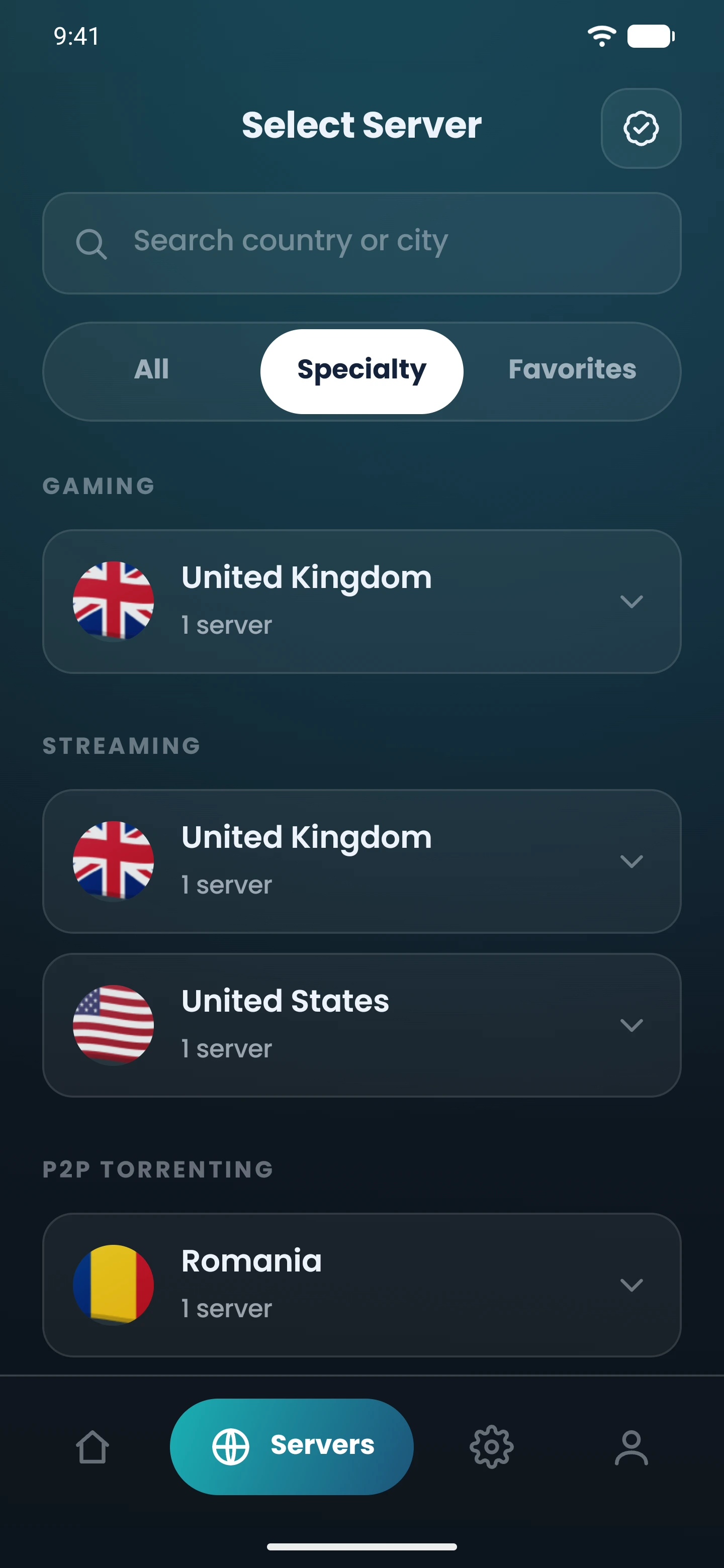
CopVPN for iPhone, iPad and Android
iOS 16 or later from the App Store, and Android 7.0 or later from Google Play.
On Linux, the 64-bit .deb for Ubuntu and Debian has the same Specialty tab. Every CopVPN connection is encrypted, so on shared Wi-Fi at a hotel, café or campus, the network sees an encrypted connection to our server rather than what you’re doing.
Protocols
Which is the best VPN protocol for gaming?
Choose WireGuard. Its description in the app is “Fastest. Best for everyday use where VPNs aren’t blocked.” That makes it the natural pick for gaming at home, or on any network that doesn’t block VPNs. Tell us about your network to see the next move.
Your network
You’re set: WireGuard is “Fastest. Best for everyday use where VPNs aren’t blocked.”
Auto mode. If you’d rather not choose, Optimal “picks the best protocol for your network automatically”.
- Level 1WireGuardStart here“Fastest. Best for everyday use where VPNs aren’t blocked.”
- Level 2OpenVPN UDPIf WireGuard is unstable“Reliable and widely supported. Good if WireGuard is unstable.”
- Level 3OpenVPN TCPIf the network blocks UDP“Slower, but gets through firewalls that block UDP, such as hotels, offices and schools.”
Settings › ProtocolEvery level is one switch away, in every CopVPN app.
Read more about WireGuard VPN, or see our guide to choosing a VPN protocol for gaming.
How to connect
Connect in three steps
Party size
Unlimited devices on one account
One plan, so your PC, laptop and phone can all use the same account. Like to watch as well as play? The streaming VPN servers sit in the same Specialty tab.
- 1/3
Open the Specialty tab
In the CopVPN app for Windows, Linux, Mac, iPhone, iPad, Android or Android TV, open the Specialty tab.
- 2/3
Pick Gaming and a country
Choose the Gaming group, then a country from the list.
- 3/3
Connect, then play
Tap or click connect. Once you’re connected, start your game.
Questions
Frequently asked questions
Our support team answers by email.
contact@copvpn.comWhat are CopVPN’s Gaming servers?
The servers listed under Gaming in the Specialty tab of the CopVPN apps for Windows, Linux, Mac, iPhone, iPad, Android and Android TV. The same tab holds the Streaming and P2P Torrenting groups.
Do I need a plan?
Yes. The Specialty groups, Gaming included, come with every CopVPN plan. Plans have a 30-day money-back guarantee, so pick a VPN plan and try it.
Which protocol should I use for gaming?
WireGuard, for everyday use where VPNs aren’t blocked. If it’s unstable on your network, try OpenVPN UDP, or leave the app on Optimal to choose for you.
Which countries have Gaming servers?
Today the Gaming group is in the UK. The list can change, and the Specialty tab in the app always shows the current countries, straight from our live server list.
Can I use the Gaming servers on a PC or Mac?
Yes. The Windows, Linux and Mac apps all have the Specialty tab with the Gaming group. The Gaming servers need a plan.
How many devices can I use?
As many as you like. Install CopVPN on your phones, tablets, computers and Android TV, and sign in to each one with the same account.
Keep reading
Related pages and guides
Your connection right now
This is what websites see
Any site you open can read your IP address and roughly where you are. Connect CopVPN and they see one of our servers instead.
- Your IP
- Location
- Provider