Android
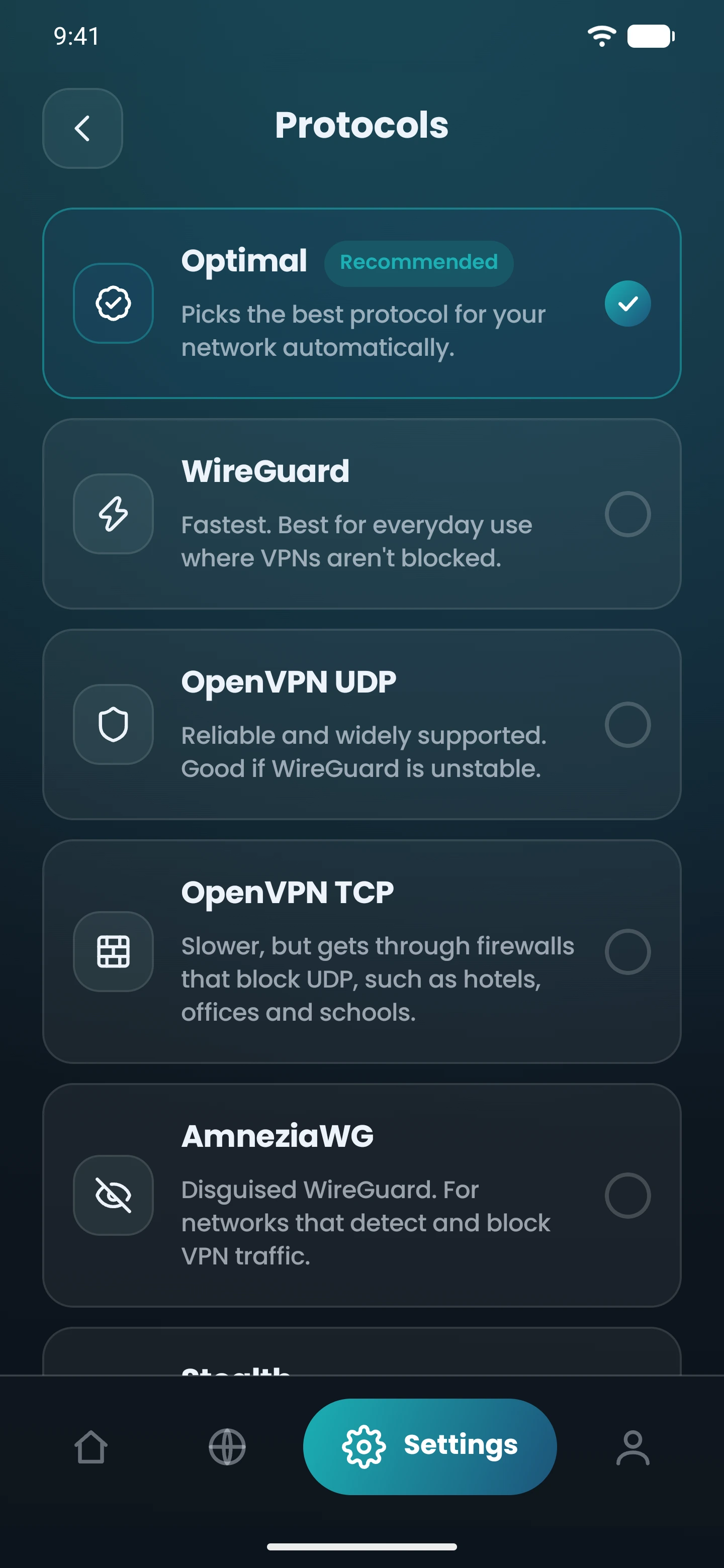
Settings › ProtocolOpens “Protocols”, on phones and tablets.
VPN protocols
VPN protocols are the rules your device and a CopVPN server follow to build the encrypted tunnel between them. CopVPN has 5 protocols. Optimal picks one for you automatically.
Every CopVPN app lets you choose any of the 5 protocols; the browser extension uses Secure Proxy.
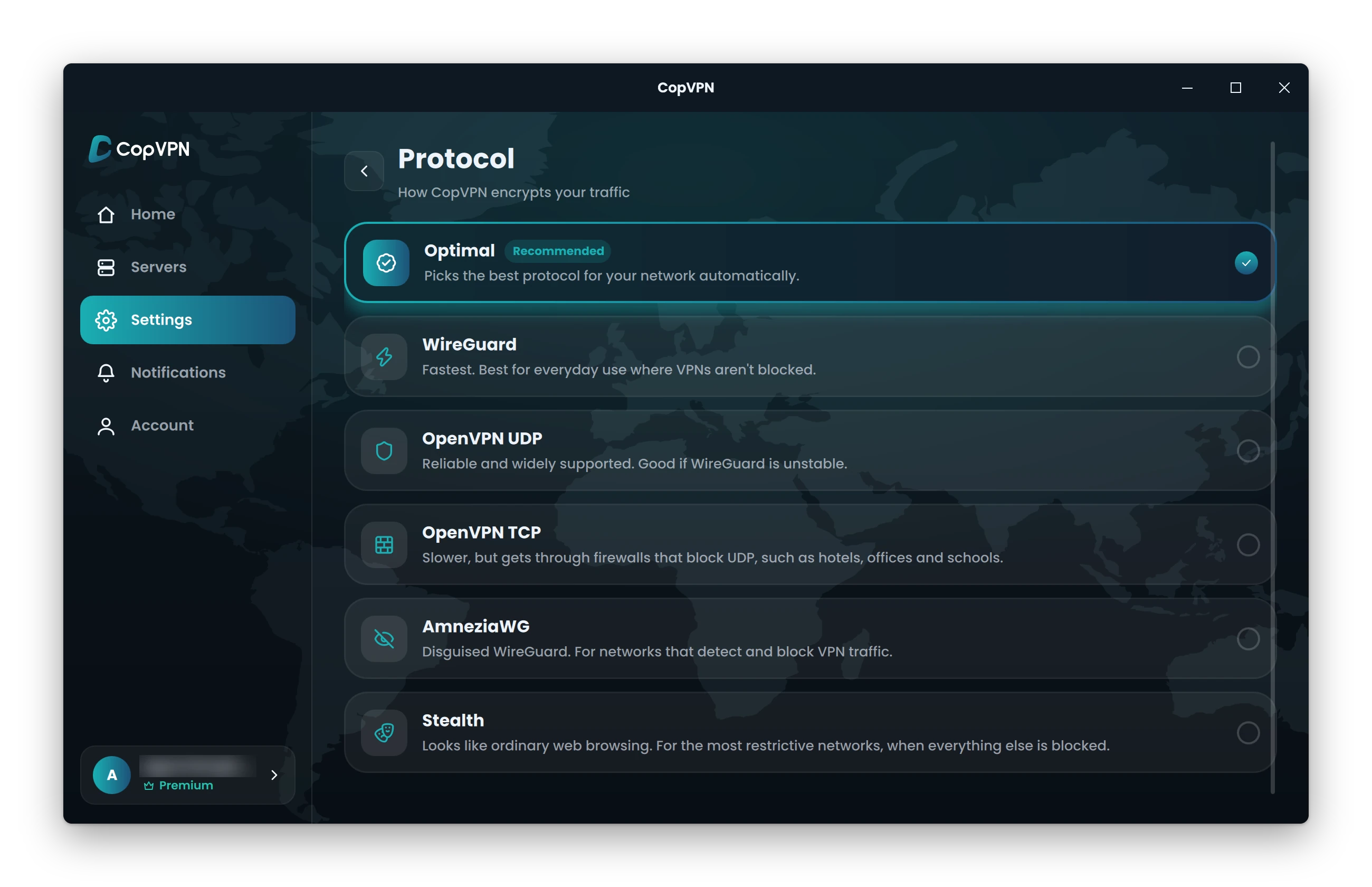
WireGuard “Fastest. Best for everyday use where VPNs aren’t blocked.”
Real Protocol screen · CopVPN for Windows · Settings › Connection › Protocol
Which protocol
Start with Optimal and let the app decide. If you’d rather choose yourself, match the protocol to the network you’re on, and work down the path when one won’t connect. Switching in Settings takes seconds. No VPN works on every network, but each step gives you another way to connect.
Compared
Our VPN protocol comparison at a glance: what each of the 5 is for, how it encrypts your traffic and where to find it. All 5 are VPN encryption protocols, so whichever you pick, your traffic travels encrypted between your device and the server.
| Protocol | Best for (the app’s words) | Encryption | Where |
|---|---|---|---|
| WireGuard | Fastest. Best for everyday use where VPNs aren’t blocked. | WireGuard’s built-in cryptography (ChaCha20-Poly1305) | In the CopVPN apps |
| OpenVPN UDP | Reliable and widely supported. Good if WireGuard is unstable. | AES-256 encryption | In the CopVPN apps |
| OpenVPN TCP | Slower, but gets through firewalls that block UDP, such as hotels, offices and schools. | AES-256 encryption | In the CopVPN apps |
| AmneziaWG | Disguised WireGuard. For networks that detect and block VPN traffic. | WireGuard’s built-in cryptography (ChaCha20-Poly1305) | In the CopVPN apps |
| Stealth | Looks like ordinary web browsing. For the most restrictive networks, when everything else is blocked. | Encrypted; looks like ordinary web browsing | In the CopVPN apps |
Optimal is the default and “picks the best protocol for your network automatically”. It isn’t a protocol of its own: it chooses one of these 5 for you. Optimal uses Smart Connect to try another protocol by itself if one can’t connect.
In the apps
In the latest CopVPN apps, open Settings and choose Protocol. The picker lists a protocol only when a server offers it. Older app versions don’t show AmneziaWG and Stealth, so update the app if you can’t see them. For the other settings in each app, see VPN features by platform.
Settings › ProtocolOpens “Protocols”, on phones and tablets.
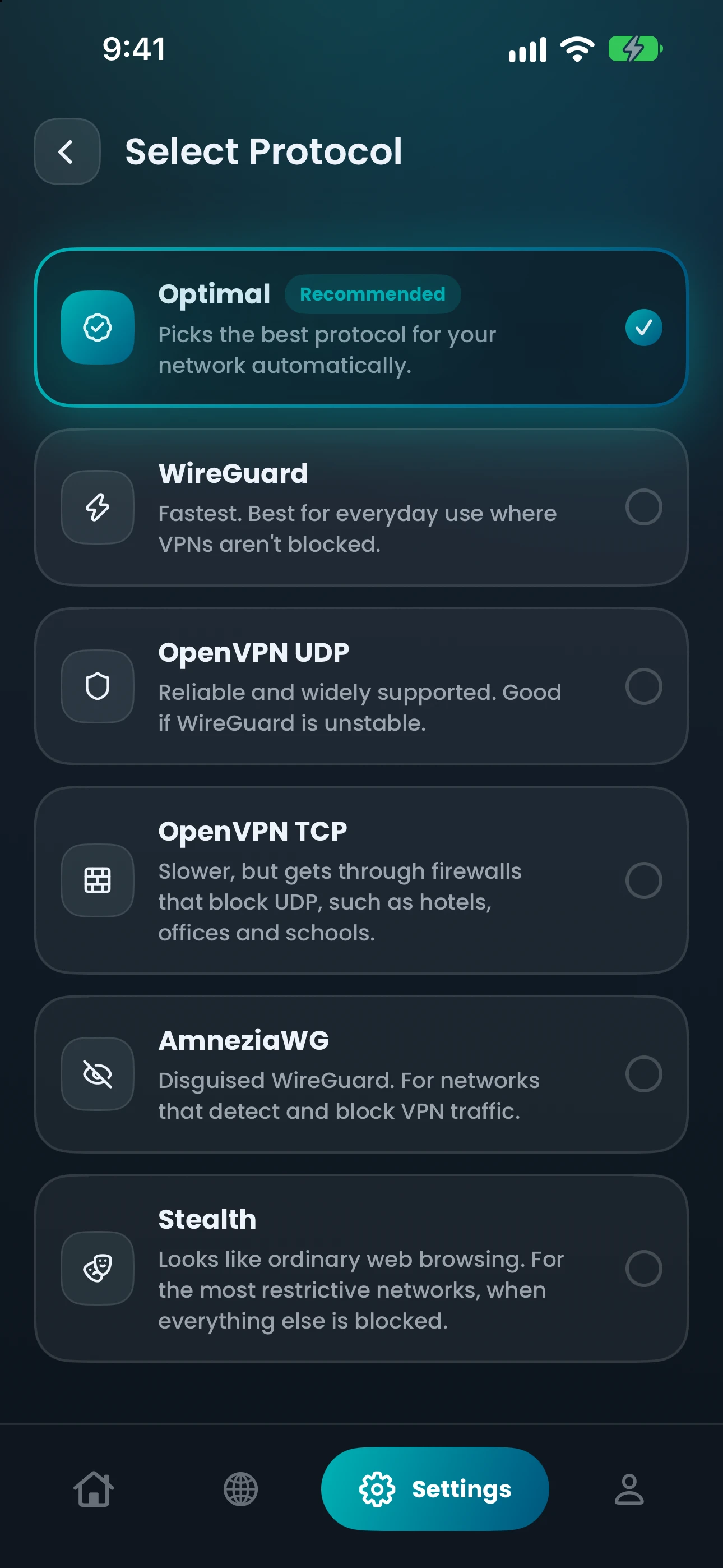
Settings › ProtocolOpens “Select Protocol”.
Settings › Connection › ProtocolOr click the protocol chip under the connect button on the Home screen.
Settings › Connection › ProtocolSettings › ProtocolThe same picker as the phone app.
No protocol pickerChrome, Edge and Firefox use one connection type, “Secure Proxy”, and protect the browser only.
Questions
Our support team answers by email.
contact@copvpn.comA VPN protocol is the set of rules your device and a VPN server follow to connect, confirm who’s on each end and encrypt everything in between. Protocols make different trade-offs. Some suit everyday use, and others are built for strict firewalls or for networks that look for VPN traffic. That’s why CopVPN gives you 5 protocols, and Optimal can choose one for you.
If you’re not sure, leave it on Optimal. If you’d like to choose: WireGuard for everyday use, OpenVPN UDP if WireGuard is unstable, OpenVPN TCP behind hotel, office or school firewalls, AmneziaWG on networks that detect and block VPN traffic, and Stealth when everything else is blocked.
Optimal is the default. It “picks the best protocol for your network automatically”, so you can connect without thinking about it. It isn’t counted as one of the 5 protocols, because it chooses one of them for you.
Not on every network. The app describes WireGuard as “Fastest. Best for everyday use where VPNs aren’t blocked.” OpenVPN UDP is “Reliable and widely supported. Good if WireGuard is unstable.” Both encrypt your traffic: WireGuard with its built-in cryptography, OpenVPN with AES-256 encryption.
They’re the same OpenVPN, sent two different ways. UDP sends data without waiting for each piece to be confirmed, which makes it the lighter choice. TCP checks that every piece arrives, so it’s “Slower, but gets through firewalls that block UDP, such as hotels, offices and schools.”
Yes. Without a plan, every CopVPN app connects to the free locations, and you may choose any protocol. A plan opens all 85+ locations in 65+ countries.
No. The CopVPN extensions for Chrome, Edge and Firefox use one connection type, “Secure Proxy,” with no protocol picker, and they protect the browser only. For the 5 protocols, use the CopVPN apps for Windows, Mac, Linux, iPhone, iPad, Android or Android TV.
Keep reading
Your connection right now
Any site you open can read your IP address and roughly where you are. Connect CopVPN and they see one of our servers instead.
Cookies on copvpn.com
We use essential cookies to run the site. With your OK, we also use Google Analytics and Hotjar to see how pages are used. We never use cookies for advertising. Privacy Policy