Download a VPN for Linux
A VPN for Linux that installs like any other package. The CopVPN desktop app comes as a 64-bit .deb for Debian, Ubuntu and other .deb-based 64-bit Linux, with 5 protocols, a kill switch and DNS leak protection. Without a plan, it connects to the free locations.
- Package
- .deb, from download.copvpn.com
- Architecture
- 64-bit (x86_64)
- Runs on
- Debian, Ubuntu and other .deb-based 64-bit Linux
- Version
- The latest version
- Updates
- CopVPN checks for updates and installs them for you. Linux asks for your password once.
- To connect
- a CopVPN account
- Recent
- Home
- Downloads
- Documents
Home/Downloads
- 1Open the .deb from your file manager
- 2Install it
- 3Open CopVPN from your apps
Install it from your file manager
# if it says x86_64, this download is for you
$ uname -m
# in the folder where you saved the .deb
$ sudo apt install ./<the file you downloaded>.deb
Use the name of the file you downloaded.
Two ways to install: open the .deb in Files, or one line of apt in a terminal. Click a window to focus it.
- 1DownloadThe 64-bit .deb from download.copvpn.com
- 2InstallFrom your file manager, or with apt in a terminal
- 3Sign inYour email and a 6-digit code, or Apple or Google
- 4ConnectPick a location. Without a plan, choose a free one.
A Debian and Ubuntu VPN, in one 64-bit .deb
The CopVPN Linux VPN client is one package. Here’s exactly what download.copvpn.com has for Linux, so you know before you click.
- 64-bit .deb (x86_64)Debian, Ubuntu and other .deb-based 64-bit Linux
- .rpmNot offered
- AppImageNot offered
- SnapNot offered
- FlatpakNot offered
- apt repositoryNot offered
Will it run on your system?2 questions
1Your distribution
2Your processor
Not sure? Run uname -m in a terminal: if it says x86_64, this download is for you.
It runs here
Yes: the 64-bit .deb is for you
Download it, install it from your file manager or with apt, then sign in. Without a plan, it connects to the free locations.
Not on this processor
The .deb is for 64-bit x86_64 PCs
The CopVPN Linux app is built for 64-bit x86_64 computers only. Your account still works on your other devices: unlimited devices on one account.
See the other CopVPN appsNo package for this system
The Linux app is a .deb only
There’s no .rpm, AppImage, Snap or Flatpak, and no apt repository. Your account still works on your other devices: unlimited devices on one account.
You could try the CopVPN extension for Chrome (116 or later) or Firefox (128 or later). It protects that browser only.
See the other CopVPN appsLinux VPN settings, by their real names
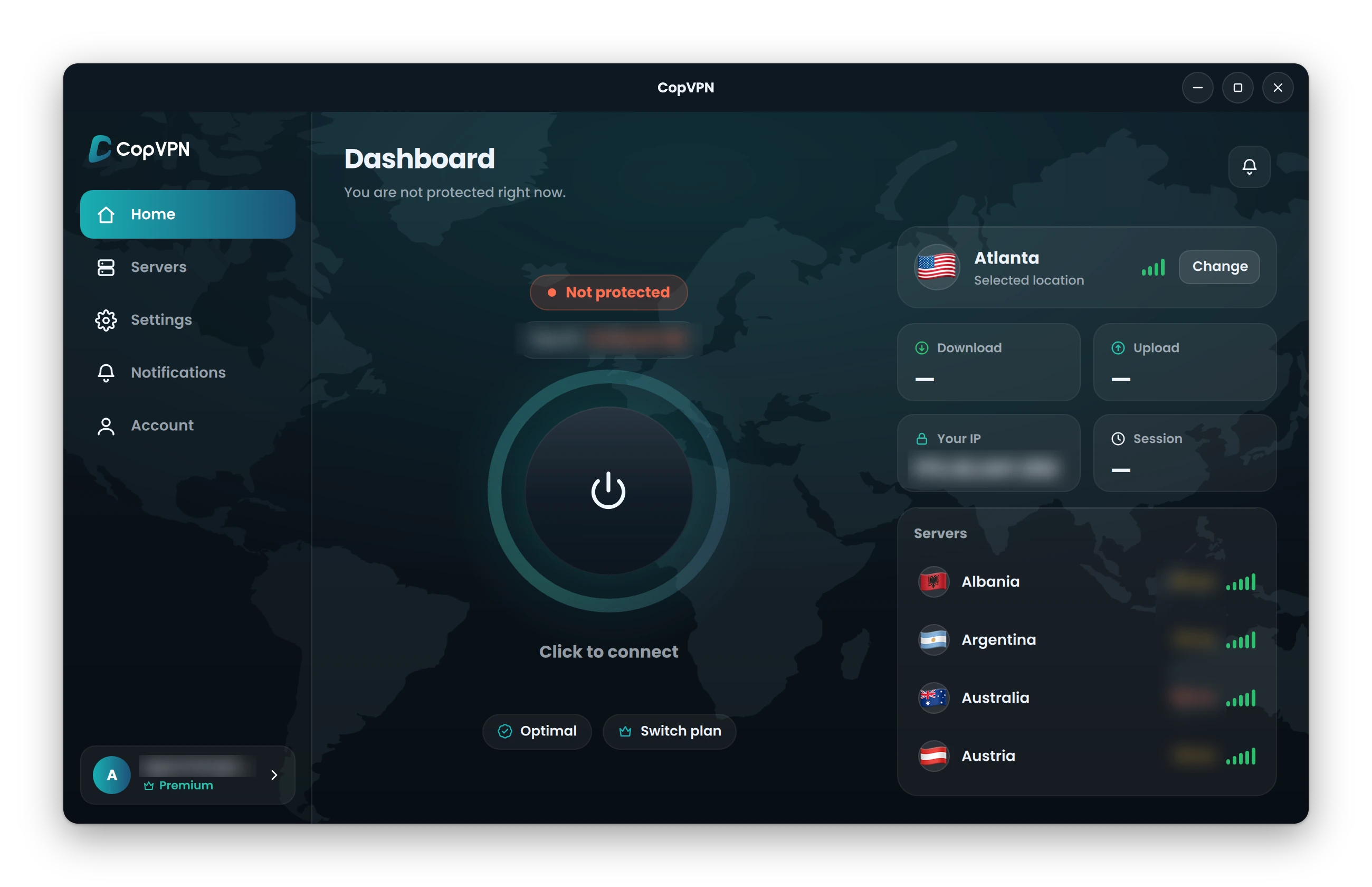
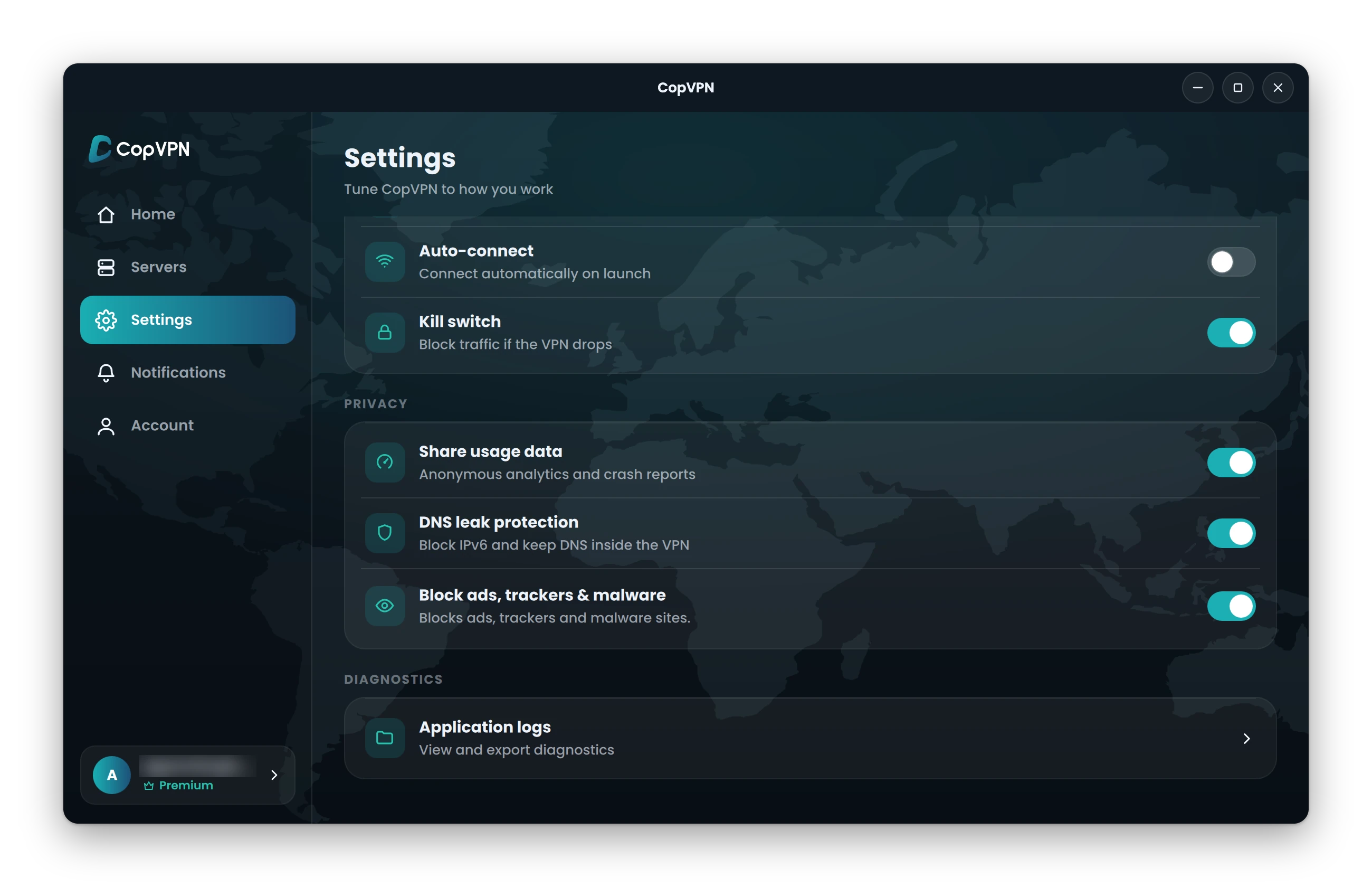
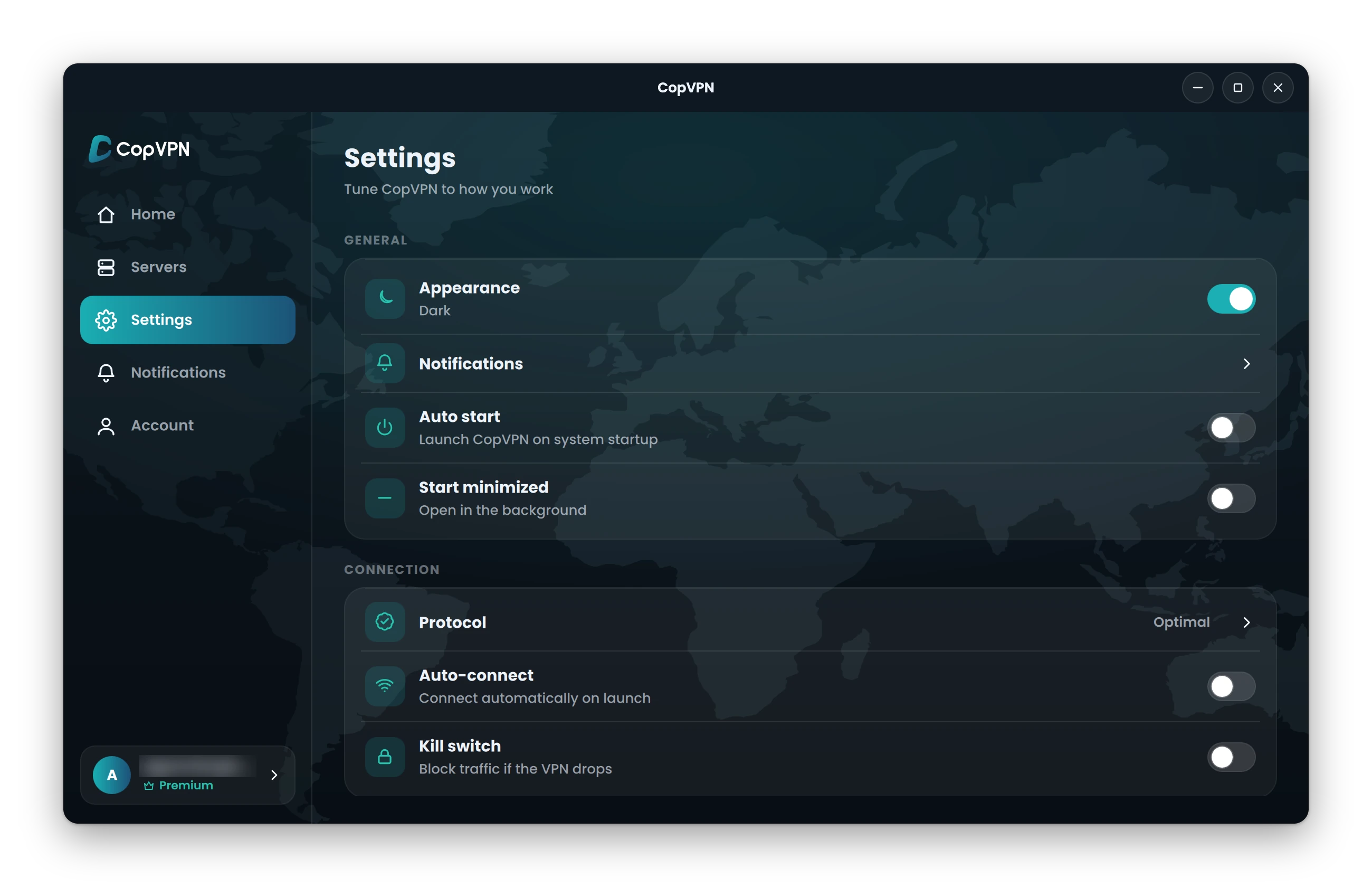
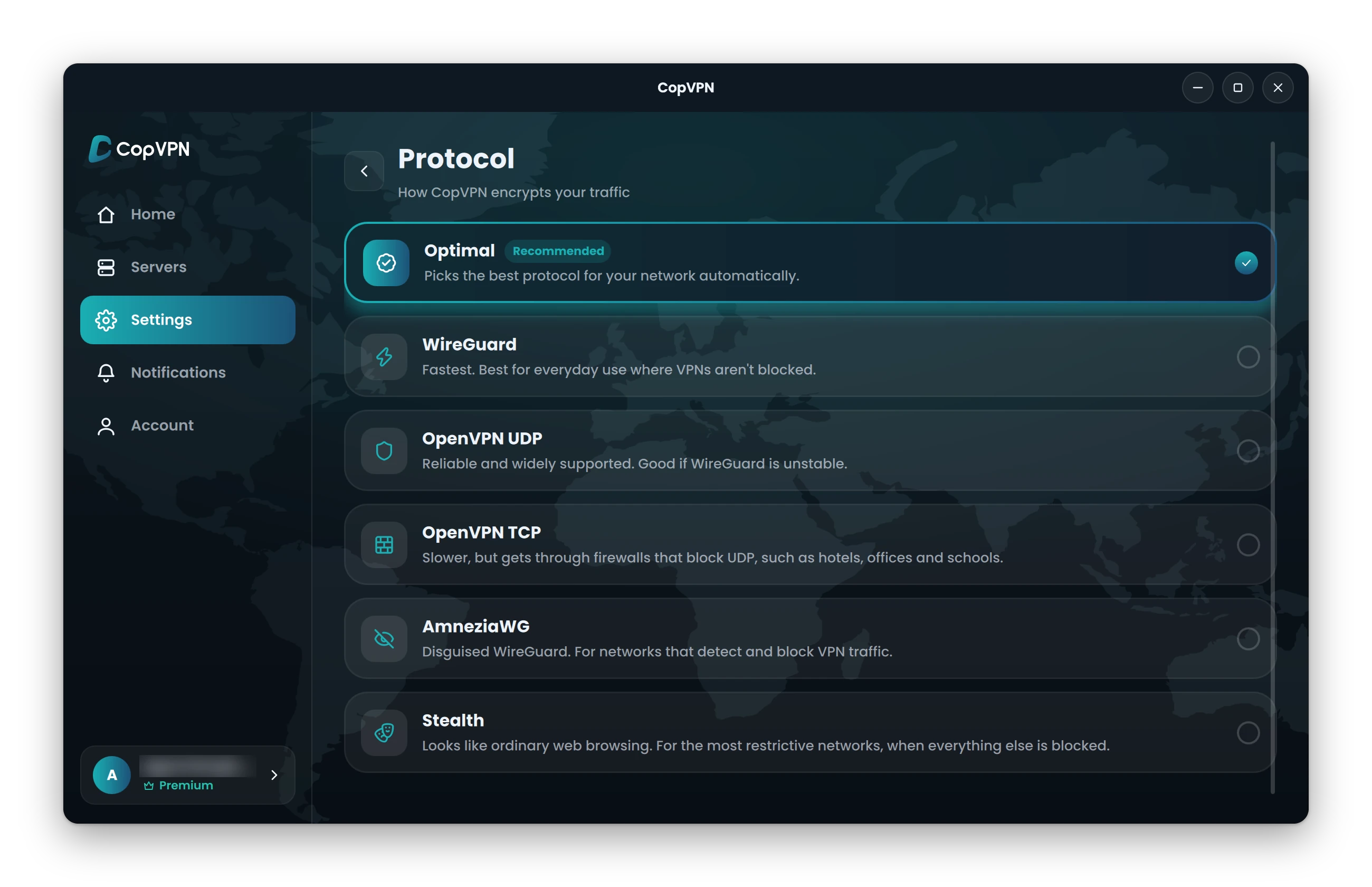
These are the Linux app’s own screens and the names you’ll see in Settings. Click a window to focus it; the numbers match the cards below.
- 1
Kill switch
“Block traffic if the VPN drops”
Off until you turn it on.
How the VPN kill switch works - 2
DNS leak protection
“Block IPv6 and keep DNS inside the VPN”
On by default.
- 3
Block ads, trackers & malware
“Blocks ads, trackers and malware sites.”
Known ad, tracking and malware sites are blocked on your computer. It doesn’t scan files. You choose.
- 4
Auto-connect
“Connect automatically on launch”
You choose.
- 5
Auto start
“Launch CopVPN on system startup”
A desktop setting, in the Windows and Linux apps. You choose.
- 6
Protocol: 5 protocols, and Optimal
- OptimalPicks the best protocol for your network automatically.
- WireGuardFastest. Best for everyday use where VPNs aren’t blocked.
- OpenVPN UDPReliable and widely supported. Good if WireGuard is unstable.
- OpenVPN TCPSlower, but gets through firewalls that block UDP, such as hotels, offices and schools.
- AmneziaWGDisguised WireGuard. For networks that detect and block VPN traffic.
- StealthLooks like ordinary web browsing. For the most restrictive networks, when everything else is blocked.
Choose Optimal and Smart Connect tries another protocol by itself if one can’t connect.
- 7
Specialty servers
Streaming, Gaming and P2P Torrenting
Server groups in the Specialty tab of Servers, with a plan.
Not in the Linux app: split tunneling
Split tunneling is per app in the Android app, and the browser extensions have a Bypass list for sites that skip the VPN. The Linux app has neither.
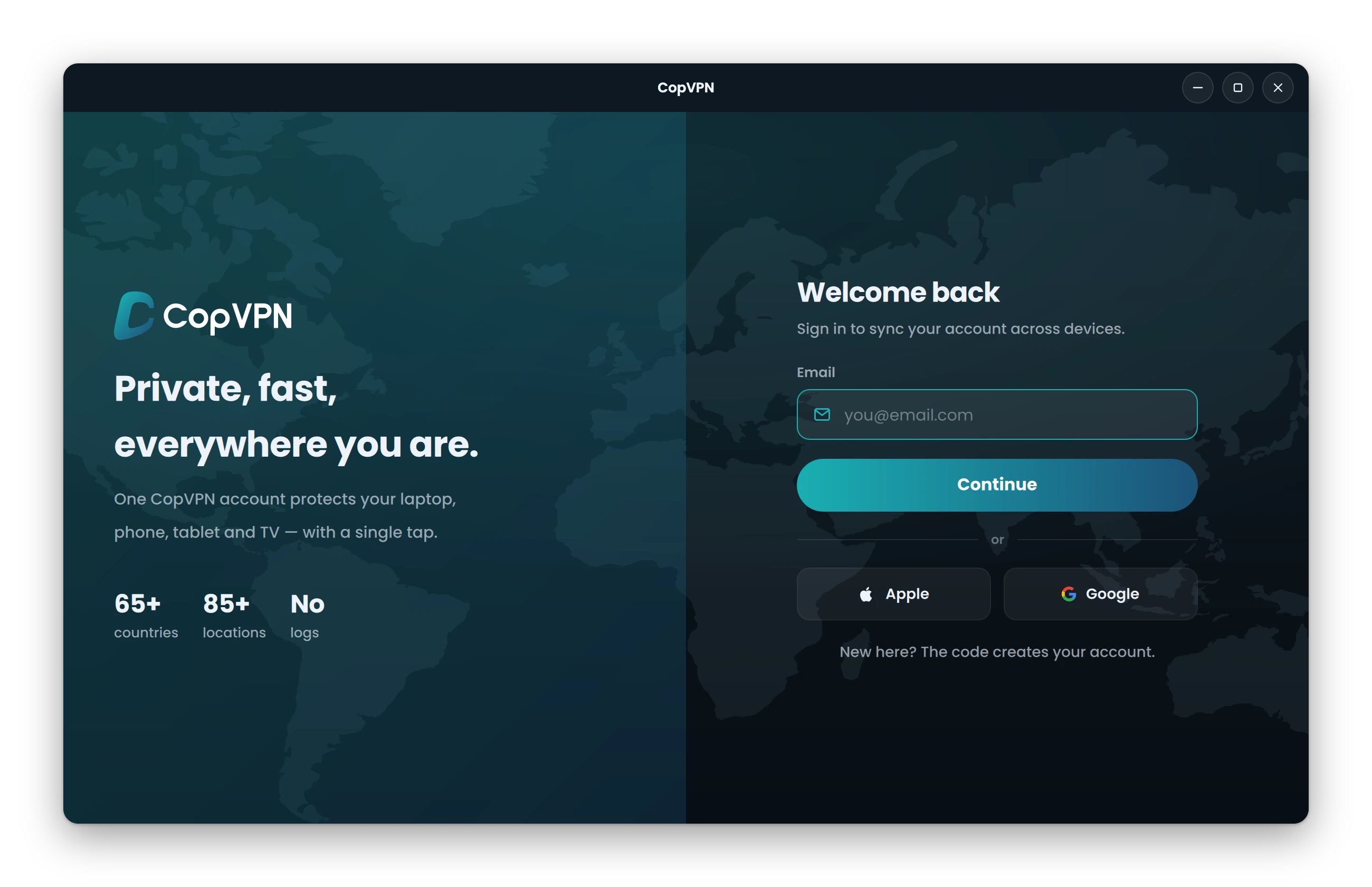
Sign in with a code, no password to set
Open CopVPN from your apps. Type your email and enter the 6-digit code sent to it, or continue with Apple or Google. New here? The code creates your account.
- 1Your email and a 6-digit code
- 2Or continue with Apple or Google
Then connect. Pick a location and connect. Without a plan, the Linux app connects to the free locations. A plan opens every location.
One CopVPN account for all your devices
A plan bought at our checkout unlocks every CopVPN app you sign in to with the same account, on unlimited devices. How unlimited devices work
- You’re hereLinuxDesktop app
- WindowsWindows 10, 11
- MacMacBook, iMac
- iPhone and iPadApp Store
- AndroidPhone, tablet
- Android TVTV app
- ChromeBrowser extension
- EdgeBrowser extension
- FirefoxBrowser extension
Questions
Frequently asked questions
Our support team answers by email:
contact@copvpn.comWhich Linux distributions does CopVPN run on?
CopVPN for Linux is a 64-bit (x86_64) .deb for Debian, Ubuntu and other .deb-based 64-bit Linux. Download it from download.copvpn.com, then install it from your file manager or with apt.
Is there an .rpm, AppImage, Snap or Flatpak?
No. The Linux app comes only as a 64-bit .deb, and there’s no apt repository. If your system can’t install a .deb, you could try the CopVPN extension for Chrome 116 or later or Firefox 128 or later; it protects that browser only. Your account also works in the apps for Windows, Mac, Android, iPhone, iPad and Android TV.
How does the Linux app get updates?
CopVPN checks for updates and installs them for you. Linux asks for your password once.
How do I install the CopVPN .deb from a terminal?
Open a terminal in the folder where you saved the file and run: sudo apt install ./<the file you downloaded>.deb (use the name of the file you downloaded). You can also open the .deb from your file manager and install it there.
Does the CopVPN Linux app have a kill switch?
Yes. In Settings it’s “Kill switch”: “Block traffic if the VPN drops”. It’s off until you turn it on.
Does CopVPN for Linux have split tunneling?
No, the Linux app has no split tunneling. Split tunneling is per app in the Android app, and the browser extensions have a Bypass list for sites that skip the VPN.
Which VPN protocols can I use on Linux?
All 5: WireGuard, OpenVPN UDP, OpenVPN TCP, AmneziaWG and Stealth. Optimal “Picks the best protocol for your network automatically.” Choose one in Settings, under Protocol.
Can I use CopVPN on Linux without a plan?
Yes. Without a plan, the Linux app connects to the free locations. A plan opens all 85+ locations. There’s no free trial.
How many devices can I use with CopVPN?
As many as you like. Install CopVPN on your phones, tablets, computers and Android TV, and sign in to each one with the same account.
Your connection right now
This is what websites see
Any site you open can read your IP address and roughly where you are. Connect CopVPN and they see one of our servers instead.
- Your IP
- Location
- Provider