Specialty servers
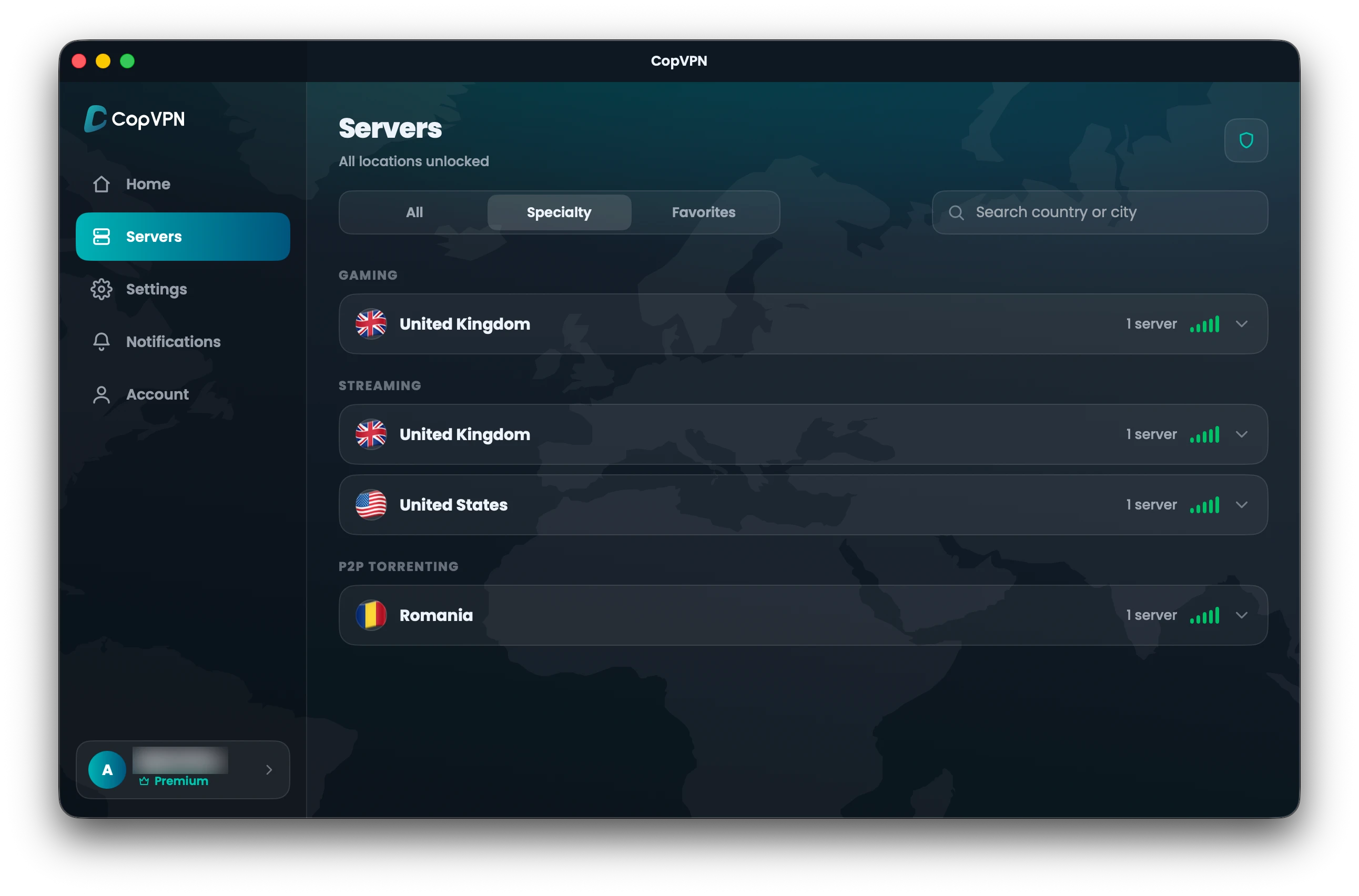
Streaming, Gaming and P2P Torrenting server groups, in the Specialty tab, with a plan. In the Windows, Linux, Mac, iPhone, iPad, Android and Android TV apps.
VPN features by platform
Your privacy shouldn’t depend on luck. CopVPN packs the protections that matter into its apps: kill switch, DNS leak protection, split tunneling on Android, ad blocking, auto-connect and five secure VPN protocols.
Free locations in every CopVPN app.
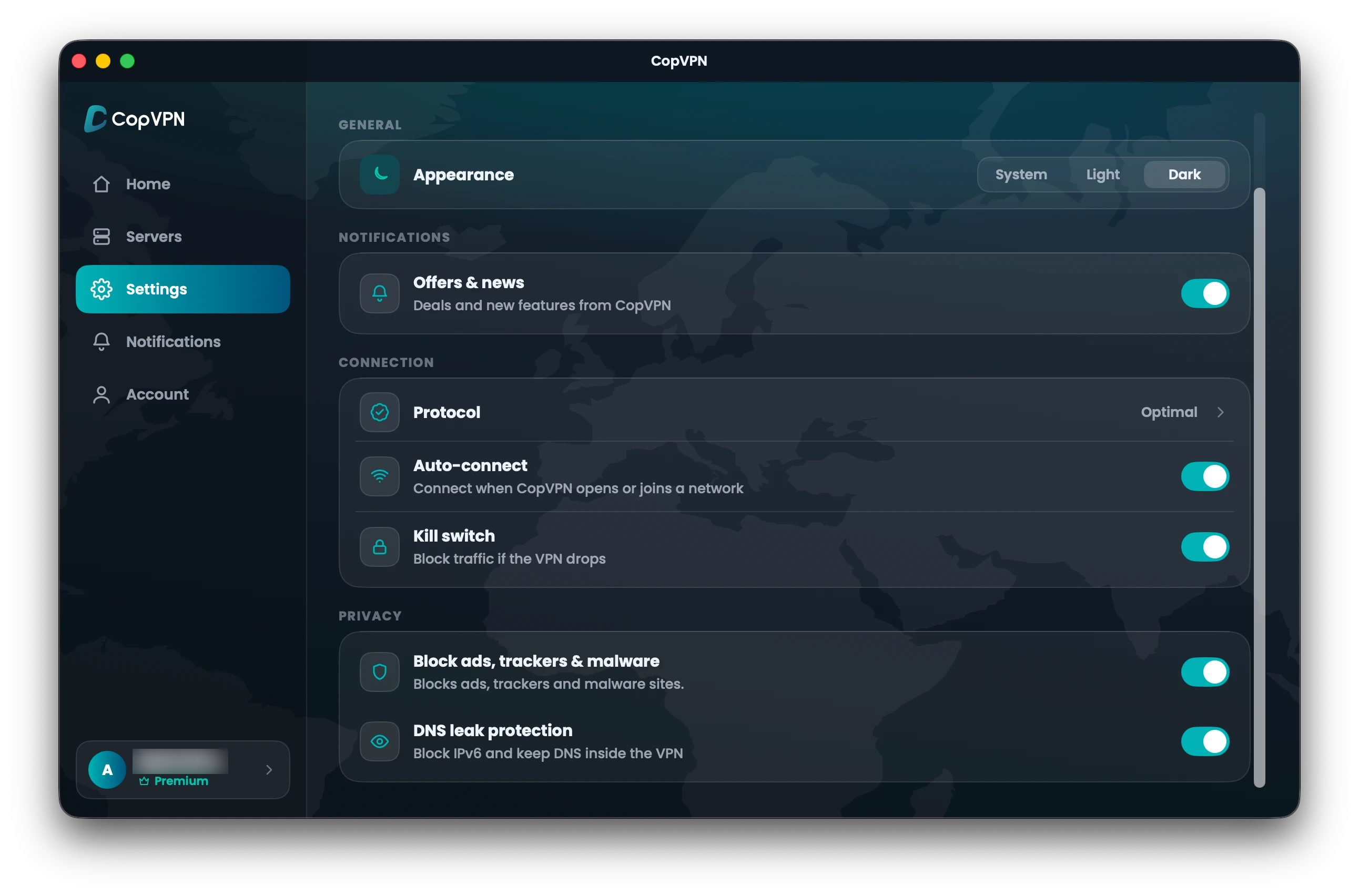
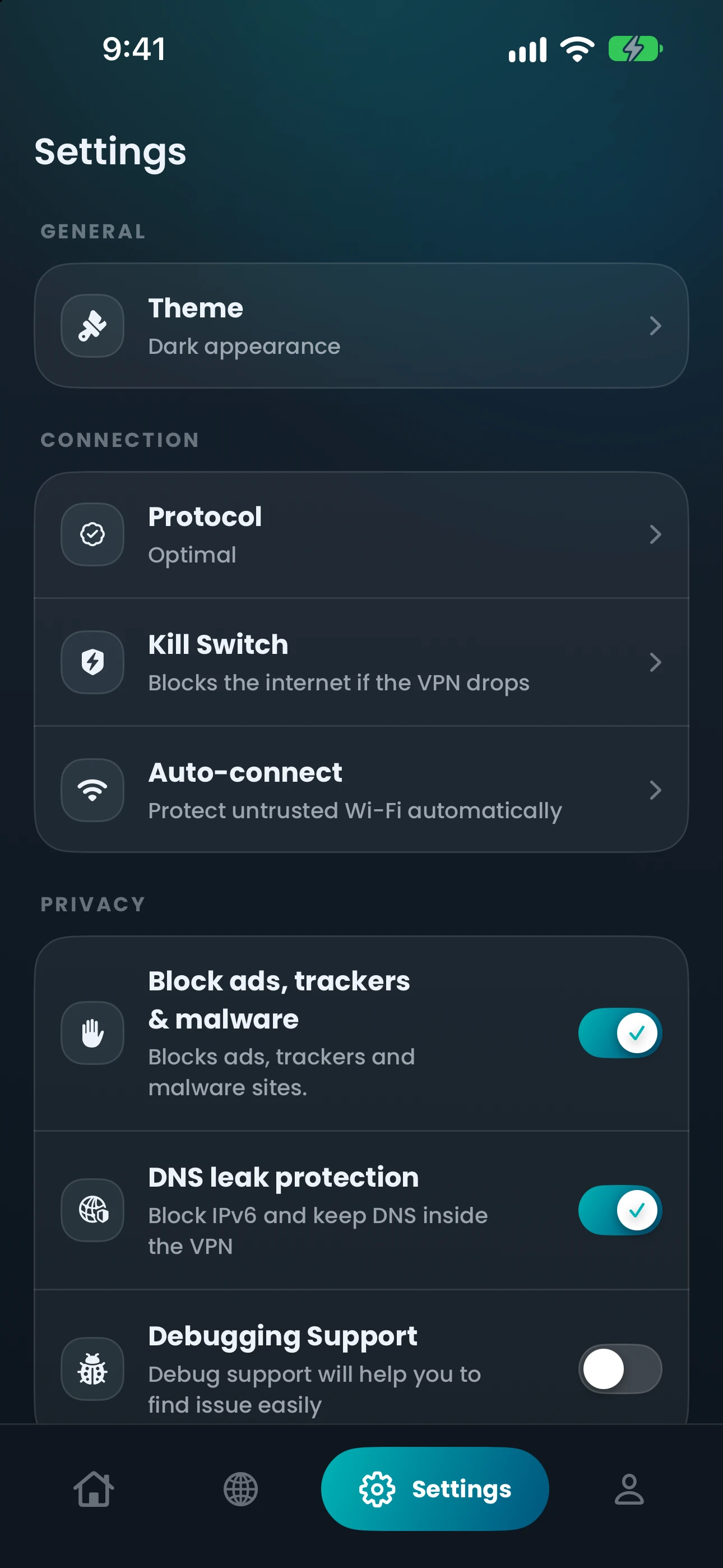
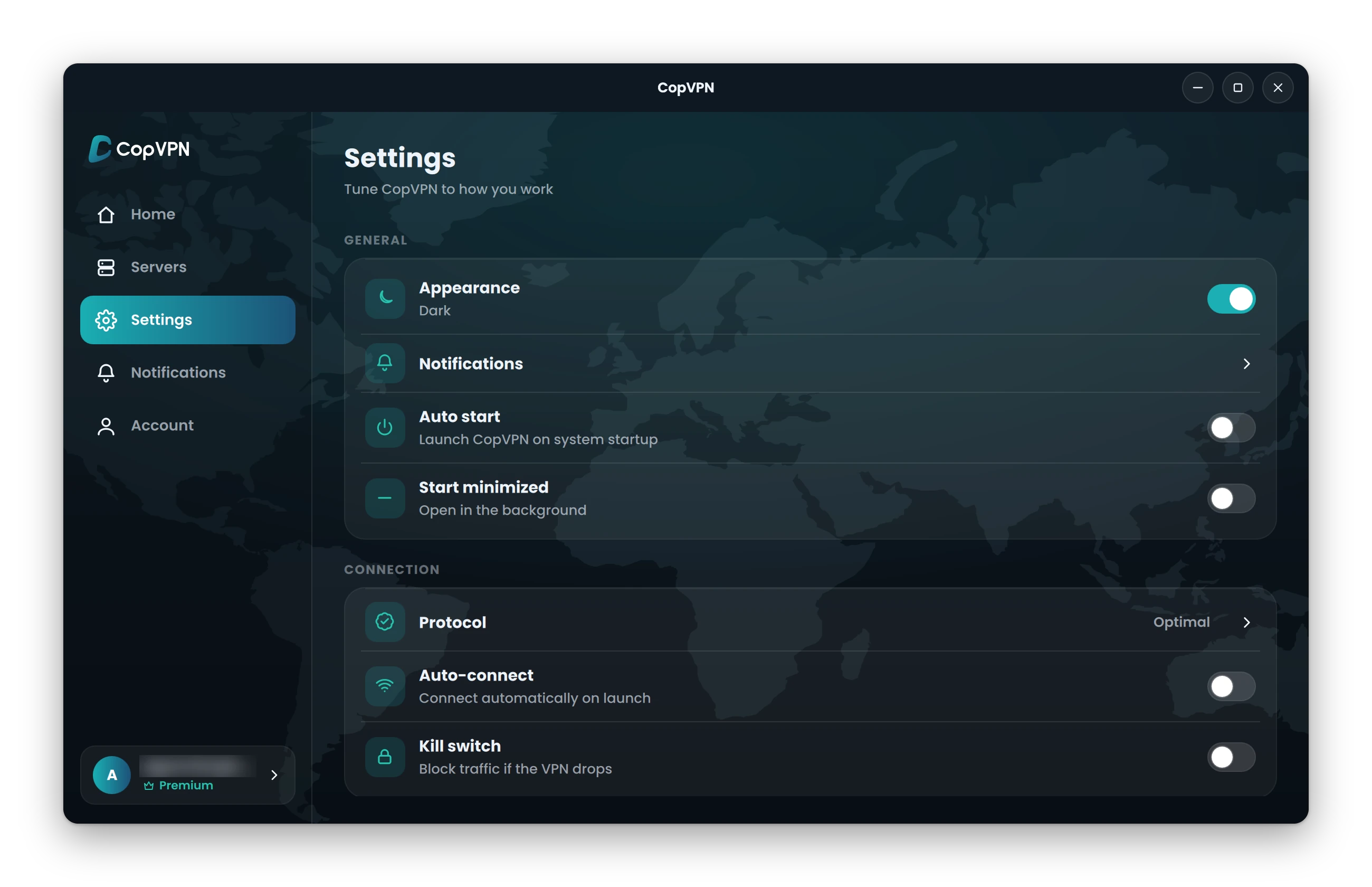
Real Settings screen · CopVPN for Mac
Core features
Pick a feature to see it on a real screen: where it sits in Settings, the app’s exact words, and which apps have it.
If the VPN connection drops, the kill switch blocks your traffic.
Apps:Windows, Mac, Linux, iPhone, iPad, Android, Chrome, Edge, Firefox
Keeps your website lookups inside the VPN, away from your internet provider.
Apps:Windows, Mac, Linux, iPhone, iPad, Android, Android TV
Pick the apps or sites that skip the VPN. Everything else stays protected.
Apps:Android, Chrome, Edge, Firefox
Blocks known ad, tracking and malware sites on your device. It isn’t antivirus.
Apps:Windows, Mac, Linux, iPhone, iPad, Android, Chrome, Edge, Firefox
Connects by itself on Wi-Fi you don’t trust, when the app opens or when your browser starts.
Apps:Windows, Mac, Linux, iPhone, iPad, Android, Android TV, Chrome, Edge, Firefox
Unlimited devices on one account.
Apps:Windows, Mac, Linux, iPhone, iPad, Android, Android TV, Chrome, Edge, Firefox
Where in the appSettings › Kill switch
When the train enters a tunnel
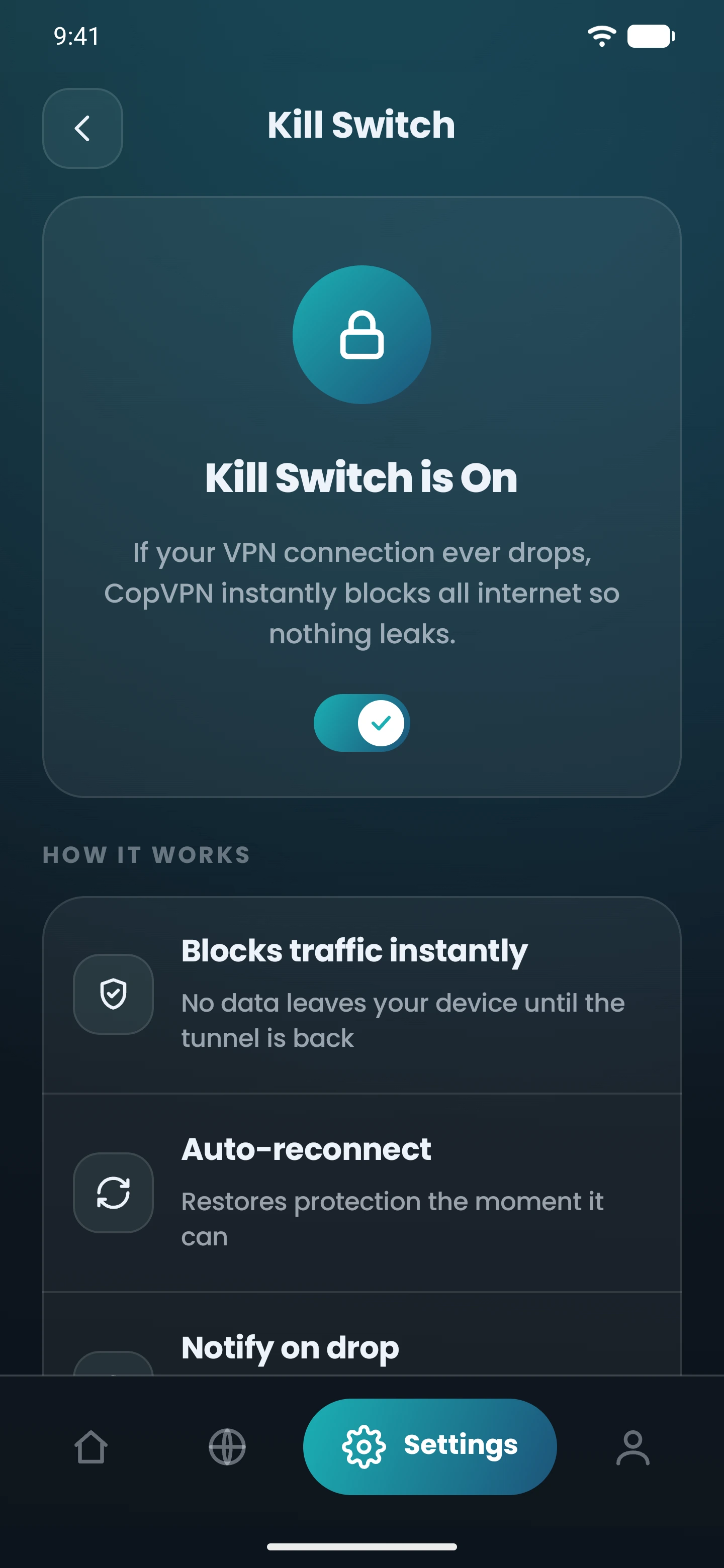
In the app it says
Where in the appSettings › DNS leak protection
Every time you type a web address
In the app it says
Where in the appSettings › Split tunneling (Android) · Bypass list (extension)
A banking app that doesn’t like VPNs
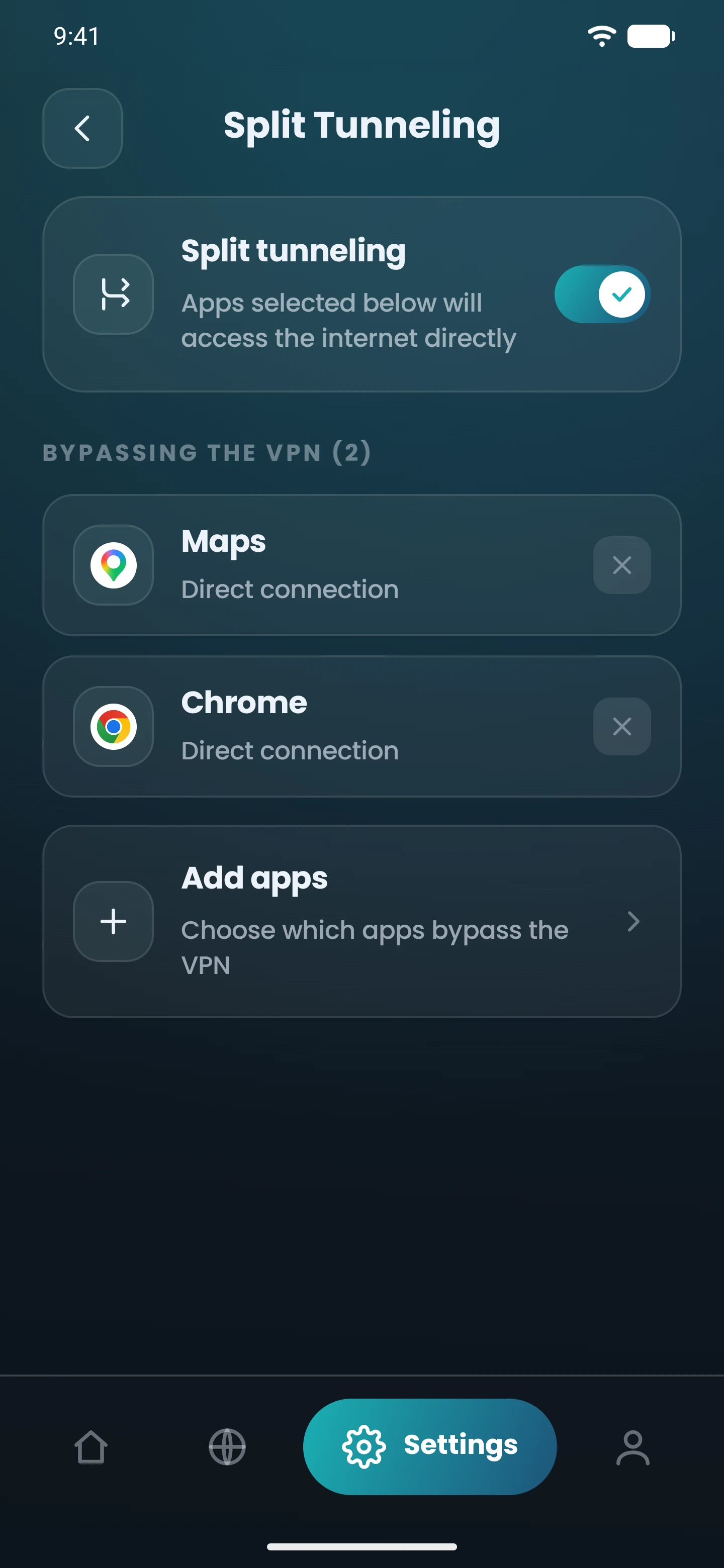
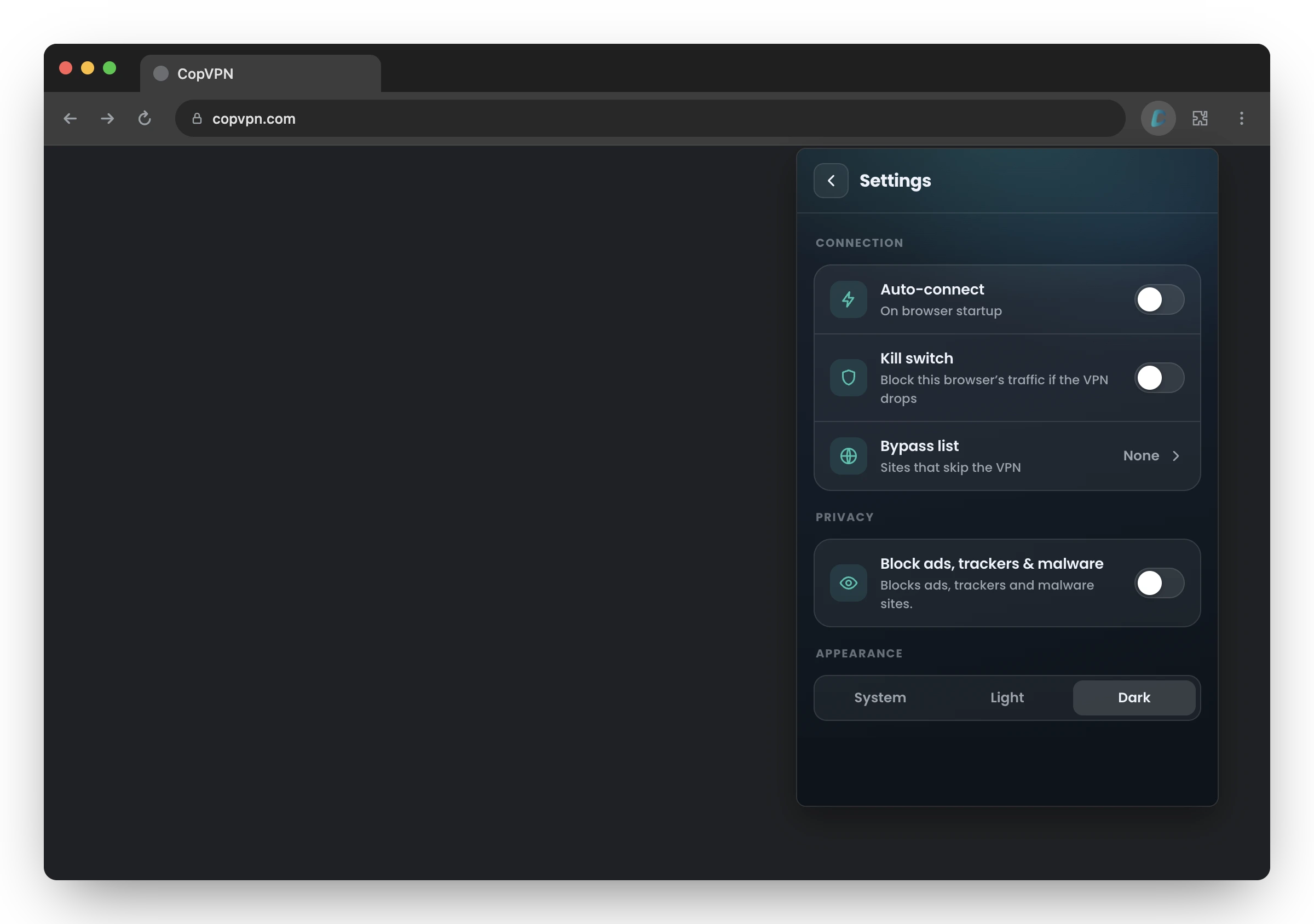
In the app it says
Where in the appSettings › Block ads, trackers & malware
A page that’s mostly ads
In the app it says
Where in the appSettings › Auto-connect
Café Wi-Fi you didn’t choose
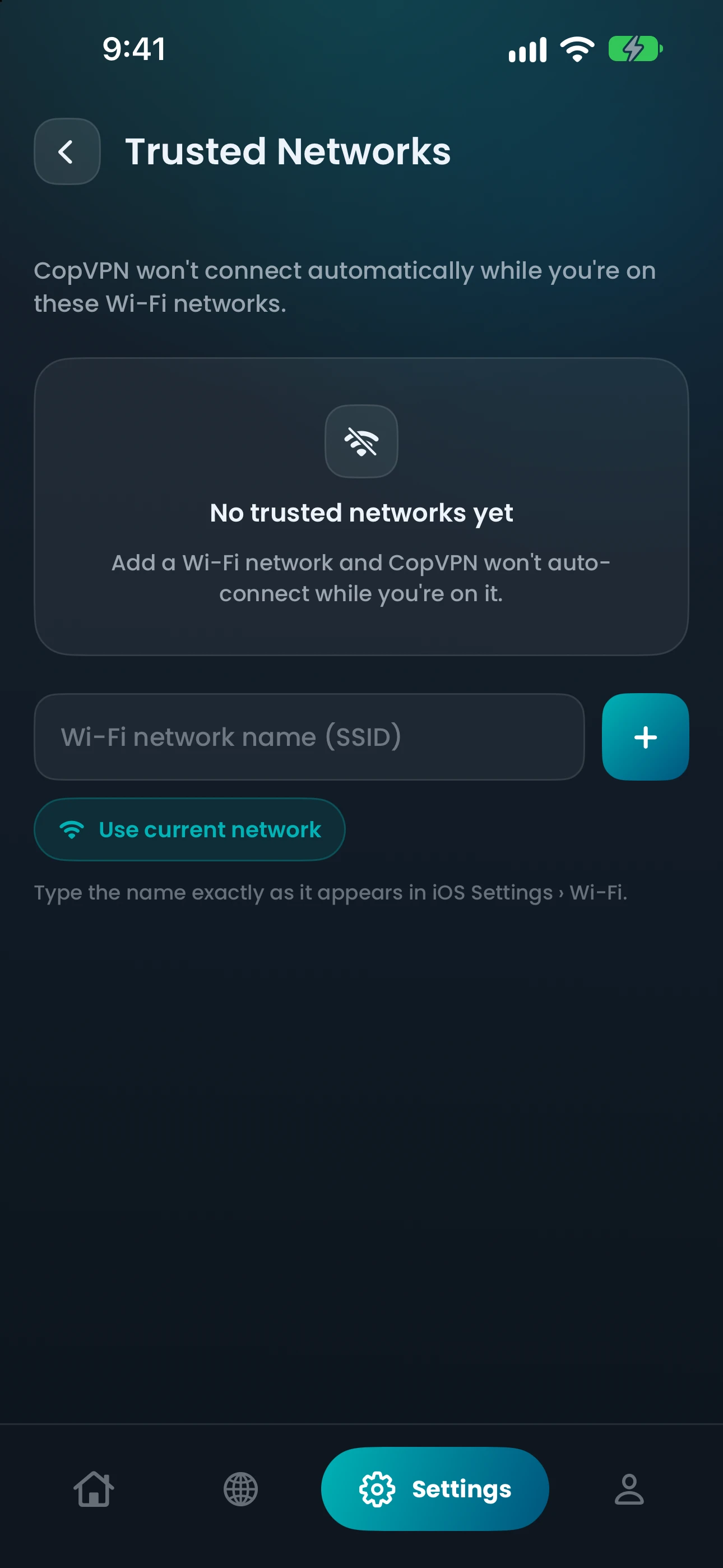
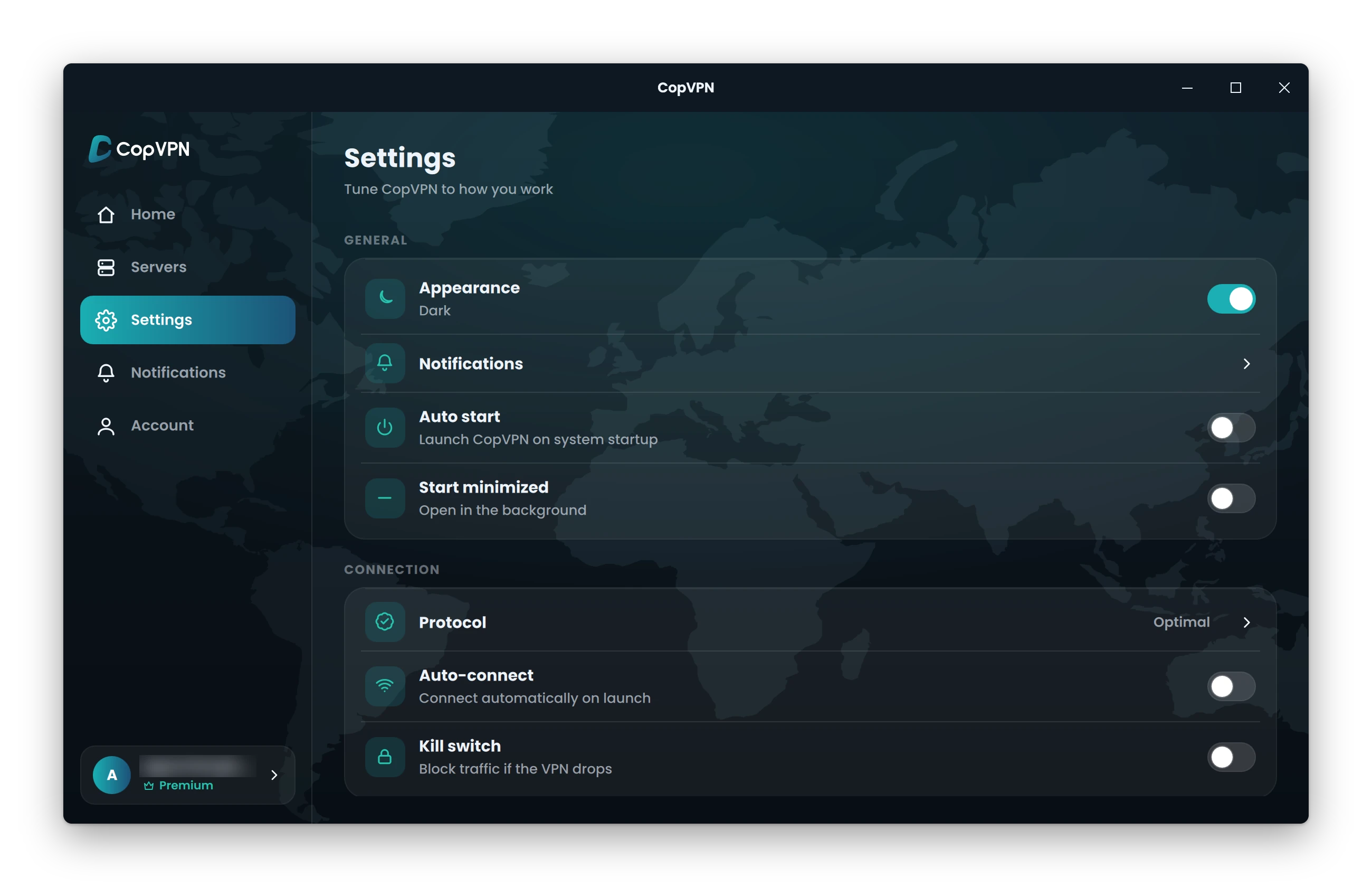
In the app it says
Where in the appOne account, every device you own
Everyone’s home and online
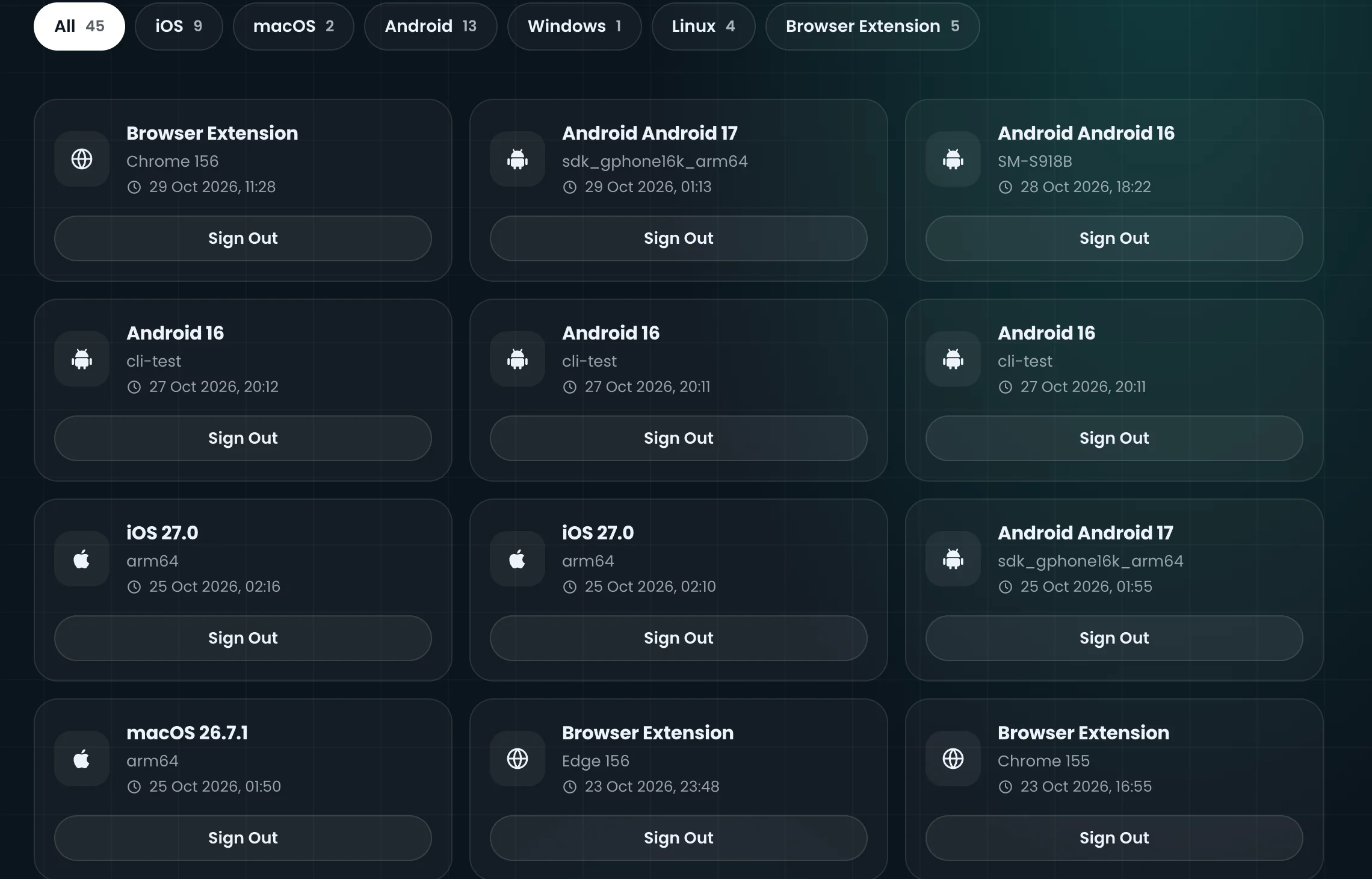
One account, every app
Sign in with your email and a 6-digit code, or Apple or Google.
Windows, Mac, Linux, iPhone, iPad, Android, Android TV and the browser extension.
In the app it says
VPN not connecting? Choose Optimal and Smart Connect tries another protocol by itself if one can’t connect.
How Smart Connect worksSafety net
The train enters a tunnel and the VPN drops. With the kill switch on, your traffic is blocked instead of going out over your normal connection. DNS leak protection is on from the start and keeps your website lookups inside the VPN.
Connected. Your traffic goes through the VPN.
Protocols
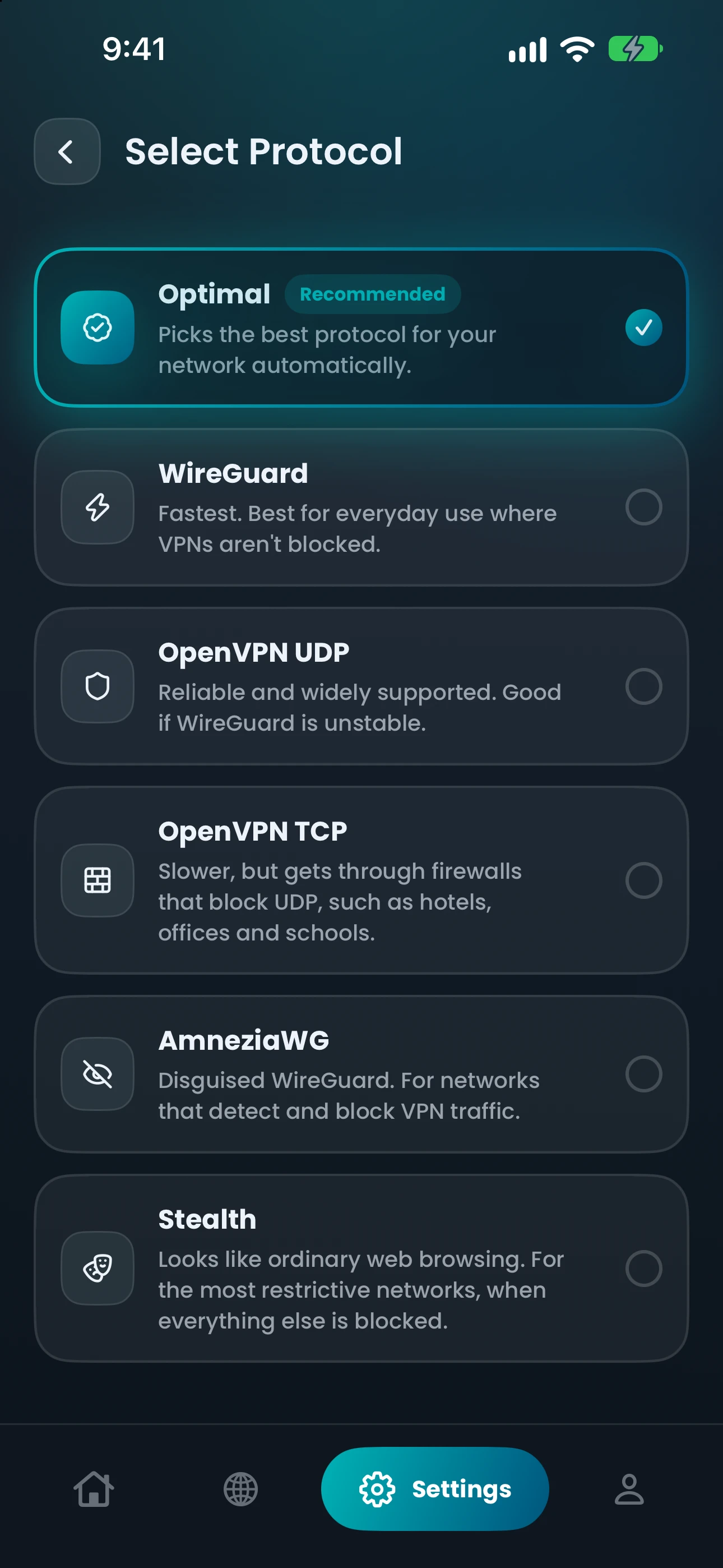
Firewalls at hotels, offices and schools can block UDP. Some networks detect and block VPN traffic. Pick the protocol that fits, or let Optimal choose. Optimal uses Smart Connect to try another protocol by itself if one can’t connect.
Which network are you on?
Where in the appSettings › Protocol
Choose
WireGuard
The app says
“Fastest. Best for everyday use where VPNs aren’t blocked.”
Optimal is the automatic choice, not a sixth protocol. The browser extensions use one protocol, Secure Proxy, with no picker.
By platform
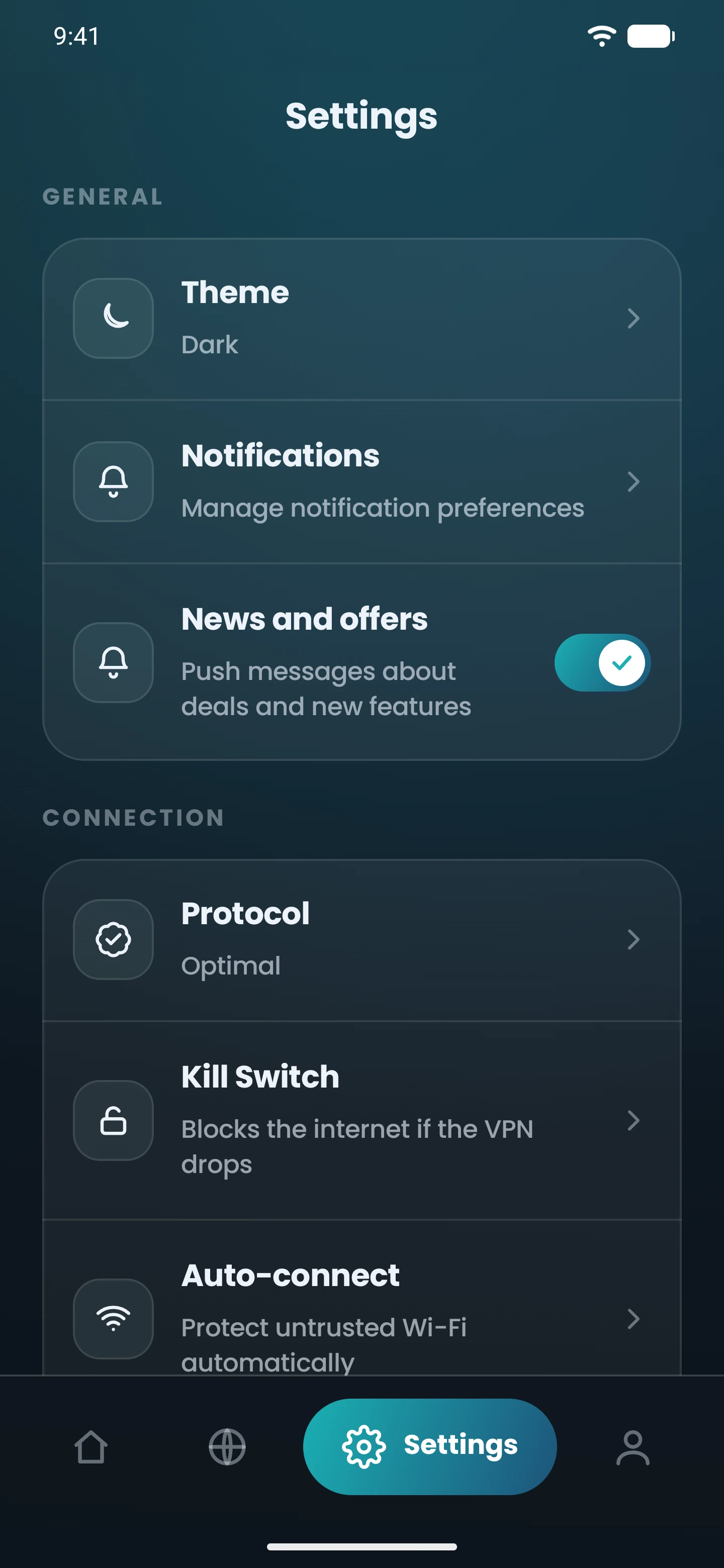
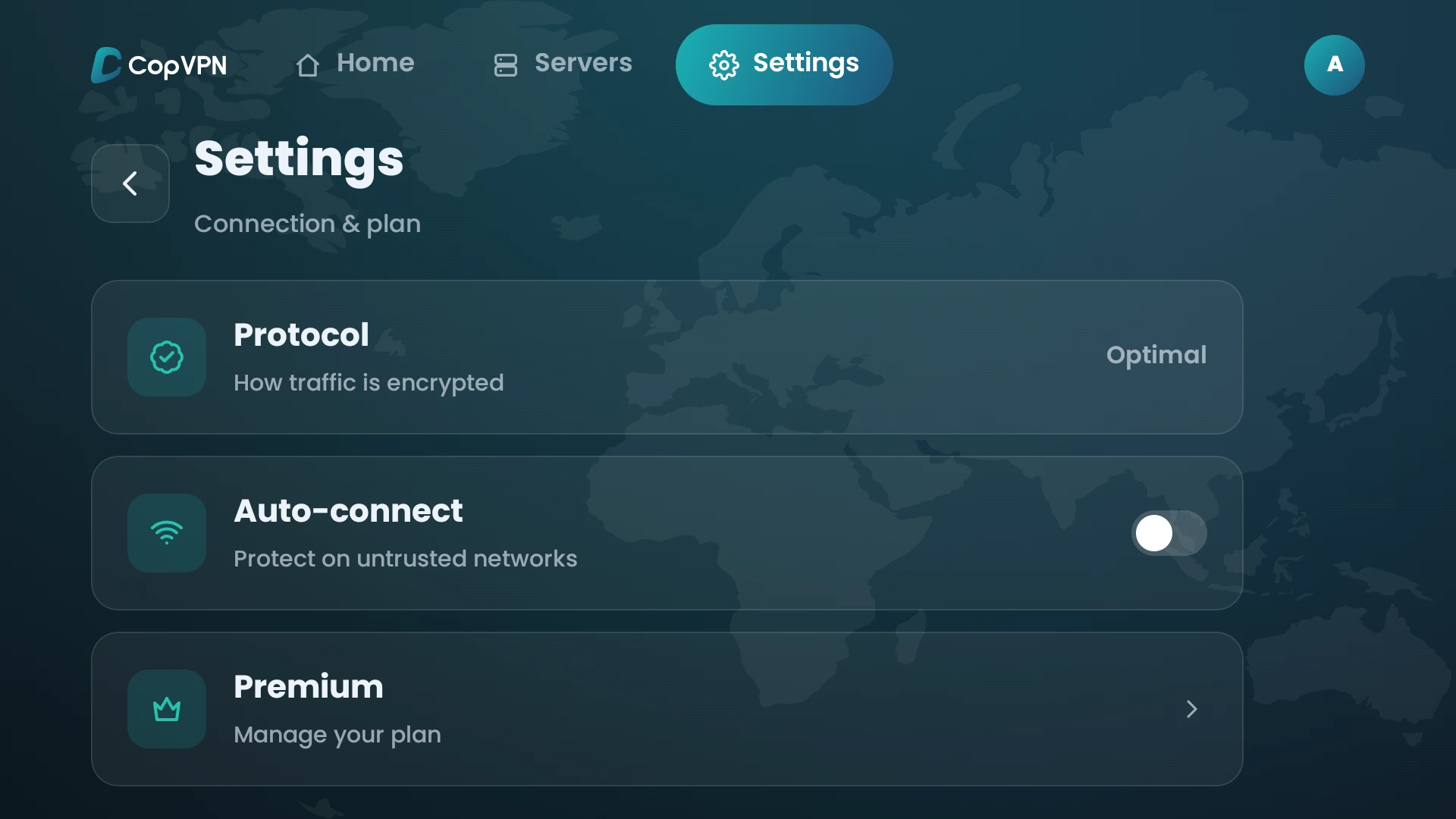
Most features are in most apps; split tunneling is only on Android and in the browser extensions, and Android TV has no kill switch or ad blocking. Pick a platform to see its real Settings screen.
Connects to the free locations without a plan.
One protocol, Secure Proxy. It protects that browser only.
| Feature | Windows | Linux | Mac | iPhone and iPad | Android | Android TV | Browser extension |
|---|---|---|---|---|---|---|---|
| Kill switch | Yes | Yes | Yes | Yes | Yes | No | Yesthis browser only |
| DNS leak protection | Yeson by default | Yeson by default | Yeson by default | Yeson by default | Yeson by default | Yesalways on | Nono setting |
| Split tunneling | No | No | No | No | Yesper app | No | YesBypass list |
| Ad blocker | Yes | Yes | Yes | Yes | Yes | No | Yes |
| Auto-connect | Yes | Yes | Yes | Yes | Yes | Yes | Yeson browser startup |
| Unlimited devicesOne account for all of them | Yes | Yes | Yes | Yes | Yes | Yes | Yes |
| 5 protocols | Yes | Yes | Yes | Yes | Yes | Yes | NoSecure Proxy only |
| Free locations without a plan | Yes | Yes | Yes | Yes | Yes | Yes | Yes |
| Trusted networks | No | No | No | Yes | Yes | No | No |
| Specialty serversStreaming, Gaming and P2P Torrenting, with a plan | Yes | Yes | Yes | Yes | Yes | Yes | No |
| Start at system startup | Yes | Yes | No | No | No | No | No |
| Favorites | Yes | Yes | Yes | Yes | Yes | Yes | Yes |
Every app connects to the free locations without a plan. A plan opens the premium locations.
Beyond the six
The Specialty tab groups servers by activity, and the full list covers 85+ locations in 65+ countries.
Streaming, Gaming and P2P Torrenting server groups, in the Specialty tab, with a plan. In the Windows, Linux, Mac, iPhone, iPad, Android and Android TV apps.
Pick a country yourself, or let the app choose a location for you.
Browse the VPN server listThe checklist
A VPN should have strong encryption, a kill switch that blocks traffic if the connection drops, DNS leak protection that keeps your website lookups inside the VPN, a choice of protocols, and a clear no-logs policy. Extras such as ad blocking, auto-connect and split tunneling depend on how and where you use it.
Extras depend on how you use a VPN. CopVPN adds a VPN ad blocker for known ad, tracking and malware sites (it isn’t antivirus), auto-connect so it connects by itself on Wi-Fi you don’t trust, and split tunneling on Android and in the browser extensions, to keep a banking app or a chosen site outside the tunnel.
Strong encryption. It scrambles your traffic between your device and the VPN server. CopVPN uses strong encryption, with AES-256 for OpenVPN.
A kill switch. It blocks traffic if the connection drops. CopVPN’s VPN kill switch is off until you turn it on.
DNS leak protection. It keeps your website lookups inside the VPN, and it’s on by default in the CopVPN apps for Windows, Mac, Linux, iPhone, iPad and Android.
A choice of protocols. CopVPN has 5 protocols: WireGuard, OpenVPN UDP, OpenVPN TCP, AmneziaWG and Stealth, and Optimal chooses automatically. See what each one is for.
A no-logs policy. We follow a no-logs policy. Read the Privacy Policy.
Apps for the devices you use. CopVPN has apps for Windows, Mac, Linux, iPhone, iPad, Android and Android TV, and extensions for Chrome, Edge and Firefox. It’s a VPN for multiple devices: one account works on unlimited devices.
Questions
Our support team answers by email.
contact@copvpn.comMost features are in most apps, with a few gaps. Split tunneling is only on Android and in the browser extensions. Android TV has no kill switch or ad blocking. The browser extensions have no DNS leak protection setting. The table above shows each platform, and each feature page lists the exact setting.
A kill switch blocks your internet traffic if the VPN connection drops. DNS leak protection keeps your website lookups inside the VPN. The kill switch is off until you turn it on. DNS leak protection is on by default in the Windows, Mac, Linux, iPhone, iPad and Android apps.
DNS leak protection is on from the start in the Windows, Mac, Linux, iPhone, iPad and Android apps, and always on in the Android TV app. The kill switch is off until you turn it on. You choose whether to turn on the ad blocker, split tunneling and auto-connect in Settings.
Every CopVPN app connects to the free locations without a plan, and a plan opens every location. The table above shows the features in each app: Android TV has no kill switch or ad blocker, and split tunneling is in the Android app and the browser extension. There is no separate free trial.
No. The extensions for Chrome, Edge and Firefox protect that browser only. They have a kill switch for that browser, ad blocking, auto-connect on browser startup and a Bypass list for sites that skip the VPN. They have no DNS leak protection setting and one protocol, Secure Proxy. They connect to the free locations without a plan.
The Android TV app has a protocol picker with 5 protocols (Optimal chooses automatically), auto-connect, which it calls Protect on untrusted networks, and DNS leak protection, which is always on. It has no kill switch, split tunneling or ad blocking. Without a plan, it connects to the free locations.
As many as you like. Install CopVPN on your phones, tablets, computers and Android TV, and sign in to each one with the same account.
Your connection right now
Any site you open can read your IP address and roughly where you are. Connect CopVPN and they see one of our servers instead.
Cookies on copvpn.com
We use essential cookies to run the site, and the Meta Pixel for our ads on Facebook and Instagram. With your OK, we also use Google Analytics and Hotjar to see how pages are used. Privacy Policy