Public and shared Wi-Fi
On a café or hotel network, lookups that leak go to a network you don’t control.
DNS leak protection
DNS leak protection keeps your website lookups inside the VPN, so they don’t reveal the sites you visit to your internet provider. In CopVPN it’s one setting, “Block IPv6 and keep DNS inside the VPN”, on by default in the Windows, Mac, Linux, iPhone, iPad and Android apps. On Android TV it’s always on.
On by default in the apps. The browser extension has no DNS leak protection setting.
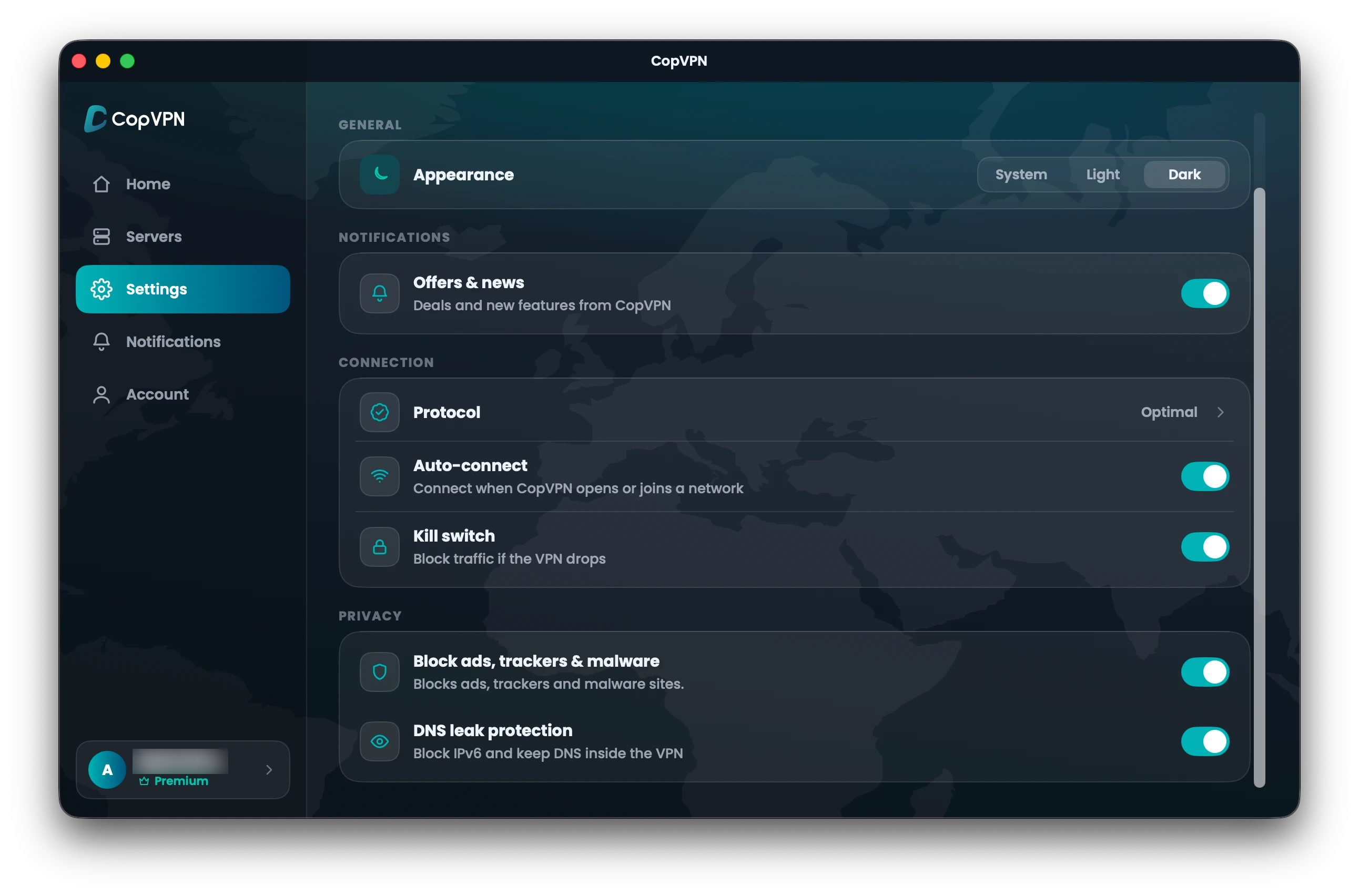
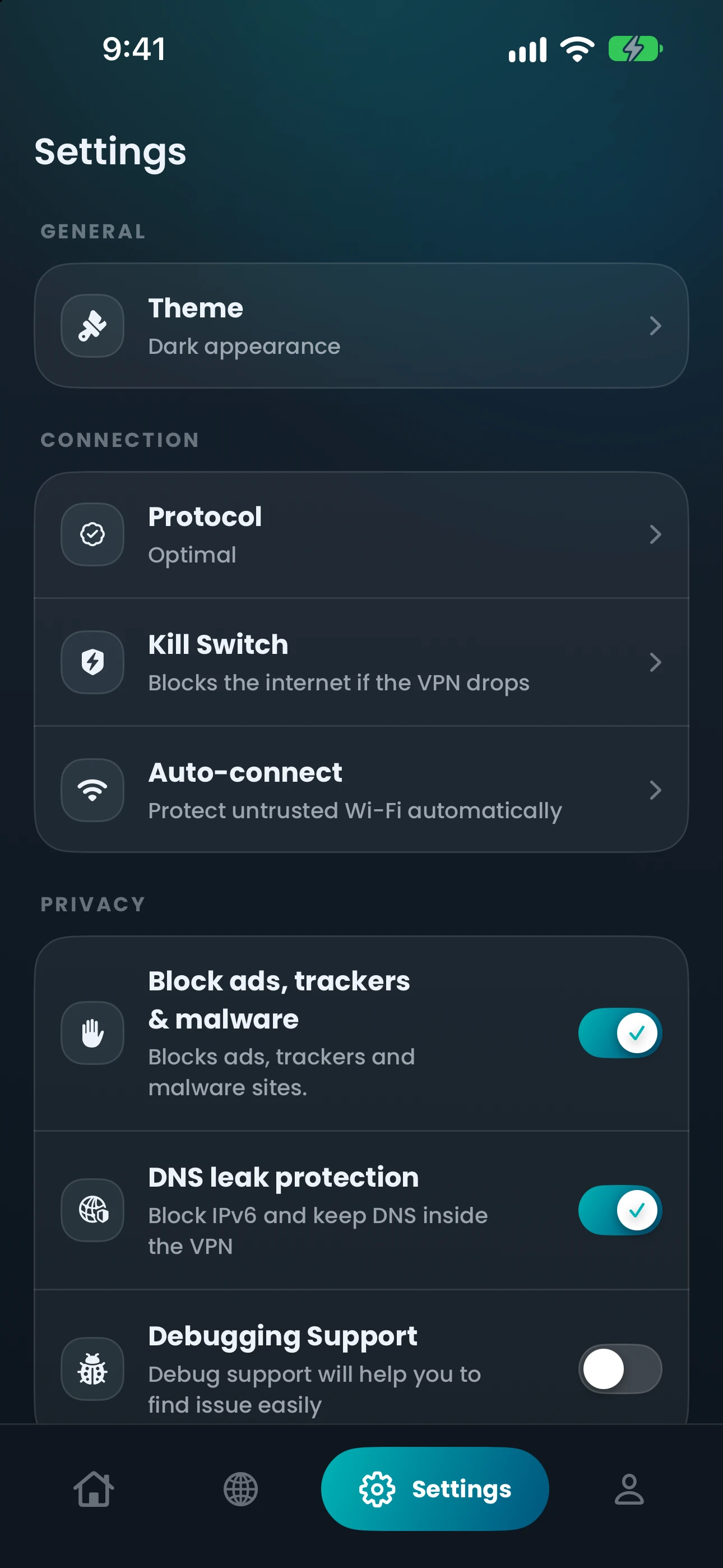
Real Settings screens · Mac and iPhone
DNS leak protection“Block IPv6 and keep DNS inside the VPN”
How it works
While you’re connected, CopVPN keeps your DNS lookups inside the VPN instead of sending them to your network’s own DNS server.
IPv6, a newer kind of internet address, can slip past a VPN. The setting blocks it while you’re connected, so that side door stays shut.
It’s on from the start. Our DNS leak test page explains how the protection works and how to check your setup.
Lookup yoursite.example ?
The lookup stays inside the VPN, so your network’s DNS server doesn’t see the site name.
By platform
On by default wherever it exists; the browser extension has no DNS setting.
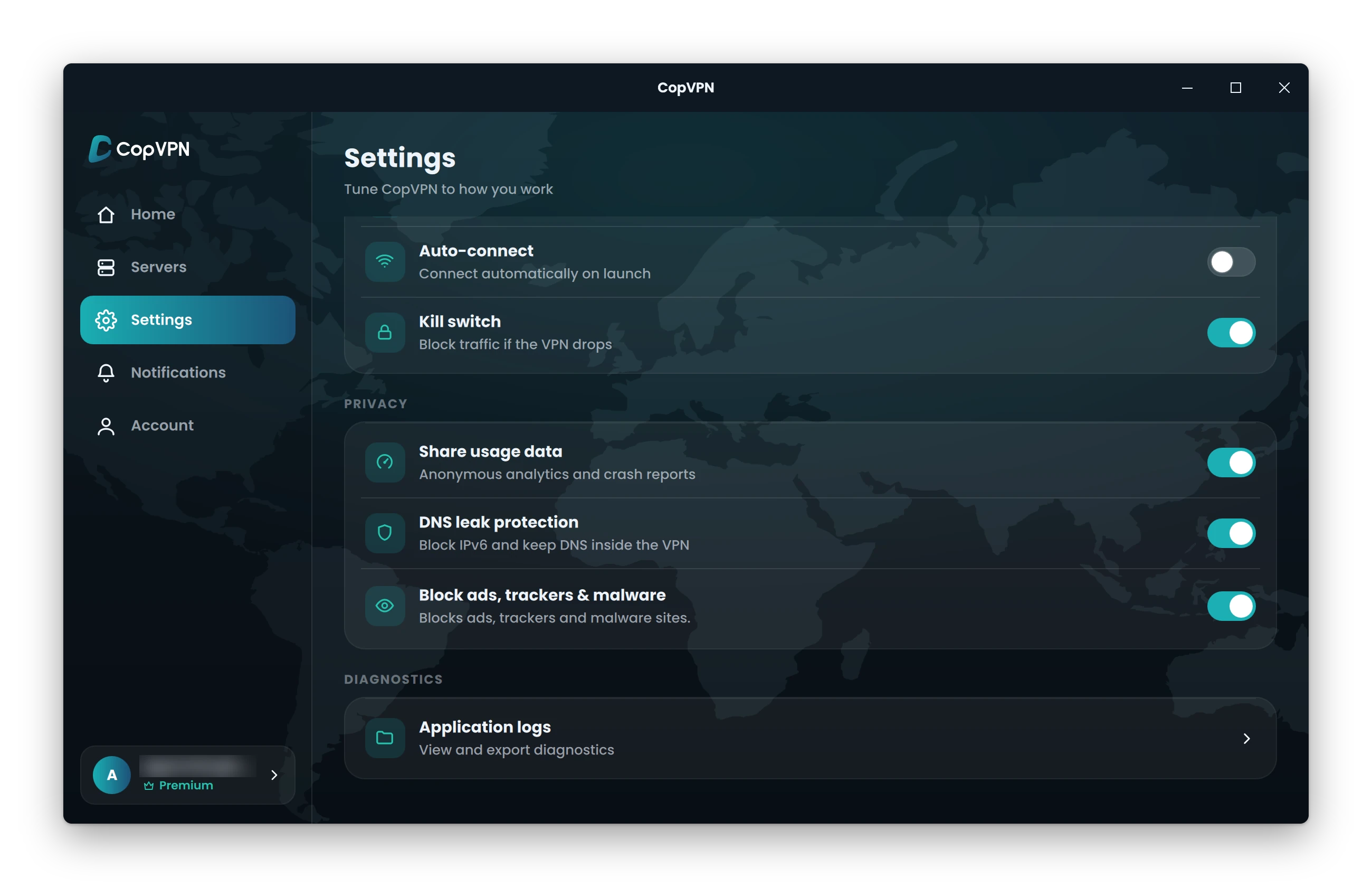
DNS leak protection“Block IPv6 and keep DNS inside the VPN”
On by default.
DNS leak protection“Block IPv6 and keep DNS inside the VPN”
On by default.
DNS leak protection“Block IPv6 and keep DNS inside the VPN”
On by default.
Drawn from the Android app’s Settings, where this row sits lower down.
Block IPv6 and keep DNS inside the VPN
One switch, with no separate “DNS leak protection” label. On by default.
The Android TV app keeps DNS leak protection always on. There is no switch to show.
No switch
Always on, with no switch.
| App | In the app | How it works there | Availability |
|---|---|---|---|
| Windows and Linux | DNS leak protectionBlock IPv6 and keep DNS inside the VPN | On by default. | Available |
| Mac | DNS leak protectionBlock IPv6 and keep DNS inside the VPN | On by default. | Available |
| iPhone and iPad | DNS leak protectionBlock IPv6 and keep DNS inside the VPN | On by default. | Available |
| Android | Block IPv6 and keep DNS inside the VPN | One switch, with no separate “DNS leak protection” label. On by default. | Available |
| Android TV | No switch | Always on, with no switch. | Available |
| Browser extension | Not in this app | No DNS leak protection setting. It protects this browser only. | Not available |
When to use it
On a café or hotel network, lookups that leak go to a network you don’t control.
If your home or mobile network hands out IPv6 addresses, blocking IPv6 while you’re connected keeps that route closed.
New router, new network, new device? Our DNS leak test page explains how lookups leak and which settings keep them inside the VPN.
Questions
Our support team answers by email.
contact@copvpn.comA DNS leak happens when your device asks your internet provider’s DNS server for a site’s address instead of asking through the VPN. Those lookups can reveal which sites you visit, even while the VPN is on.
IPv6 is a newer kind of internet address that can travel outside a VPN tunnel. CopVPN’s setting blocks IPv6 while you’re connected, so that traffic can’t leak.
No. With CopVPN you don’t need to turn IPv6 off yourself: “Block IPv6 and keep DNS inside the VPN” is on by default in the Windows, Mac, Linux, iPhone, iPad and Android apps and blocks IPv6 while you’re connected.
Connect CopVPN and keep “Block IPv6 and keep DNS inside the VPN” on. Our DNS leak test page explains how lookups escape a VPN and takes you through your CopVPN setup step by step.
No, the extension has no DNS leak protection setting, and it protects that browser only. For DNS leak protection, use the CopVPN apps.
Keep reading
Your connection right now
Any site you open can read your IP address and roughly where you are. Connect CopVPN and they see one of our servers instead.
Cookies on copvpn.com
We use essential cookies to run the site. With your OK, we also use Google Analytics and Hotjar to see how pages are used. We never use cookies for advertising. Privacy Policy