WireGuard VPN protocol
WireGuard VPN service in the CopVPN apps
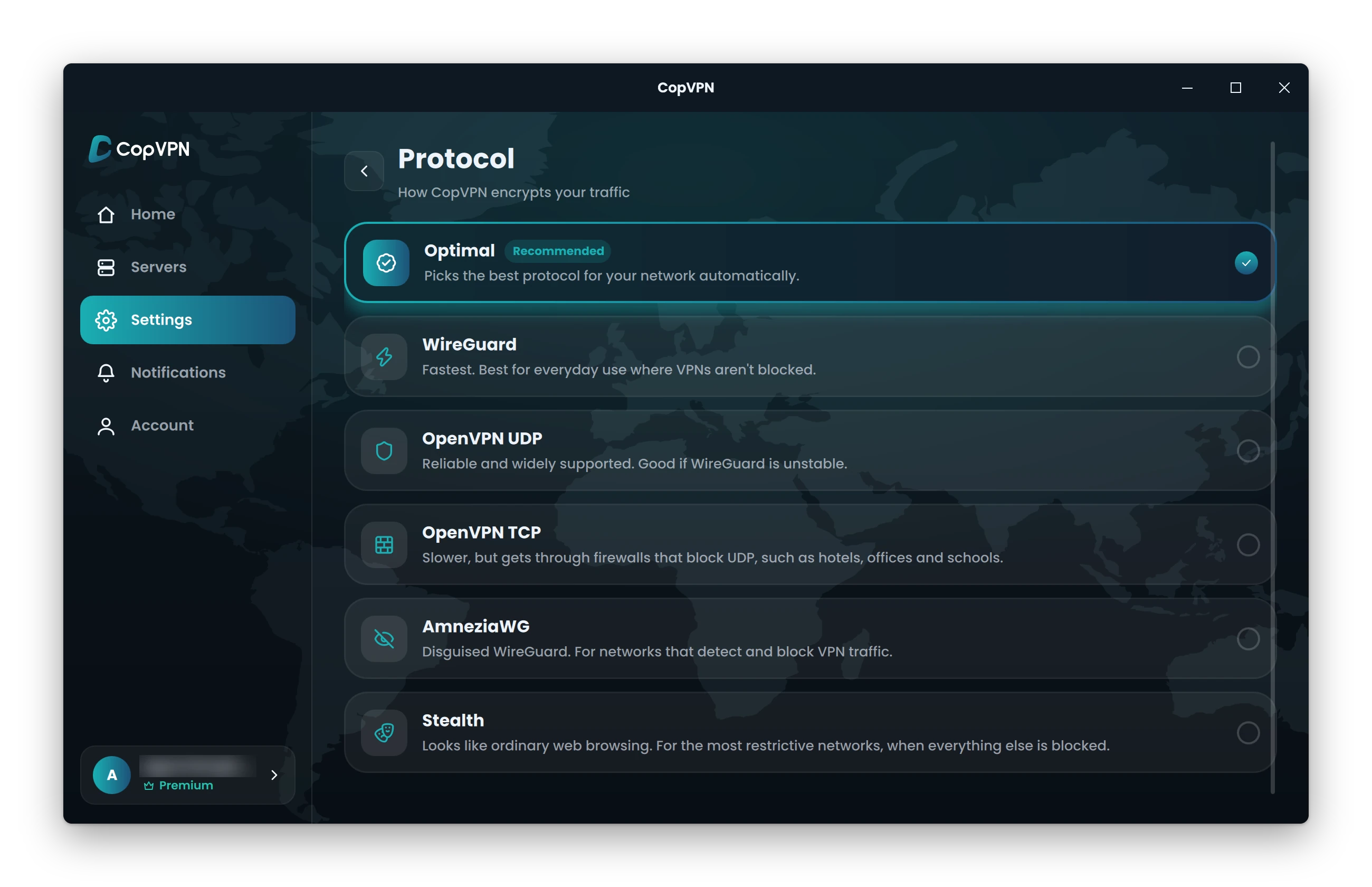
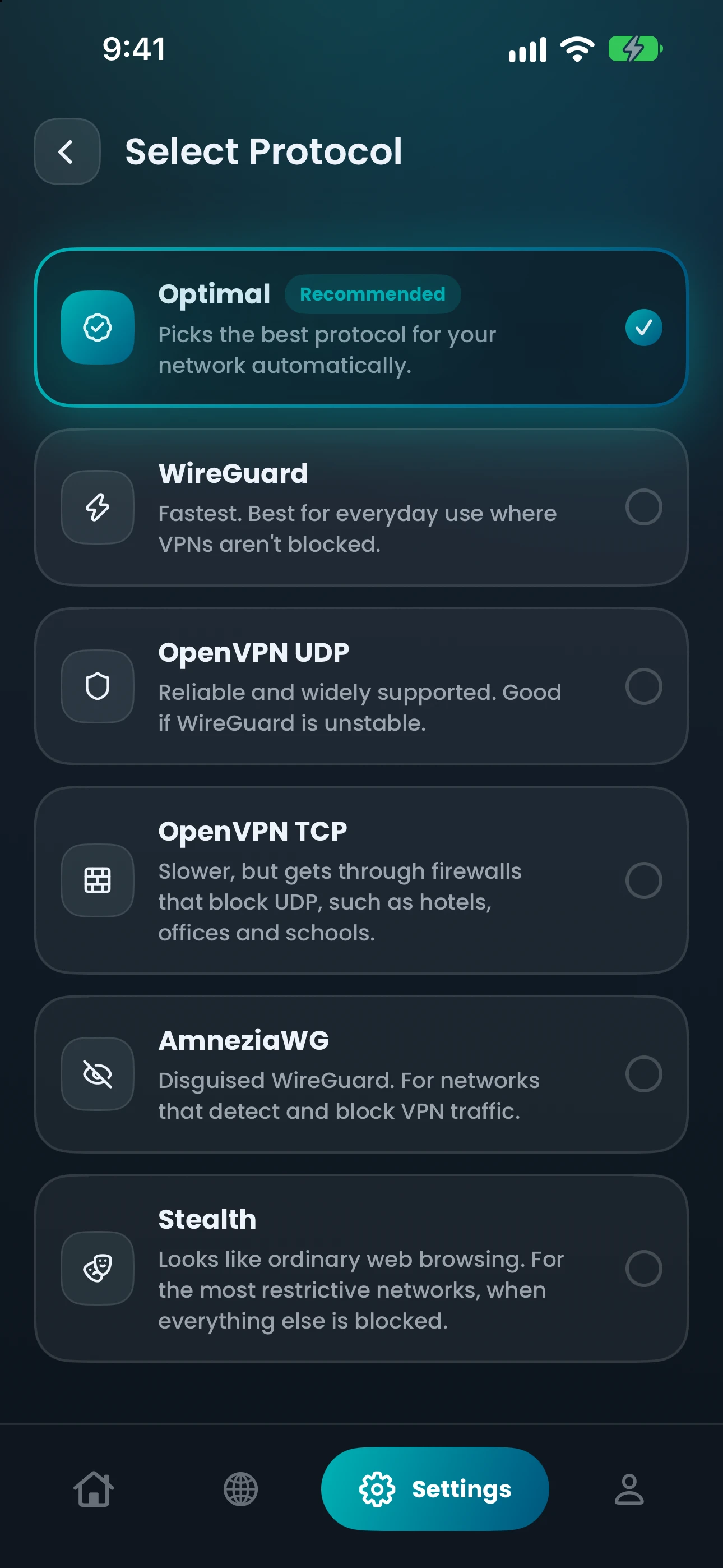
“Fastest. Best for everyday use where VPNs aren’t blocked.”
WireGuard VPN is the everyday protocol in the CopVPN apps, for any network that doesn’t block VPNs. It’s modern and open, with its encryption built into the protocol itself. Choose it in Settings, or leave the app on Optimal and let it pick for you.
Every CopVPN app lets you choose any of the 5 protocols; the browser extension uses Secure Proxy.
The protocol
What is WireGuard?
WireGuard is a modern, open-source VPN protocol. Its design is deliberately small and simple, which makes its code easier to review than that of older, larger protocols. WireGuard’s code is public, so anyone can read it.
- 01
Encryption that’s built in
WireGuard uses ChaCha20-Poly1305, which is part of the protocol, not a CopVPN setting. There’s no cipher list to choose from and nothing to tune, so every WireGuard connection is encrypted the same way.
- 02
Light on the wire
WireGuard sends its traffic over UDP, a lightweight way of moving data that doesn’t wait for each piece to be confirmed. That suits everyday use, and it’s why a firewall that blocks UDP can stop WireGuard.
- 03
Ready in the apps
Nothing to install or configure. Every CopVPN app lets you switch protocol in Settings whenever your network calls for it.
Choosing
When to pick WireGuard, and when not
Follow one day of networks. Pick a stop to see whether WireGuard is the right choice there, or which protocol to switch to. Not sure where you stand? Leave the app on Optimal. Optimal uses Smart Connect, which starts with WireGuard on most networks when you choose Optimal, and moves on by itself if it can’t connect.
Home Wi-Fi
Stay on WireGuard
Everyday use where VPNs aren’t blocked is exactly what it’s for.
Compare all 5 VPN protocolsIn the apps
WireGuard on each platform
WireGuard is in the latest CopVPN apps for Windows, Mac, Linux, iPhone, iPad, Android and Android TV. Every app connects to the free locations without a plan; for every location, see the VPN plans. Get the Linux VPN client as a .deb for Ubuntu and Debian.
| App | Where to find it | Good to know |
|---|---|---|
| Windows | Settings › Connection › Protocol | Choose WireGuard. The protocol chip under the connect button on the Home screen opens the same picker. |
| Mac | Settings › Connection › Protocol | Choose WireGuard in the CopVPN app from the Mac App Store. |
| Linux | Settings › Connection › Protocol | The same steps as Windows, in the .deb for Ubuntu and Debian. |
| iPhone and iPad | Settings › Protocol | Choose WireGuard on the “Select Protocol” screen. |
| Android | Settings › Protocol | Choose WireGuard on the “Protocols” screen, on phones and tablets. |
| Android TV | Settings › Protocol | The same picker as the phone app. |
| Browser extension | Not available | The Chrome, Edge and Firefox extensions use “Secure Proxy” and protect the browser only. |
Questions
Frequently asked questions
Our support team answers by email:
contact@copvpn.comWhat is WireGuard?
WireGuard is a modern, open-source VPN protocol with its encryption built in. In the CopVPN apps, its description is “Fastest. Best for everyday use where VPNs aren’t blocked.” It’s the protocol to use day to day, unless your network gets in the way.
Is WireGuard secure?
WireGuard encrypts everything between your device and the CopVPN server with ChaCha20-Poly1305, which is built into the protocol. Because the cryptography is fixed, there’s no weaker option to fall back to by mistake, and WireGuard’s code is public for anyone to review. On our side, we follow a no-logs policy.
Can I use WireGuard without a plan?
Yes. Without a plan, every CopVPN app connects to the free locations, and you can still choose WireGuard or any other protocol.
WireGuard or OpenVPN: which should I use?
Start with WireGuard for everyday use. Switch to OpenVPN UDP if WireGuard is unstable, or to OpenVPN TCP if a hotel, office or school firewall blocks UDP. OpenVPN uses AES-256 encryption, so you stay encrypted whichever you pick.
How do I turn on WireGuard on Windows, Mac or iPhone?
On Windows and Mac, open Settings › Connection › Protocol and choose WireGuard. On Windows, the protocol chip under the connect button opens the same picker. On iPhone, open Settings › Protocol and choose WireGuard on the “Select Protocol” screen.
Why does my network block WireGuard?
Some networks block UDP, which WireGuard uses, and others look for VPN traffic and block what they find. If a firewall blocks UDP, OpenVPN TCP is the next step. If the network detects and blocks VPN traffic, try AmneziaWG. If that’s blocked too, try Stealth.
Keep reading
Related protocols and guides
Your connection right now
This is what websites see
Any site you open can read your IP address and roughly where you are. Connect CopVPN and they see one of our servers instead.
- Your IP
- Location
- Provider