A normal VPN
Encrypted, but recognizable as a VPN.
Stealth VPN protocol
To the network, a Stealth connection looks like ordinary web browsing.
A stealth VPN protocol disguises your VPN connection. In the CopVPN apps, that protocol is Stealth: it makes your connection look like ordinary web browsing. It’s for the most restrictive networks, when everything else is blocked. Pick it in Settings when WireGuard, OpenVPN and AmneziaWG can’t get through.
Every CopVPN app lets you choose any of the 5 protocols; the browser extension uses Secure Proxy.
Choosing
Think of the protocols as a ladder. Start with WireGuard for everyday use. If a hotel, office or school firewall blocks UDP, try OpenVPN TCP. If the network detects and blocks VPN traffic, move up to AmneziaWG. Stealth is the last step, for when everything else is blocked.
If your network doesn’t get in the way, you won’t need Stealth. Leave the app on Optimal and it “picks the best protocol for your network automatically”, or see how the 5 VPN protocols compare. Optimal uses Smart Connect, which picks disguised routes only when your network needs them.
The most restrictive networks
How it works
With a normal VPN, your traffic is encrypted, so a network can’t read what you’re doing. It may still be able to tell that you’re using a VPN, because VPN connections have a recognizable shape. Obfuscation changes the shape.
Encrypted, but recognizable as a VPN.
Disguised WireGuard, for networks that detect VPN traffic.
Looks like ordinary web browsing, for the most restrictive networks.
Your traffic is still encrypted underneath. Stealth changes how your connection looks to the network, not whether it’s protected. No VPN works on every network, and Stealth is no exception: it gives you one more way to connect when the other protocols can’t.
In the apps
Stealth is in the latest CopVPN apps for Windows, Mac, Linux, iPhone, iPad, Android and Android TV. Older app versions don’t show it, so update the app if it’s missing. Every app connects to the free locations without a plan. For every location, compare VPN plans. Get the Mac VPN app from the Mac App Store.
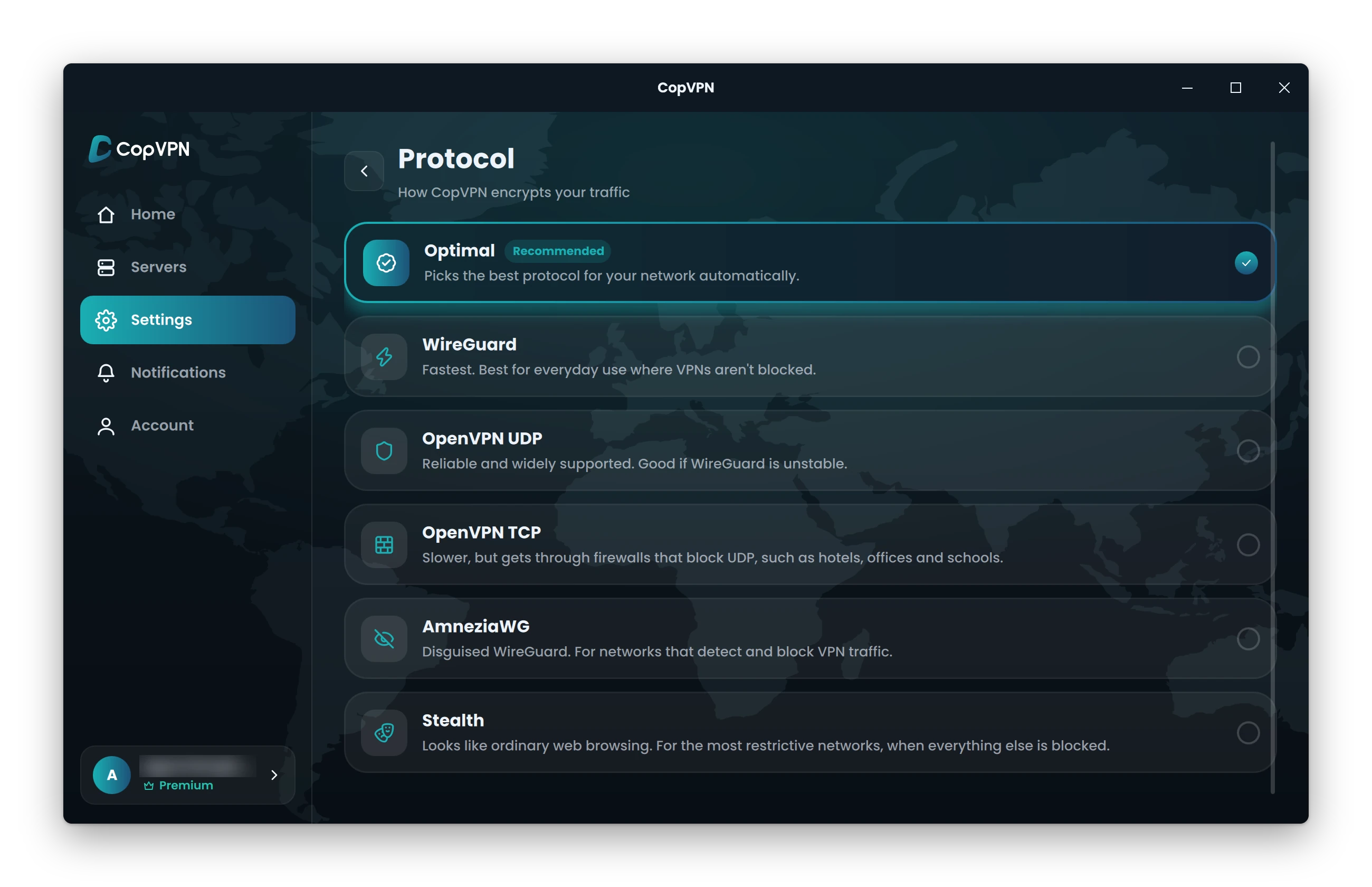
| App | Where to find it | Good to know |
|---|---|---|
| Windows | Settings › Connection › Protocol | Choose Stealth. The protocol chip under the connect button on the Home screen opens the same picker. |
| Mac | Settings › Connection › Protocol | Choose Stealth in the CopVPN app from the Mac App Store. |
| Linux | Settings › Connection › Protocol | The same steps as Windows, in the .deb for Ubuntu and Debian. |
| iPhone and iPad | Settings › Protocol | Choose Stealth on the “Select Protocol” screen. |
| Android | Settings › Protocol | Choose Stealth on the “Protocols” screen, on phones and tablets. |
| Android TV | Settings › Protocol | The same picker as the phone app. |
| Browser extension | Not available | The Chrome, Edge and Firefox extensions use “Secure Proxy” and protect the browser only. |
Questions
Our support team answers by email.
contact@copvpn.comA stealth VPN disguises a VPN connection as everyday internet traffic. CopVPN’s Stealth makes your connection look like ordinary web browsing, for the most restrictive networks, when everything else is blocked. Some apps call this a stealth mode VPN; in CopVPN, it’s one of the 5 protocols.
Try AmneziaWG first when a network detects and blocks VPN traffic. If AmneziaWG is blocked too, switch to Stealth. It’s made for the most restrictive networks, when everything else is blocked.
It can be. WireGuard is the protocol the app describes as “Fastest. Best for everyday use where VPNs aren’t blocked.” Use WireGuard when your network allows it, and keep Stealth for when nothing else connects.
Your traffic stays encrypted, and to the network it looks like ordinary web browsing. Stealth only changes how the connection looks, not whether it’s protected. On our side, we follow a no-logs policy.
No. The CopVPN extensions for Chrome, Edge and Firefox use one connection type, “Secure Proxy,” and protect the browser only. Stealth is in the CopVPN apps.
In the Windows and Mac apps, open Settings › Connection › Protocol and choose Stealth. On Windows, the protocol chip under the connect button opens the same picker. If you don’t see Stealth, update to the latest CopVPN app.
Yes. Without a plan, every CopVPN app connects to the free locations, and you can choose Stealth or any other protocol.
Keep reading
Your connection right now
Any site you open can read your IP address and roughly where you are. Connect CopVPN and they see one of our servers instead.
Cookies on copvpn.com
We use essential cookies to run the site. With your OK, we also use Google Analytics and Hotjar to see how pages are used. We never use cookies for advertising. Privacy Policy