Firefox Add-ons · Firefox 128 or later
Download a Firefox VPN extension
The CopVPN add-on for Firefox 128 or later protects your browser in one click. Firefox’s traffic is encrypted between your browser and CopVPN, chosen sites can skip the VPN with the Bypass list, and the free locations work without a plan.
Firefox 128 or later · the latest version · from Firefox Add-ons
- Free locations without a plan; a plan opens every location
- Passwordless sign-in
- Protects this browser only. When to get the app
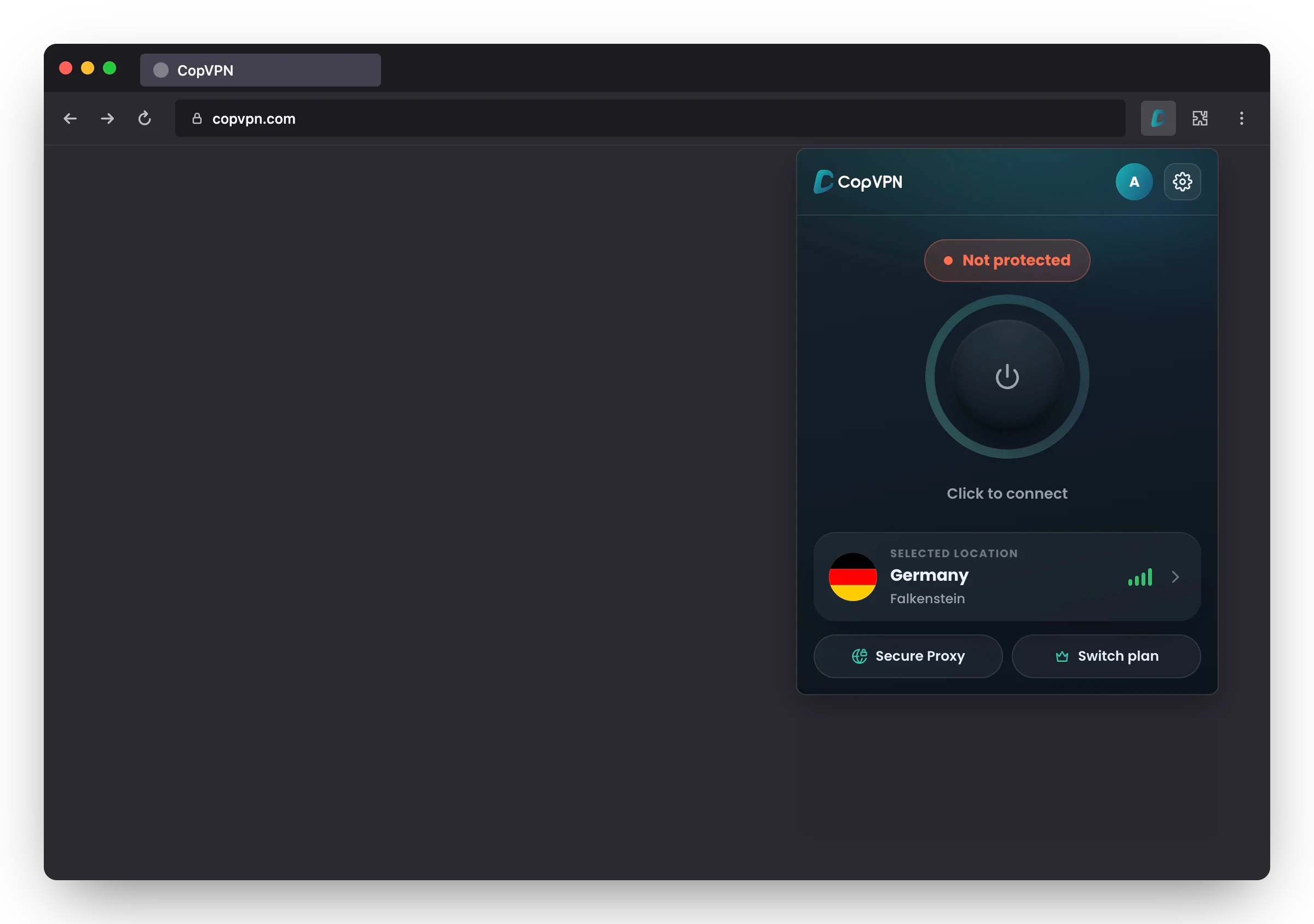
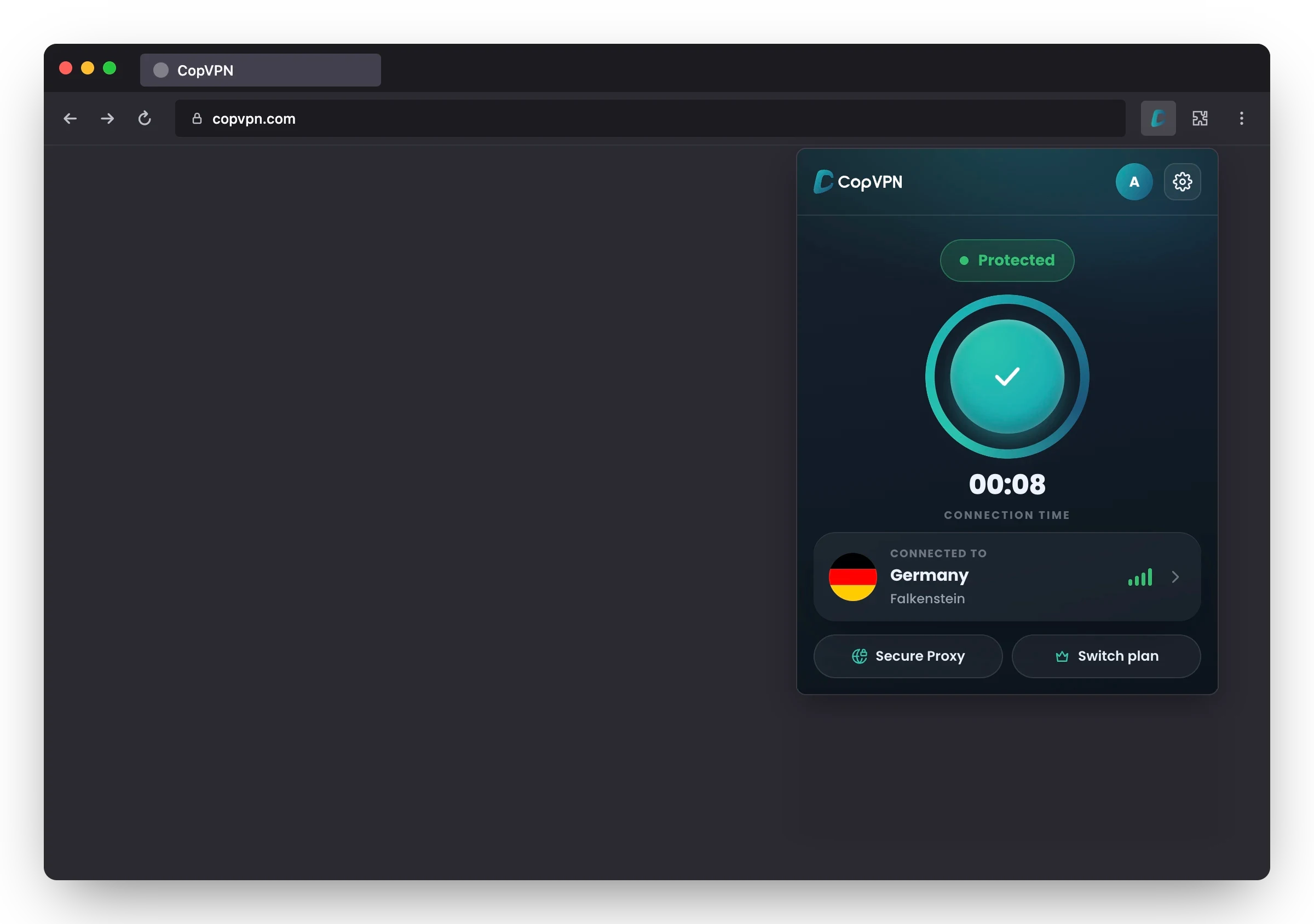
Real screen · Not protected yet: click to connect
What’s in the add-on
Seven stars, one little fox
Everything the CopVPN add-on does in Firefox, drawn as one constellation. Pick a star to see it on the real screen, with the setting’s exact name.
Home screen
Secure Proxy
The add-on’s one connection type
There’s no protocol picker in the add-on. Firefox’s traffic is encrypted between your browser and CopVPN. For a choice of 5 protocols, use the CopVPN apps.
Settings · Connection
“Auto-connect”
“On browser startup”
When Firefox starts, CopVPN connects to your last location or the fastest one, your choice.
Settings · Connection
“Kill switch”
“Block this browser’s traffic if the VPN drops”
If the connection drops, Firefox’s traffic stops instead of leaving outside the VPN. It covers this browser only.
Settings · Connection
“Bypass list”
“Sites that skip the VPN”
Add up to 100 sites, subdomains included, that load outside the VPN while the rest of Firefox stays protected: split tunneling, per site.
Settings · Privacy
“Block ads, trackers & malware”
“Blocks ads, trackers and malware sites.”
It blocks known ad, tracking and malware sites in Firefox, whether or not you’re connected. It doesn’t scan files and isn’t antivirus.
While connected
WebRTC leak protection
No switch: it applies while you’re connected
While you’re connected, WebRTC leak protection applies and Firefox’s site lookups go through CopVPN. The add-on has no separate DNS leak protection setting.
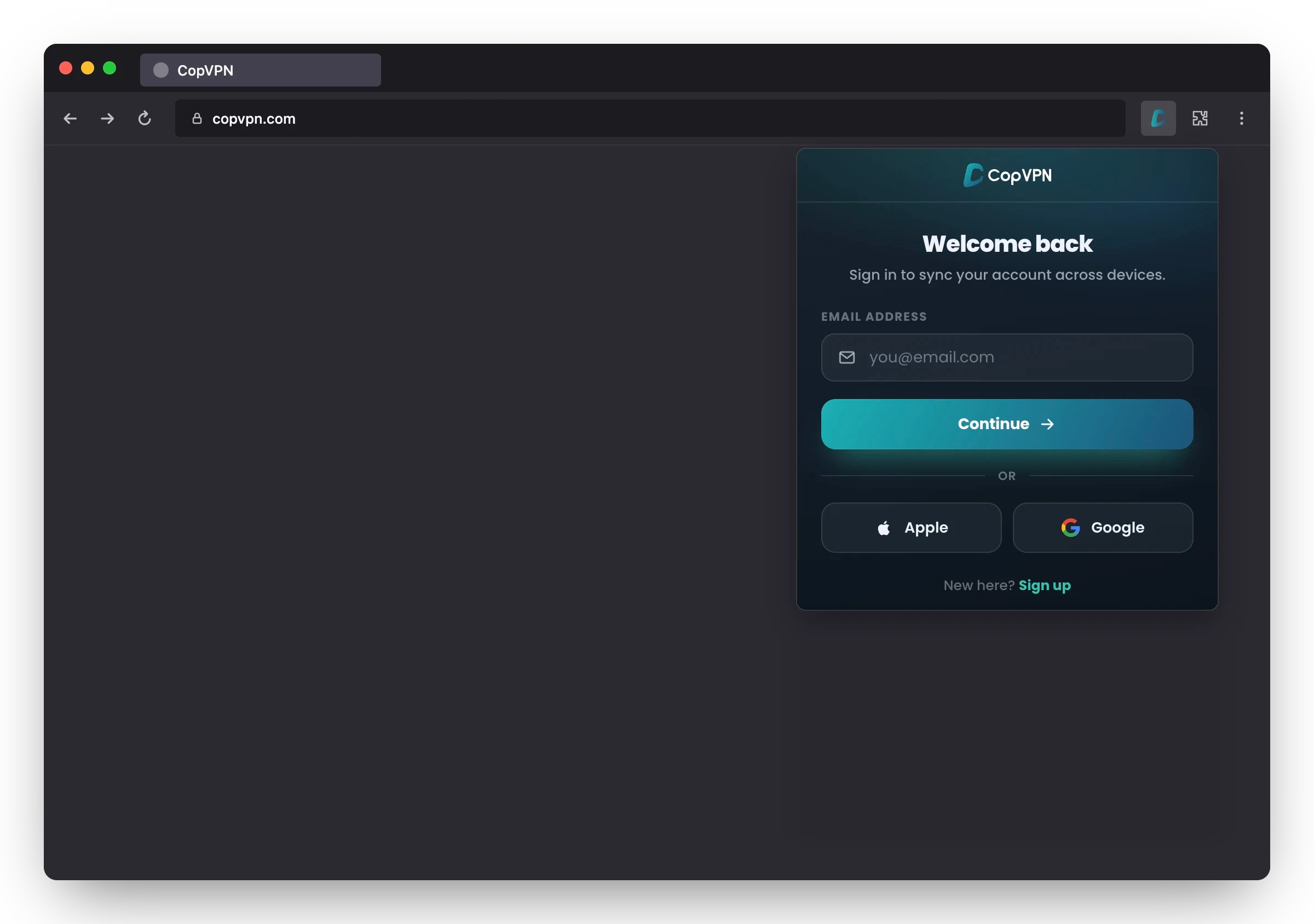
Sign-in screen
Passwordless sign-in
An email and a 6-digit code, or Apple or Google
No password to create or remember. The same account signs you in to every CopVPN app, on unlimited devices.
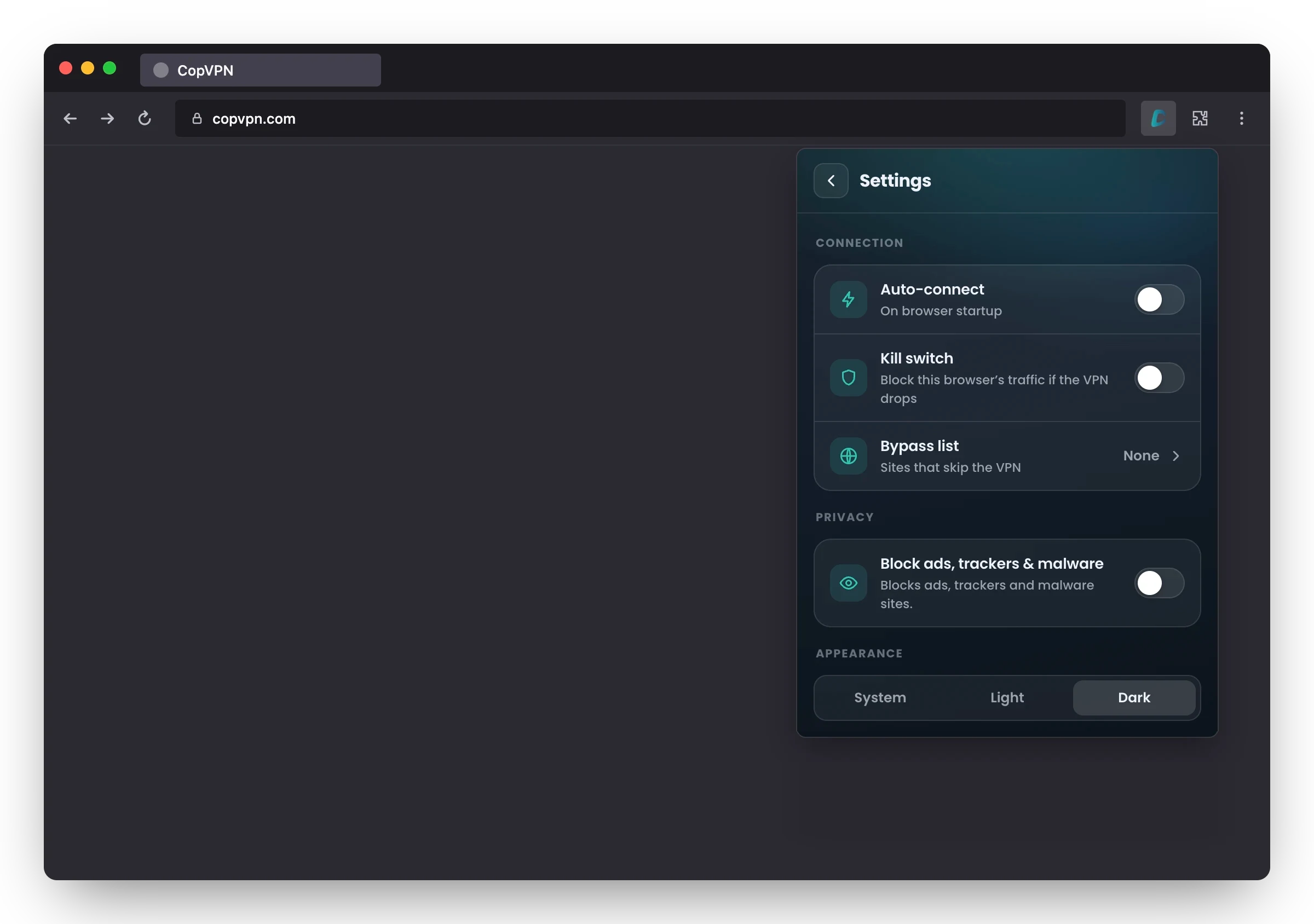
Real screen · Settings
Add-on or app
How much of the sky it covers
The add-on looks after Firefox and nothing else on the computer. When your email, games, updates or another browser need the VPN too, install the CopVPN app.
- FirefoxYour tabs in Firefox Inside the VPNOutside the add-on
- Other browsersAny other browser Inside the VPNOutside the add-on
- Email appMail on your computer Inside the VPNOutside the add-on
- GamesGames and launchers Inside the VPNOutside the add-on
- UpdatesSystem and app updates Inside the VPNOutside the add-on
- Chat and callsMessaging and video apps Inside the VPNOutside the add-on
Under the add-on: FirefoxUnder the app: the whole computer
The add-on protects Firefox
- Firefox’s traffic is encrypted between your browser and CopVPN.
- Other apps and other browsers connect as usual, outside the VPN.
- Connects to the free locations without a plan.
- A kill switch, auto-connect, the Bypass list and ad blocking for this browser.
The app protects the whole device
- Every app and every browser on the computer goes through the VPN.
- 5 protocols: WireGuard, OpenVPN UDP, OpenVPN TCP, AmneziaWG and Stealth.
- DNS leak protection, “Block IPv6 and keep DNS inside the VPN”, on by default, and a kill switch, “Block traffic if the VPN drops”.
- Streaming, Gaming and P2P Torrenting groups in the Specialty tab, with a plan.
Every CopVPN app connects to the free locations without a plan.
Install
From Firefox to Protected in four phases
No installer to run: the add-on lives in Firefox. Each lens is the real add-on at that step.
- Phase 1
Add CopVPN to Firefox
Open CopVPN on Firefox Add-ons and click “Add to Firefox”. It needs Firefox 128 or later.
- Phase 2
Open it from the toolbar
Click CopVPN in the Firefox toolbar. If it isn’t there, open it from the Extensions menu.
- Phase 3
Sign in, no password
Enter your email and the 6-digit code we send you, or continue with Apple or Google.
- Phase 4
Click to connect
Pick a location and click to connect. The free locations work without a plan; a plan opens every location.
Catalogue entryCopVPN for Firefox
What you need, and what you get
- FX-01Browser
- Firefox 128 or later
- FX-02Get it from
- Firefox Add-ons
- FX-03Version
- The latest version
- FX-04Protects
- This browser’s traffic only
- FX-05Connection
- Secure Proxy, encrypted between your browser and CopVPN
- FX-06Sign-in
- An email and a 6-digit code, or Apple or Google
- FX-07Devices
- Unlimited devices
- FX-08Appearance
- System, Light or Dark
Without a plan
- The free locations
With a plan
- Every location, premium ones included: 85+ locations in 65+ countries
- One plan unlocks every CopVPN app signed in with the same account
- 30-day money-back guarantee
Not in the add-on
- A protocol picker: the add-on uses Secure Proxy
- A DNS leak protection setting
- Specialty servers
- Other apps on your computer
For those, install the CopVPN app on the device.
Every device
Firefox is one star. Add the rest.
Unlimited devices. One plan works everywhere: bought at our checkout, in the App Store, the Mac App Store or Google Play, it unlocks every CopVPN app signed in with the same account.
- You’re hereFirefoxBrowser extension
- WindowsWindows 10, 11
- MacMacBook, iMac
- LinuxDesktop app
- iPhone and iPadApp Store
- AndroidPhone, tablet
- Android TVTV app
- ChromeBrowser extension
- EdgeBrowser extension
Questions
Frequently asked questions
What people ask before they add CopVPN to Firefox.
Our support team answers by email:
contact@copvpn.comAlso for browsers
The same add-on is on the Chrome Web Store for Chrome and on Edge Add-ons for Microsoft Edge.
Is the CopVPN add-on for Firefox free?
Without a plan you connect to the free locations. A plan opens every location: 85+ locations in 65+ countries. There is no free trial.
Which versions of Firefox does CopVPN work with?
Firefox 128 or later. Get the add-on from Firefox Add-ons.
Does the Firefox add-on protect my whole computer?
No. It protects Firefox only: Firefox’s traffic is encrypted between your browser and CopVPN, and other apps and browsers connect as usual. To protect the whole device, install the CopVPN app for Windows, Mac or Linux.
How do I sign in, and on how many devices?
With your email and a 6-digit code, or with Apple or Google; there’s no password. You can sign in on as many devices as you like.
What is the Bypass list?
The Bypass list holds sites that skip the VPN: up to 100 sites, subdomains included. They load outside the VPN while the rest of Firefox stays protected.
Can I choose a VPN protocol in the add-on?
No. The add-on has one connection type, Secure Proxy, and no protocol picker. The CopVPN apps offer 5 protocols: WireGuard, OpenVPN UDP, OpenVPN TCP, AmneziaWG and Stealth.
Can the add-on connect when Firefox starts?
Yes. Turn on “Auto-connect” (“On browser startup”) and CopVPN connects to your last location or the fastest one, your choice.
Does the Firefox add-on have a kill switch?
Yes. “Kill switch”: “Block this browser’s traffic if the VPN drops”. It is off until you turn it on, and covers Firefox only.
Does the add-on block ads?
“Block ads, trackers & malware” blocks known ad, tracking and malware sites in Firefox, whether or not you’re connected. You choose whether to turn it on. It doesn’t scan files and isn’t antivirus.
Does the add-on stop WebRTC and DNS leaks?
While you’re connected, WebRTC leak protection applies and Firefox’s site lookups go through CopVPN. The add-on has no separate DNS leak protection setting; the CopVPN apps do.
Your connection right now
This is what websites see
Any site you open can read your IP address and roughly where you are. Connect CopVPN and they see one of our servers instead.
- Your IP
- Location
- Provider