Privacy lab · IP
What is my IP address? Here’s what every website sees
IPv6
The address websites see when you open them, with the location and provider it points to.
How to fix it.
- Location
- Provider
Change it
How to change your IP address
Your IP address comes from the network you’re on. Connect through a CopVPN server, and websites see that server’s address instead of yours. It takes three steps.
Viewer
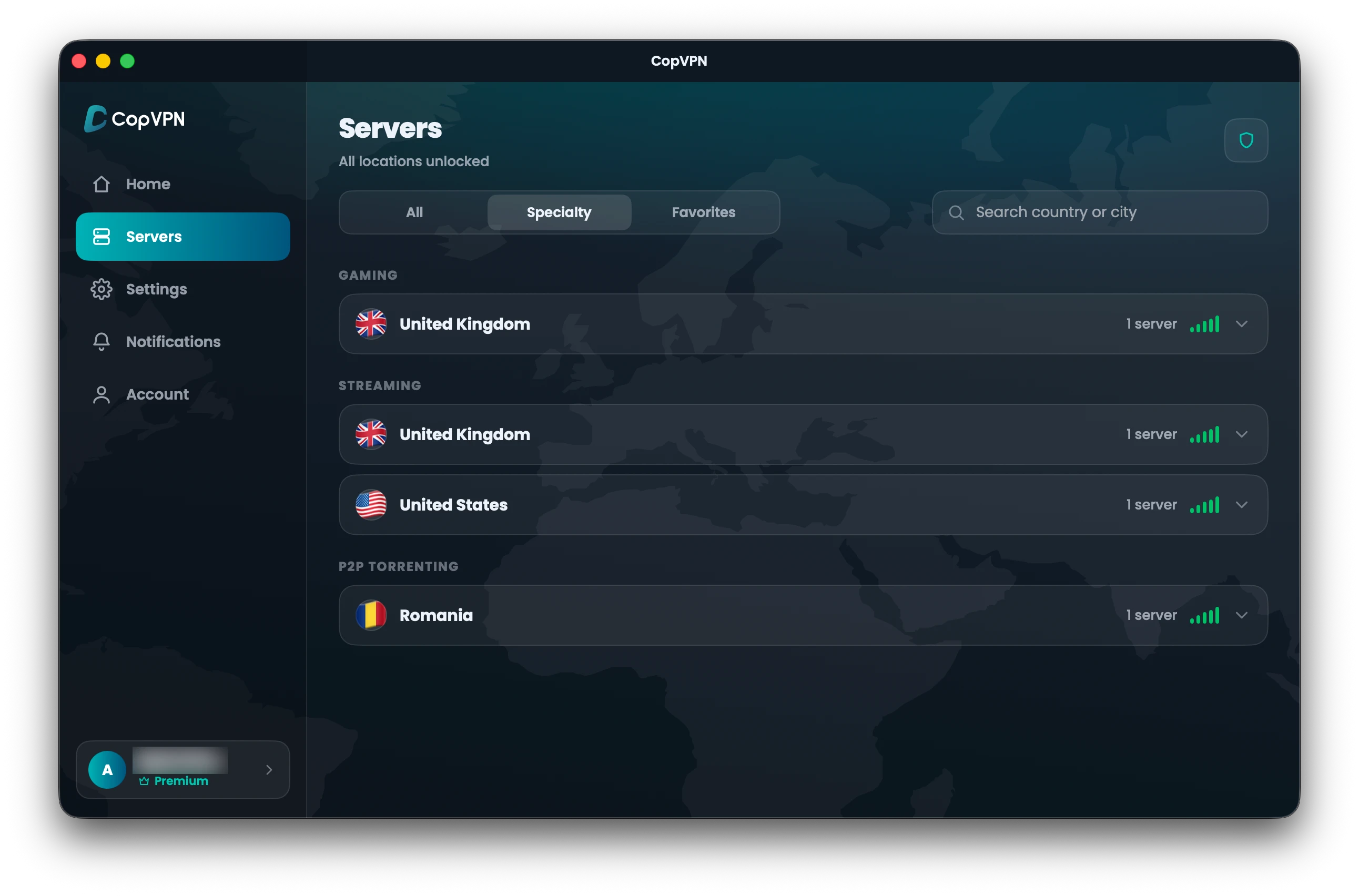
Step 1 of 3Where: Servers
Open the CopVPN app and choose a country or a city. There are 85+ locations in 65+ countries.
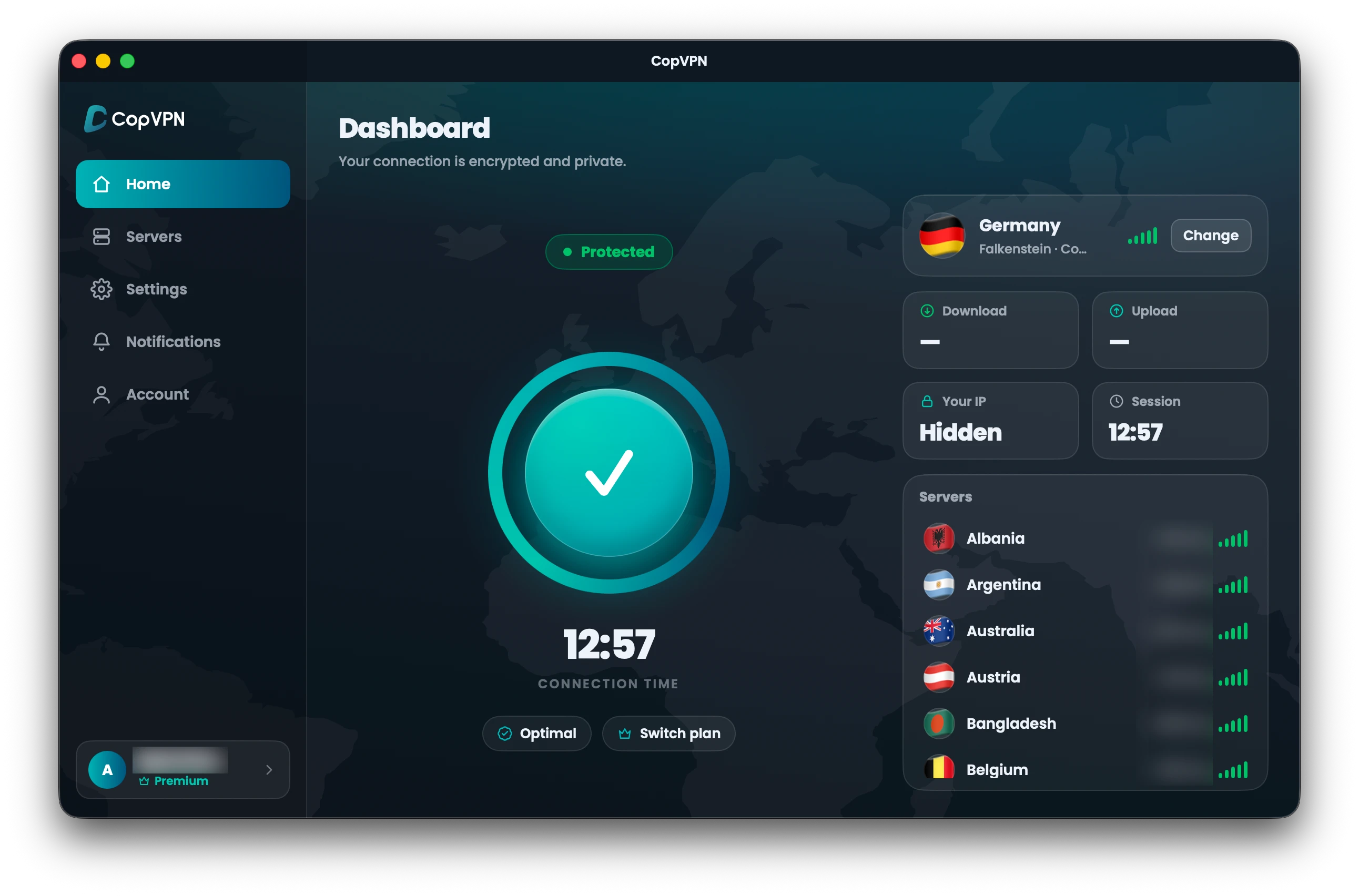
Step 2 of 3Where: Home
Connect. When the status reads Protected, your traffic goes through the CopVPN server you picked.
Step 3 of 3Where: This page
Reload this page. The address at the top is now the CopVPN server’s, and the location is the one you picked.
What websites see
Your IP address
Before: your own addressyour city, your provider
After: the CopVPN server’sthe location you picked
Disconnect, and your own address is back
IllustrationThe basics
What an IP address is
An IP address is the number your internet provider gives your connection, so websites know where to send pages back. Every device that goes online uses one. Two versions are in use today.
Two versions
IPv4 and IPv6, side by side
IPv4
- Format203.0.113.47: four numbers from 0 to 255, with dots between them.
- CountAbout 4.3 billion addresses, fewer than the world now needs.
- TodayStill the address most websites use to reach you.
IPv6
- Format2001:db8:4c1:22::1f: longer, with letters and colons.
- CountEnough for every device, many times over.
- TodayMany networks give you both, and your device uses whichever the website supports.
While you’re connected, CopVPN’s DNS leak protection blocks IPv6, so that traffic can’t go around the VPN. Read about DNS leak protection.
Two kinds
Public and private IP addresses
You have more than one IP address. Websites see the public one. The private ones stay inside your home or office network. Pick one to see where it lives.
Public IP address
Public- What it is
- The one address your internet provider gives your whole connection. Every device on your Wi-Fi shares it.
- Who sees it
- Every website and app you connect to, and your internet provider.
- With a VPN
- Websites see the CopVPN server’s public address instead of yours.
What it gives away
What your IP address reveals, and what it doesn’t
Scope sheet
Any website you open · what your IP tells it
A website can tell
- IN-01Roughly where you are: the country, and usually the city or region.
- IN-02Which internet provider you use.
- IN-03That two visits came from the same address, so it can link them.
- IN-04Whether you’re on a home line, a mobile network or a server.
It can’t tell
- OUT-01Your name. An IP address alone doesn’t identify a person.
- OUT-02Your street address. Location from an IP is approximate, and sometimes wrong.
- OUT-03What you do on other websites. A site only sees its own visitors.
- OUT-04What’s on your device.
Your internet provider does know which customer had an address at a given time. A VPN changes the address websites see. Read what a VPN hides and what it doesn’t.
Questions
Frequently asked questions
Our support team answers by email.
contact@copvpn.comWhat is my IP address?
It’s the number your internet provider gives your connection, so websites know where to send pages back. The address at the top of this page is the one websites see right now.
How do I hide my IP address?
Connect to a VPN. With CopVPN on, websites see the address of the CopVPN server you picked instead of your own. Reload this page after you connect, and the address changes.
Can someone find my home from my IP address?
Not from the address alone. It points to a city or region and to your internet provider, not to a street. Only your provider knows which customer had an address at a given time.
Why does my IP location look wrong?
The location comes from databases that map address ranges to places, and they aren’t exact. You may see a nearby city, or the place your provider routes traffic through.
Does my IP address change?
Often, yes. Most home and mobile connections get a new address from time to time, and you get a different one on each network you join.
Is my IP address the same on every device?
Devices on the same Wi-Fi share one public address, so websites see the same one for each of them. Each device also has its own private address inside your network. On mobile data, your phone uses a different public address.
Does CopVPN keep my IP address?
We follow a no-logs policy. The Privacy Policy has the details.
Your connection right now
This is what websites see
Any site you open can read your IP address and roughly where you are. Connect CopVPN and they see one of our servers instead.
- Your IP
- Location
- Provider