Privacy lab · WebRTC
WebRTC leak test: is your browser showing your real IP?
See which addresses your browser hands out through WebRTC, and whether one of them is your real one.
How to fix it.
The test runs in this browser only and takes a few seconds.
The leak lab
What WebRTC is, and how it can show your real IP
WebRTC is the browser feature behind calls, video and screen sharing on websites. To set up a call, your browser works out which addresses can reach you and can hand them to the site. Pick a route to see which address the site gets.
Route · Through the VPN
Sealed- What happens
- The site asks your browser for its addresses. The browser answers with the CopVPN server’s address, the same one the site already sees.
- Why
- Nothing leaks. This is how WebRTC should behave while you’re connected.
- What covers it
- The CopVPN browser extension has WebRTC leak protection, on while you’re connected. How to fix a leak
DNS leaks are a different problem. A WebRTC test looks at addresses, not at where your DNS lookups go, and a clean WebRTC result doesn’t rule a DNS leak out. Run the DNS leak test for that.
Fix it
How to fix a WebRTC leak
Work through these in order, and run the test again after each one.
Viewer
Step 1 of 3Where: Home › connect
Disconnect CopVPN, connect again, then run the test at the top of this page once more.
- Disconnect
- Reconnect
- Test again
In the CopVPN app
IllustrationStep 2 of 3Where: Chrome, Edge or Firefox
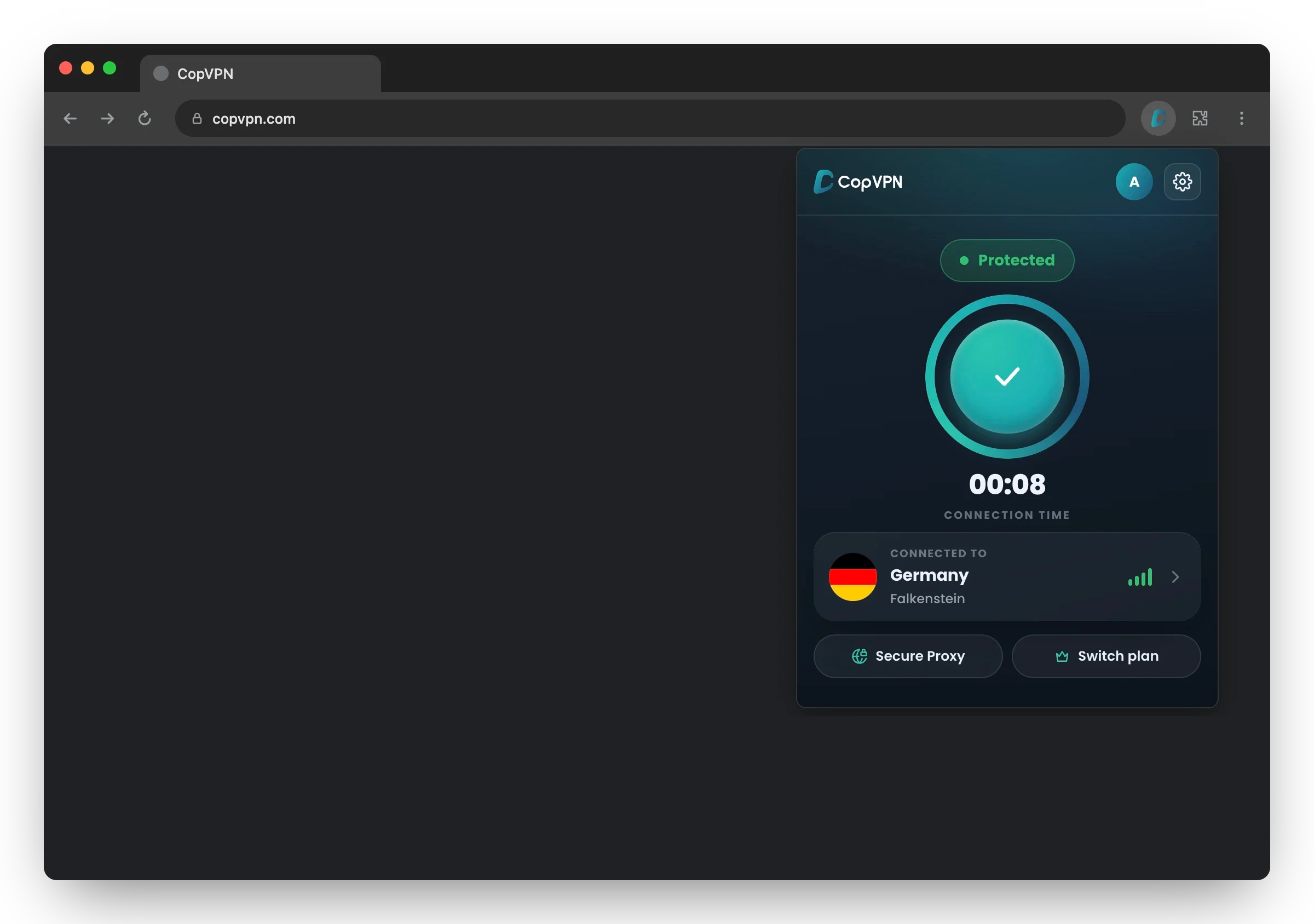
The CopVPN extension has WebRTC leak protection. It’s on while you’re connected, with no switch to remember. Get the extension
Step 3 of 3Where: Browser settings and add-ons
Some browsers and privacy add-ons let you limit which addresses WebRTC shares. If you use one, keep it on while you test.
Browser settings › Privacy
WebRTC addresses
Share only the VPN’swhile you test
Share every addresscan show your real IP
In each browser you use
IllustrationReading a result
What a WebRTC leak test tells you, and what it can’t
Scope sheet
Any WebRTC leak test · what it covers
In scope: a test can show
- IN-01Which public address this browser hands out through WebRTC, right now.
- IN-02Whether that address matches the one websites already see.
- IN-03Whether the browser hides your local network address.
- IN-04Whether the result changes when you connect or disconnect the VPN.
Out of scope: a test can’t show
- OUT-01Other browsers on this device. Each one handles WebRTC its own way, so test each.
- OUT-02Apps outside the browser.
- OUT-03Where your DNS lookups go. That’s the DNS leak test.
- OUT-04Your browsing history. The test only looks at addresses.
A clean result is a good sign, not a full check of your connection. Read what a VPN hides and what it doesn’t, and turn on the kill switch to block traffic if the VPN drops.
Questions
Frequently asked questions
Our support team answers by email.
contact@copvpn.comWhat is WebRTC?
WebRTC (Web Real-Time Communication) is the browser feature behind calls, video and screen sharing on websites. It’s built into Chrome, Edge, Firefox and Safari.
What is a WebRTC leak?
A WebRTC leak is when your browser gives a website your real IP address through WebRTC while a VPN is connected. The website then has both the VPN’s address and yours.
How do I check for a WebRTC leak?
Connect your VPN, then run the test on this page. If WebRTC shows an address that isn’t the VPN’s, that’s a leak.
How do I fix a WebRTC leak?
Reconnect the VPN and run the test again. If your real address still shows, use the CopVPN extension in that browser: its WebRTC leak protection is on while you’re connected.
Should I turn WebRTC off?
You don’t have to. Calls and video on websites need it. What matters is that WebRTC only shows the VPN’s address while you’re connected, and that’s what this test checks.
Why does the test say my local address is hidden?
Current browsers replace your local network address with a random name before a website can read it. That’s normal, and it’s a good sign.
Does the CopVPN extension stop WebRTC leaks?
Yes. The CopVPN extension for Chrome, Edge and Firefox has WebRTC leak protection. It’s on while you’re connected, and there’s no switch to remember.
Your connection right now
This is what websites see
Any site you open can read your IP address and roughly where you are. Connect CopVPN and they see one of our servers instead.
- Your IP
- Location
- Provider