VPN for privacy
Every VPN promises privacy. We built ours so it can be kept.
Want a VPN for privacy you can check, not just trust? CopVPN follows a no-logs policy, signs you in without a password, keeps DNS inside the VPN by default and gives you 5 protocols for different networks, on one account.
Check it yourself first: without a plan, every CopVPN app connects to the free locations.
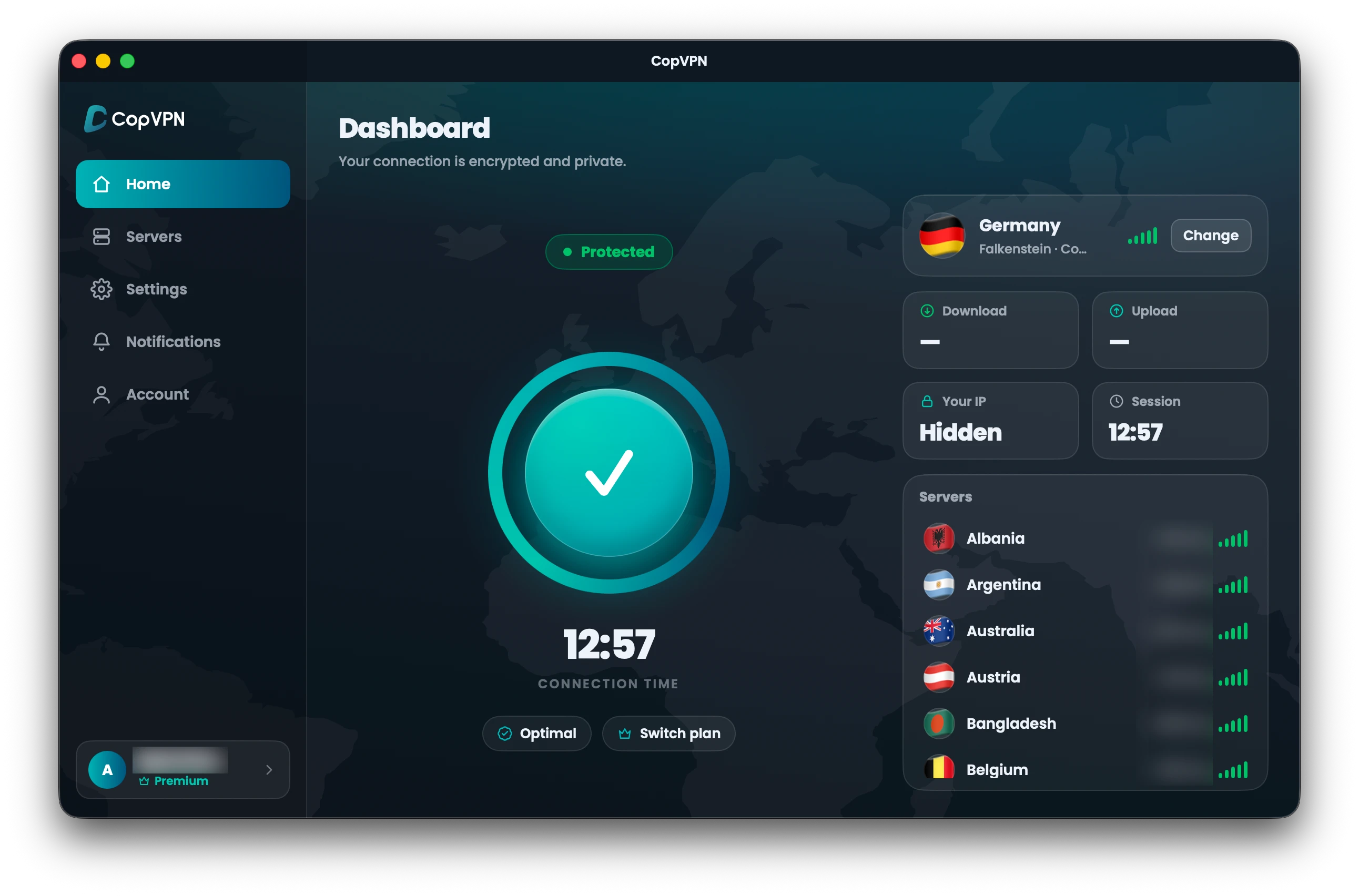
- 1
ProtectedThe app’s status while the tunnel is up
- 2
Your IP · HiddenSites see the server’s address, not yours
Why people choose CopVPN
Six promises, and where to check each one
A promise is only worth something if you can check it. Pick a line on the receipt to read its fine print and the page behind it.
DNS stays in the tunnel
- The setting: “DNS leak protection”, “Block IPv6 and keep DNS inside the VPN”.
- On by default in the Windows, Mac, Linux, iPhone, iPad and Android apps.
- On Android TV it’s always on, with no switch.
- The browser extension has no DNS setting; while it’s connected, site lookups go through CopVPN.
In each app
- Windows
- Mac
- Linux
- iPhone
- iPad
- Android
- Android TV · always on
- Extension · no setting
- 01
No logs
We follow a no-logs policy.
- 02
No password to leak
Email and a 6-digit code, or Apple or Google.
- 03
DNS stays in the tunnel
DNS leak protection is on by default in the apps.
- 04
A kill switch you control
It blocks traffic if the VPN drops.
- 05
A protocol for the network you’re on
5 protocols, and Optimal to pick one for you.
- 06
A guarantee in writing
30-day money-back guarantee.
- Promises
- 6
- Password fields
- 0
- Lines you’ve checked
- 1 of 6
Tap any line for its fine print
- No logs. We follow a no-logs policy. The Privacy Policy sets out what it covers. We keep this line short on purpose: the policy is where the detail lives. Read the Privacy Policy
- No password to leak. Sign up and sign in with your email and a 6-digit code, or with Apple or Google. There’s no password field anywhere in CopVPN, so there’s nothing to reuse, forget or leak. One account works on unlimited devices. Try the sign-in demo
- DNS stays in the tunnel. The setting: “DNS leak protection”, “Block IPv6 and keep DNS inside the VPN”. On by default in the Windows, Mac, Linux, iPhone, iPad and Android apps. On Android TV it’s always on, with no switch. The browser extension has no DNS setting; while it’s connected, site lookups go through CopVPN. DNS leak protection
- A kill switch you control. On Windows, Linux, Mac and iPad: “Kill switch”, “Block traffic if the VPN drops”. On iPhone and Android: “Kill Switch”, “Blocks the internet if the VPN drops”. The browser extension blocks that browser’s traffic if the VPN drops. It’s off until you turn it on. The Android TV app has no kill switch. Kill switch
- A protocol for the network you’re on. WireGuard, OpenVPN UDP, OpenVPN TCP, AmneziaWG and Stealth. Optimal: “Picks the best protocol for your network automatically.” Leave it on Optimal, or pick a protocol yourself in Settings. The browser extension uses one protocol, Secure Proxy, and protects that browser only. VPN protocols
- A guarantee in writing. CopVPN comes with a 30-day money-back guarantee. Ask for a refund within 30 days of the payment in my.copaccount.com, under Billing › Payment History. The Refund Policy has the full terms. Refund policy
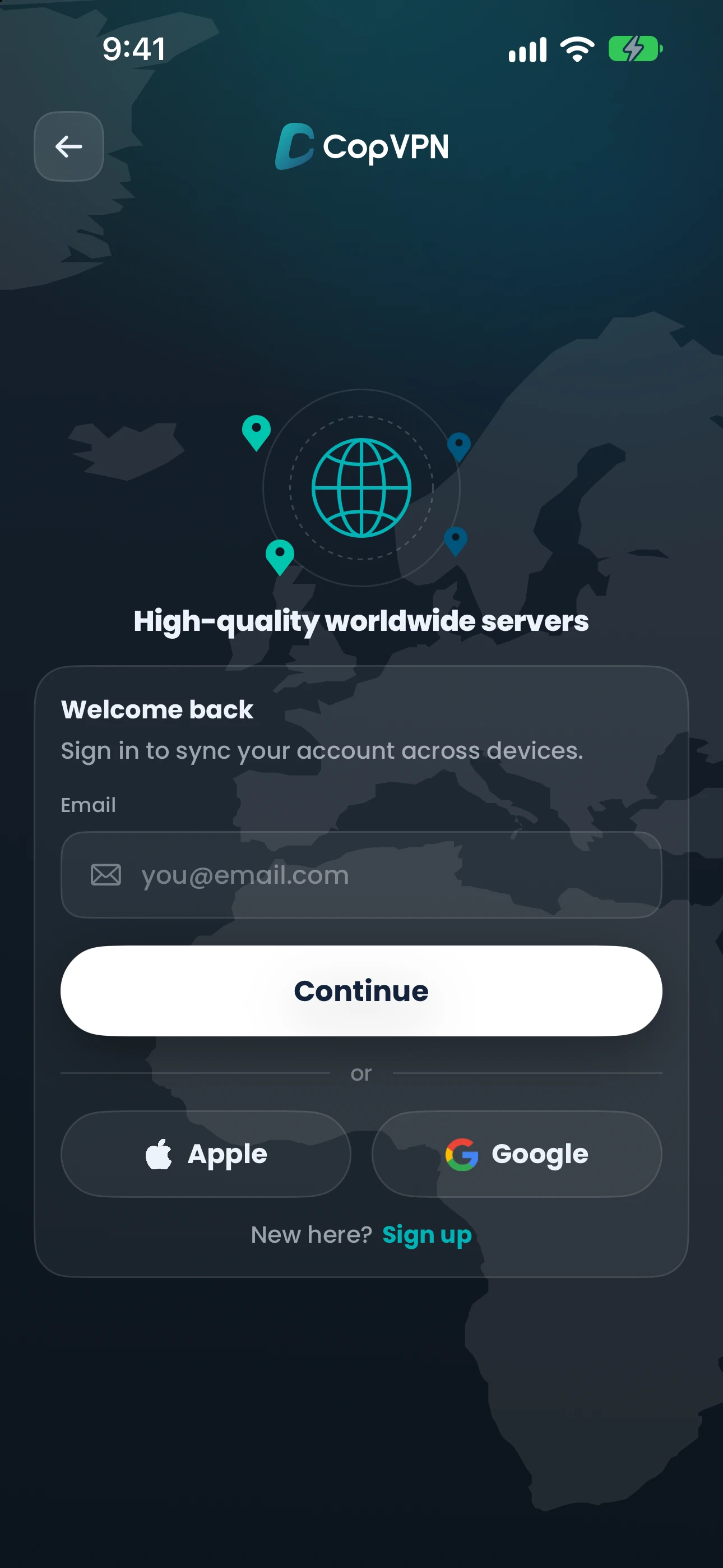
CopVPN for iPhone, sign-in screen
Passwordless sign-in
No password to create, so none to leak
Sign in with your email and a 6-digit code, or with Apple or Google. The same account works on unlimited devices.
- 1Type your email and tap Continue.
- 2We email you a 6-digit code.
- 3Enter the code. You’re signed in.
Who it’s for
Privacy for the places you actually connect
- Wi-Fi
On hotel, café or airport Wi-Fi
The network sees an encrypted connection to a CopVPN server, not the sites you visit. On iPhone, iPad and Android, auto-connect can protect untrusted Wi-Fi for you.
Auto-connect - Home
A household with lots of devices
Use one account across the family’s phones, laptops and the living-room TV.
Unlimited devices - Blocked
On a network that blocks VPNs
AmneziaWG: “Disguised WireGuard. For networks that detect and block VPN traffic.” Stealth: “Looks like ordinary web browsing.”
VPN protocols - Browser
The whole device, or just the browser
The apps protect the whole device. The extensions for Chrome, Edge and Firefox protect the browser only, and connect to the free locations without a plan.
Get the apps
Plain words
Plain words, no hype
A VPN encrypts your connection and hides your IP address from the sites you visit. It doesn’t make you invisible, and we won’t pretend it does.
Encryption
AES-256 encryption for OpenVPN. WireGuard and AmneziaWG use WireGuard’s own cryptography.
What it hides
It hides your IP address from the sites you visit. Accounts you sign in to still know it’s you.
Devices
Unlimited devices on one account.
Protection
Strong encryption, DNS kept inside the VPN by default, and a kill switch you control.
Blocked networks
5 protocols, including AmneziaWG and Stealth for networks that block VPN traffic.
Numbers
If we can’t back a number up, we leave it out.
Questions
Frequently asked questions
Our support team answers by email.
contact@copvpn.comWhat does no logs mean at CopVPN?
We follow a no-logs policy. The Privacy Policy sets out exactly what it covers. Read the Privacy Policy
Do I need a password?
No. CopVPN is passwordless: you sign in with your email and a 6-digit code, or with Apple or Google. There’s no password to create, reuse or forget. See how sign-in works
Is DNS leak protection on by default?
Yes, in the CopVPN apps: “Block IPv6 and keep DNS inside the VPN” is on out of the box. On Android TV it’s always on, with no switch. The browser extension has no DNS setting; while it’s connected, site lookups go through CopVPN. DNS leak protection
Does a VPN make me anonymous?
No. A VPN encrypts your connection and hides your IP address from the sites you visit. It doesn’t hide the accounts you sign in to or what you type into forms. What a VPN hides, and what it doesn’t
Can I try CopVPN first?
There’s no free trial. Instead, every CopVPN app connects to our free locations without a plan, so you can try it on your own devices first. CopVPN also comes with a 30-day money-back guarantee. See the plans
Which devices can I use?
There are apps for Windows, Mac, Linux, iPhone, iPad, Android and Android TV, and extensions for Chrome, Edge and Firefox. One account works on unlimited devices. Download the apps
How do I delete my account?
Delete it in the Android app (My Account › Delete Account) or in the iPhone and iPad app, or ask through the Contact page and we’ll delete it. Contact us
Your connection right now
This is what websites see
Any site you open can read your IP address and roughly where you are. Connect CopVPN and they see one of our servers instead.
- Your IP
- Location
- Provider